Hello @adesinoh
What I’ve seen in your workflow is that your Excel Reader is configured to ‘Read the Files in Folder’
You need to remove your 4th node (Column Filter) and send all the columns to the variable.
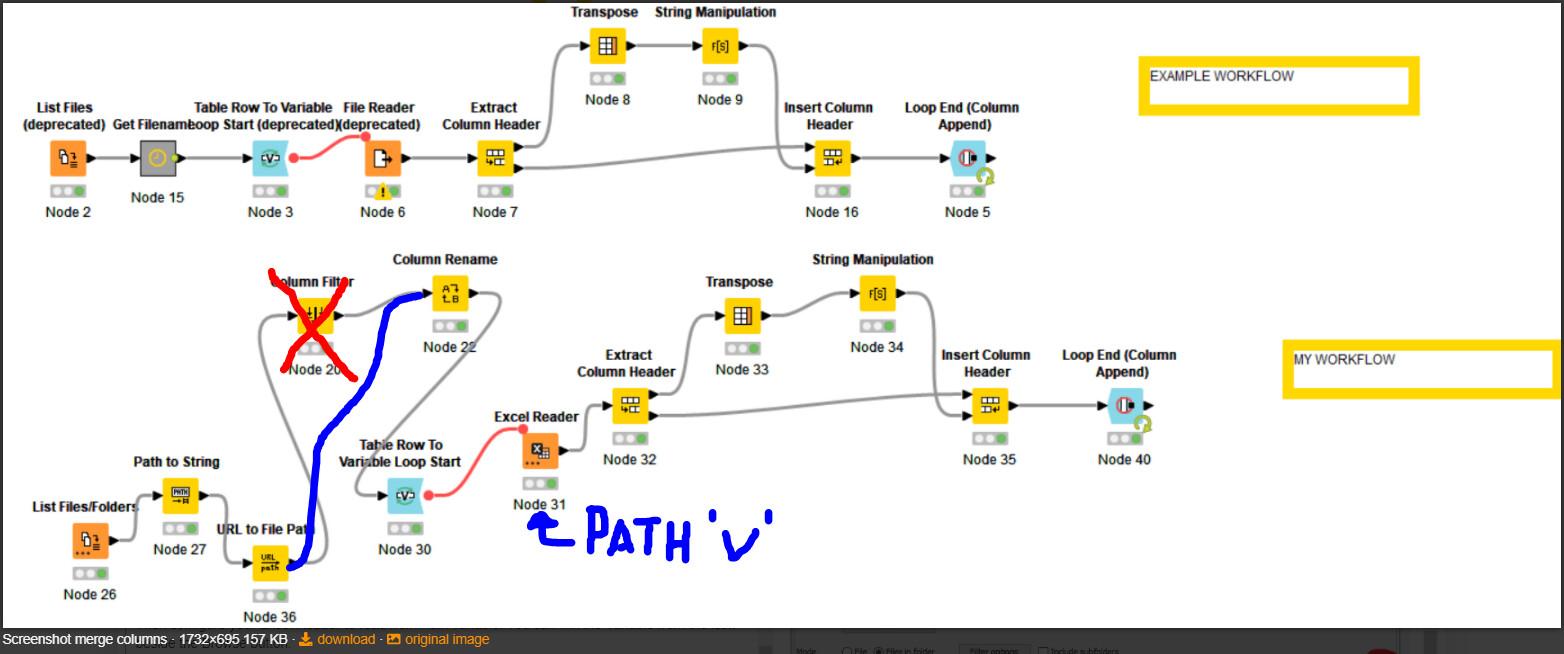
Then configure your Excel Reader to read from Path variable. You can link the Variable reference by clicking the icon besides the Browse button.
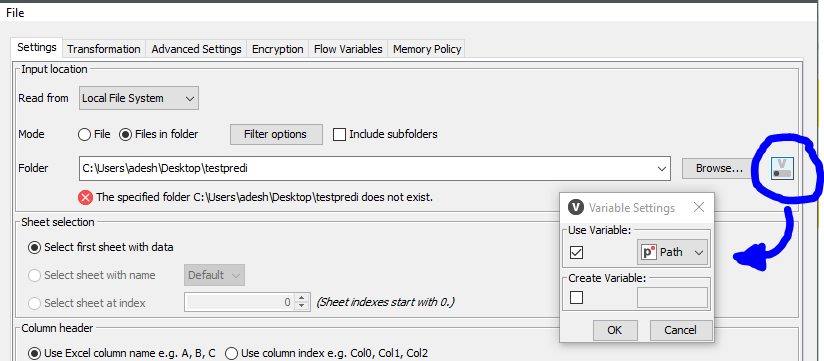
I think this is how to solve it .
BR
PS.- You can also identify from your actual Excel Reader configuration the original file with the option Append Path Column from Advanced Settings. Then change your transformation by manipulating the column with Path and step on it for pivoting. In this approach all the nodes before the reader are not necessary (?)