Hi @semon , indeed it does not seem to prompt for the Workflow Variables, only for the Workflow Credentials, which you cannot use in your case.
I’m sorry about this, I thought the Workflow Variables would prompt you for values, similar to the Workflow Credentials’ behaviour, but it’s not the case.
I can propose 2 alternatives.
Method 1:
Create the variable in the workflow and save the password as blank:
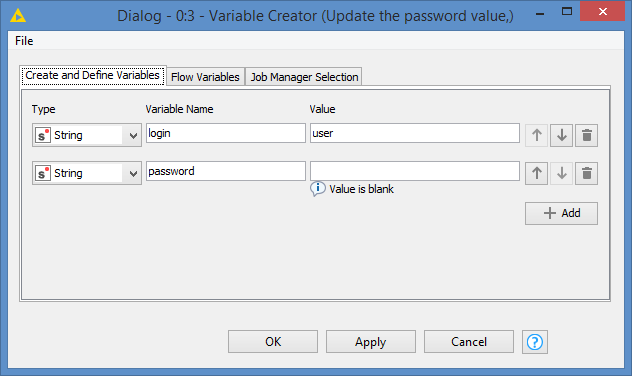
And then enter the password when you use the workflow, without saving it. Just add some notes to the node like this:
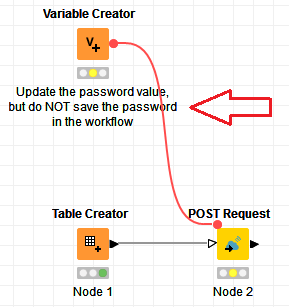
It will take discipline to not save the password by accident.
Method 2:
You can create an interactive workflow via Components:
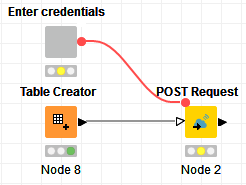
The component offers interaction to enter username and password. You can set a default value for the username, and leave the password blank as default. This is what the interaction looks like:
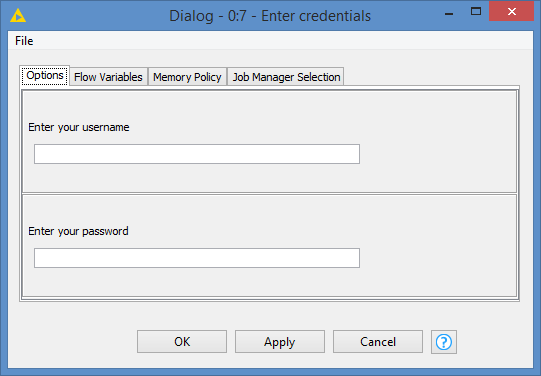
But again, as with Method 1, it will keep the value you enter. So you will need to save the workflow without the password as with Method 1.
Here’s the workflow with both methods: Web service authentication interactive password.knwf (22.4 KB)
I can’t think of any other ways at the moment. I’ll let you know if I find a better way to do this.