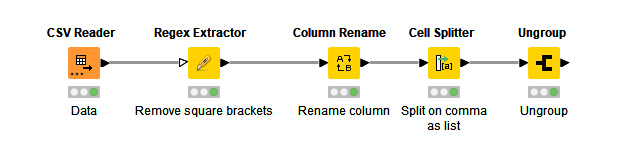
Having the data is great.
Let’s first deal with the list columns. In the following screenshots I’ve filtered out a few columns just to make it easier to follow along.
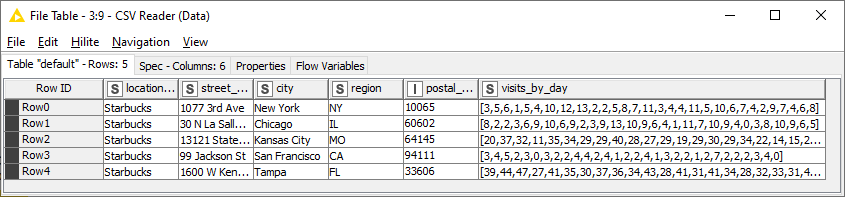
Since you’re loading a text/csv file, KNIME doesn’t know that the list columns (e.g. visits_by_day) are lists. KNIME reads this as a string column, as shown by the S icon in the column header:
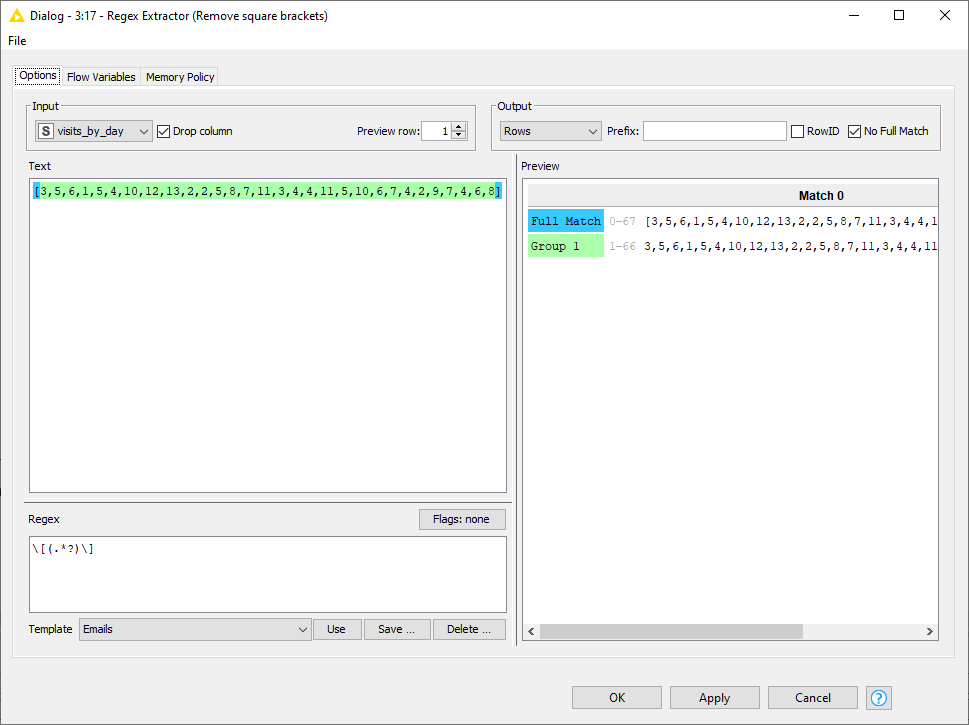
The first step is to convert this column into a KNIME list. I removed the square brackets using the Regex Extractor node:

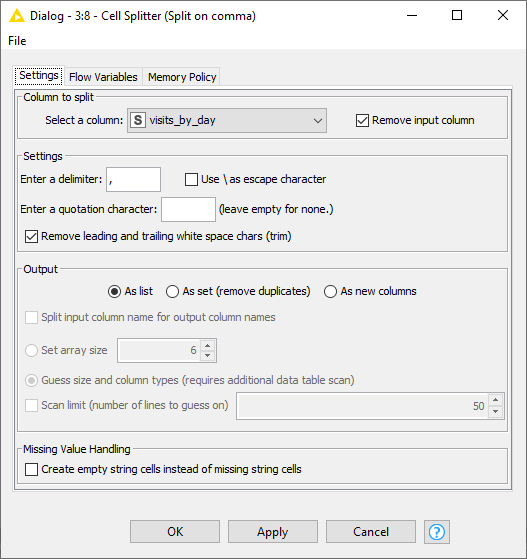
After renaming the column so that it has the original name, I use the Cell Splitter node to split the column using the comma as the delimiter, and format the output as a list:
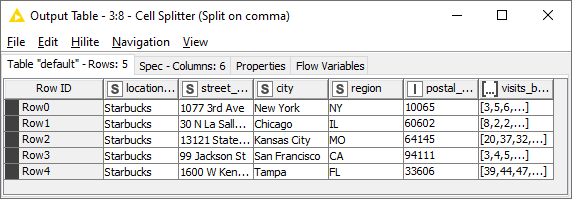
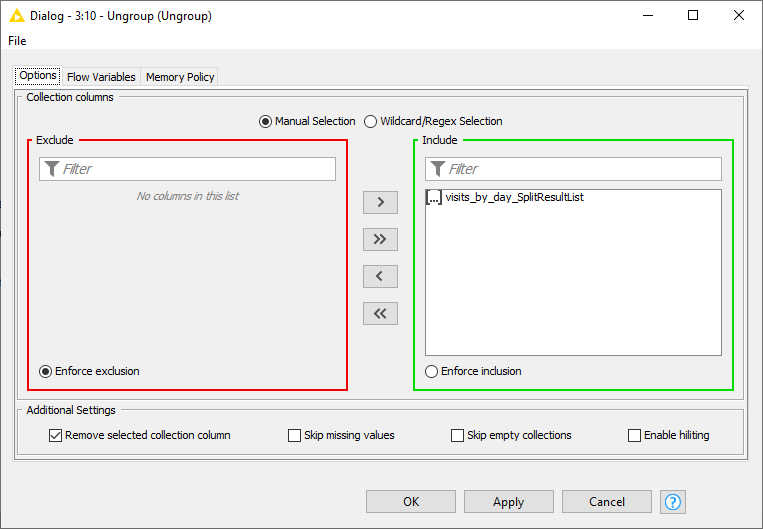
Now we’re back to where we started, but now KNIME knows it’s a list column. So we can use an Ungroup node to explode the list:
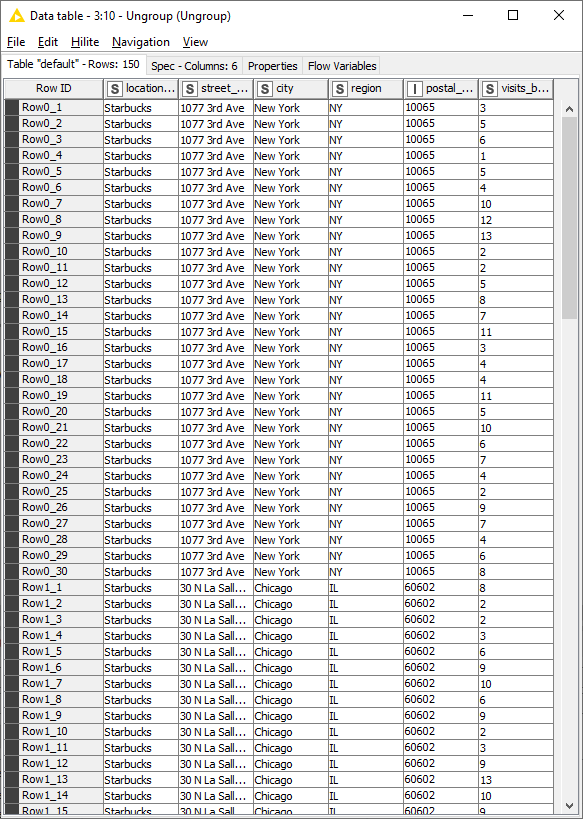
30 list items multiplied by 5 rows gives 150 rows.