@OzgunOzden I came up with this solution where you would provide a list of the cells you want to extract and the column they should be assigned to (stored in a meta.csv - you can edit that according to your needs) - assuming the structure is the same in each file/sheet:
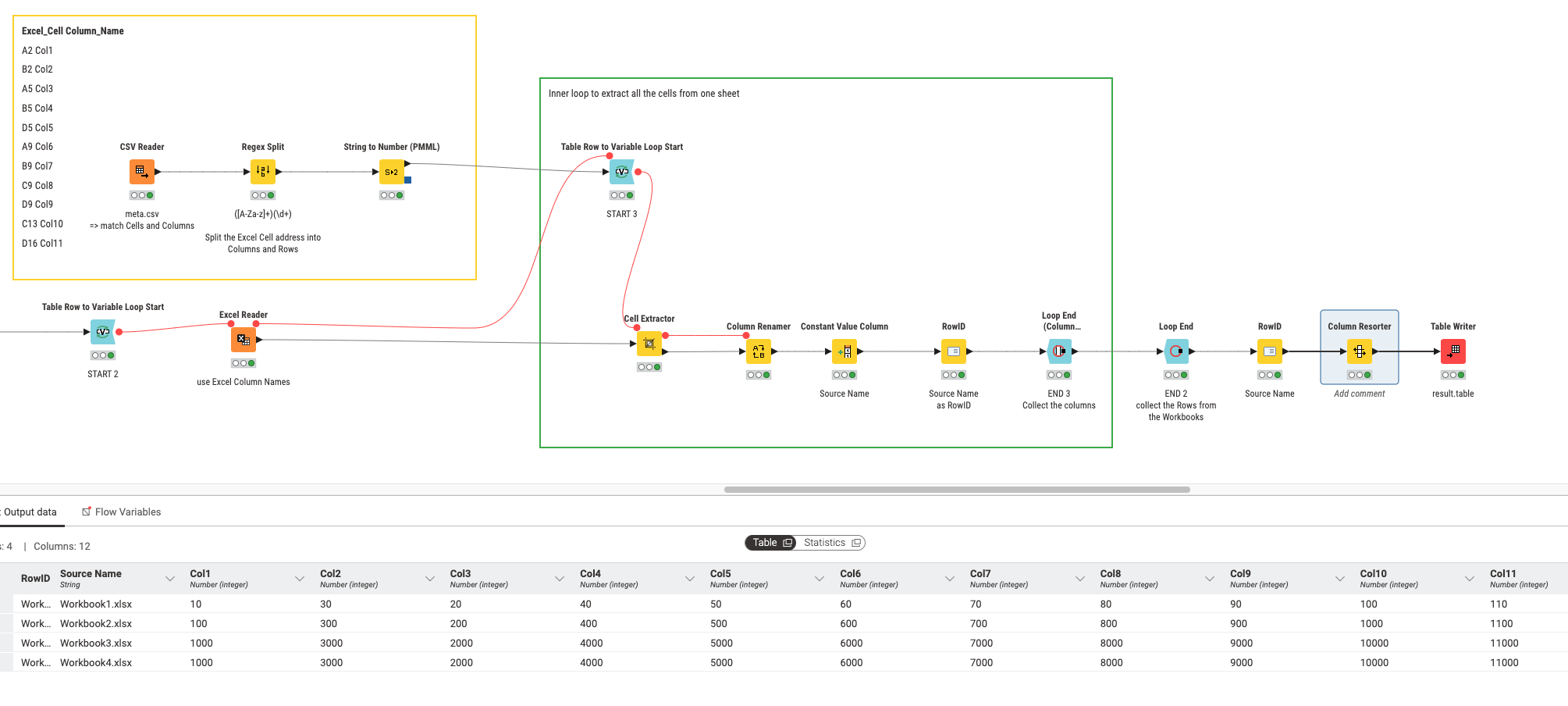
An few things to notice about the workflow:
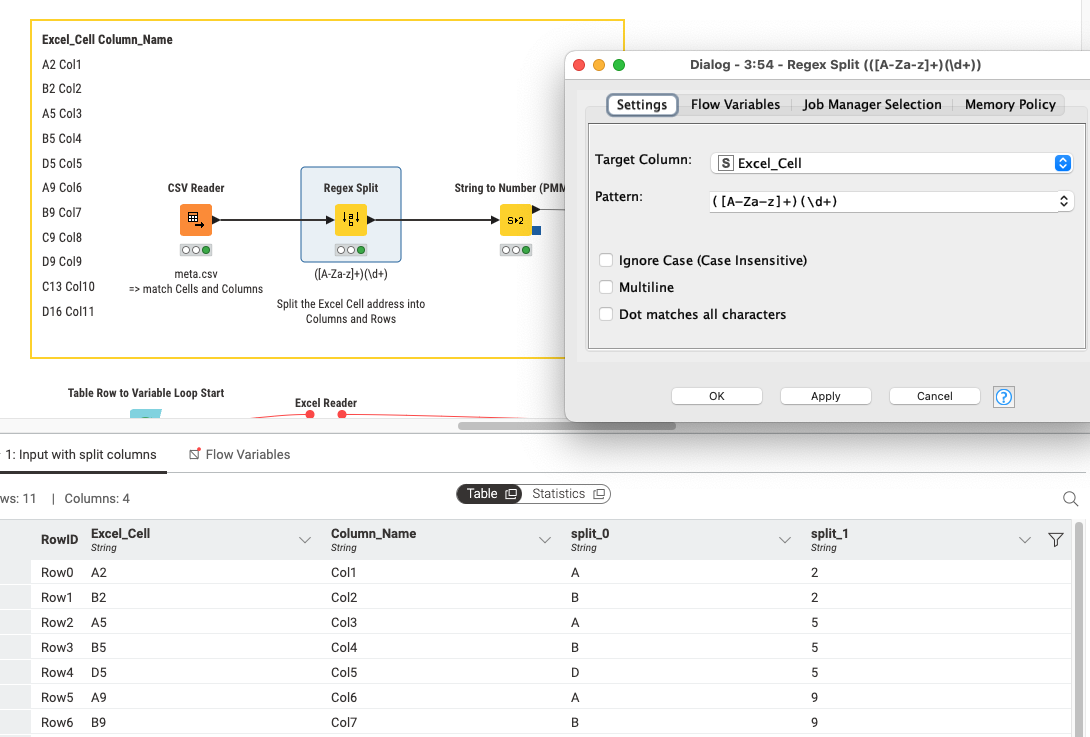
Use of Regex to split the Excel style addresses into Column and Row:
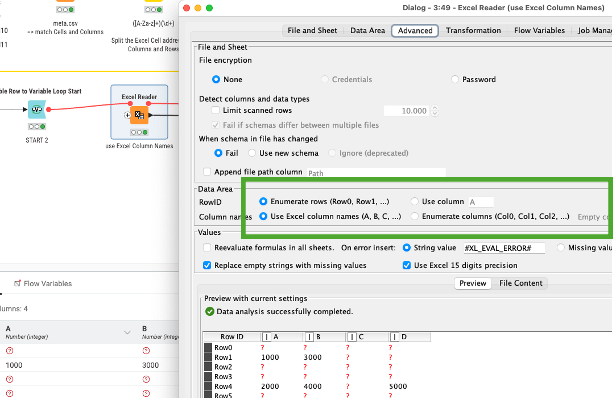
When importing Excel make sure to use the Excel column names A, B, C:
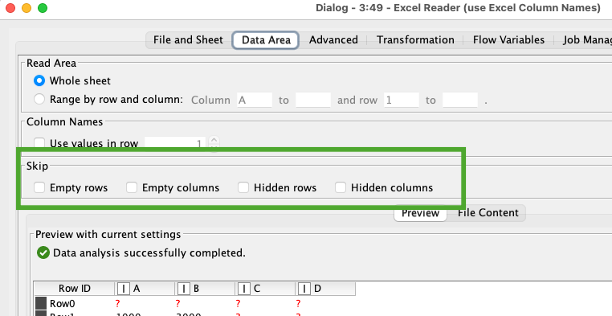
And also do not skip empty cells. This might compromise your system:
And then the extracted value from the cell must be renamed to the ‘target’ column.
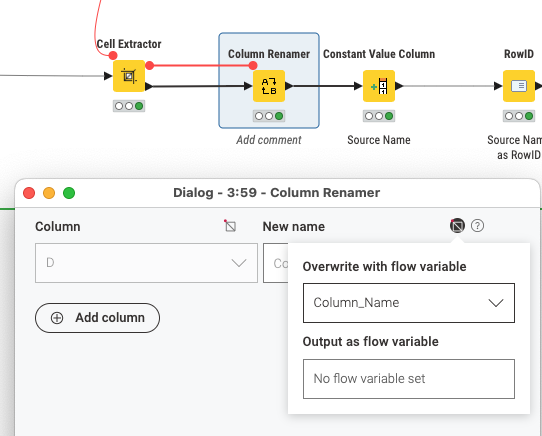
The Workbook name will function as a RowID:
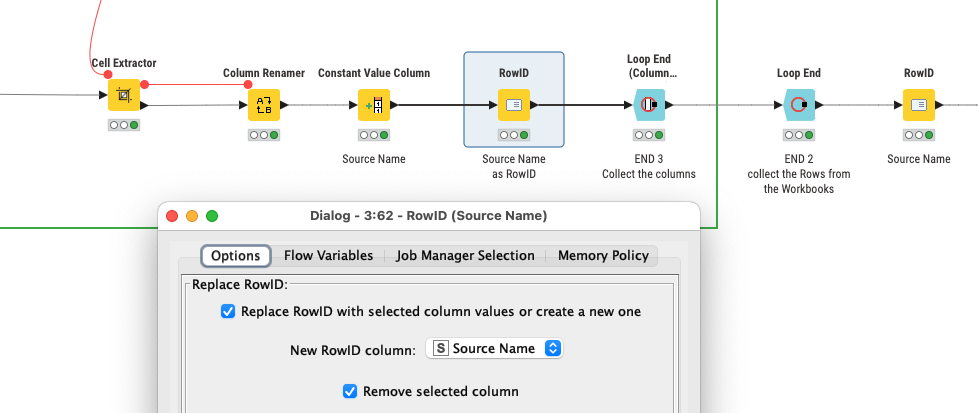
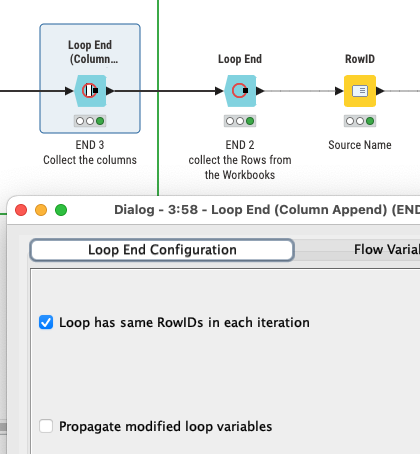
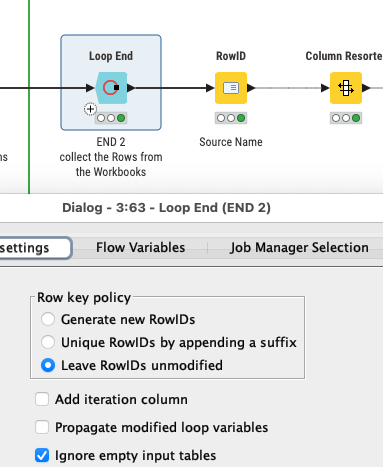
The inner loop collects the column (for each RowID = Workbook). The outer loop then collects the rows.
Excel - Import selected Columns and Cells - KNIME Forum (78689).knwf (152.3 KB)