Hi @rkehrli , assuming my understanding of your structure in Actual_BOM.xlsx is correct, the workflow can be adapted to iterate over your structure.
| Actual-BOM | Workflow-BOM |
|---|---|
| Parent Item | Part ID |
| 2nd Item Number | Component Part ID |
| Description | Component |
| Quantity | Quantity |
In the workflow structure, I have also given the (repeated) description for the “Parent” in each case, and this can be derived by a self-join to transform your data into a form that will work with the workflow. (Annotated in the orange box)
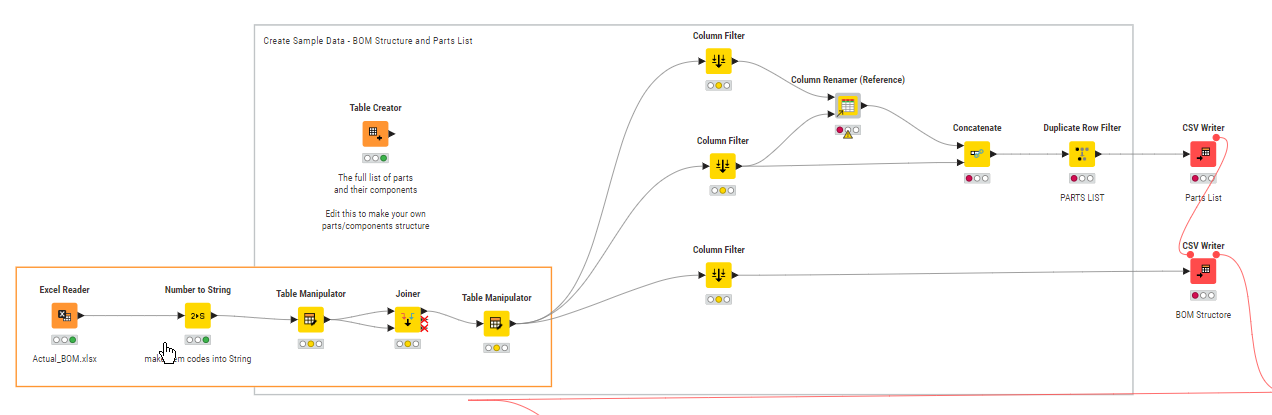
e.g.
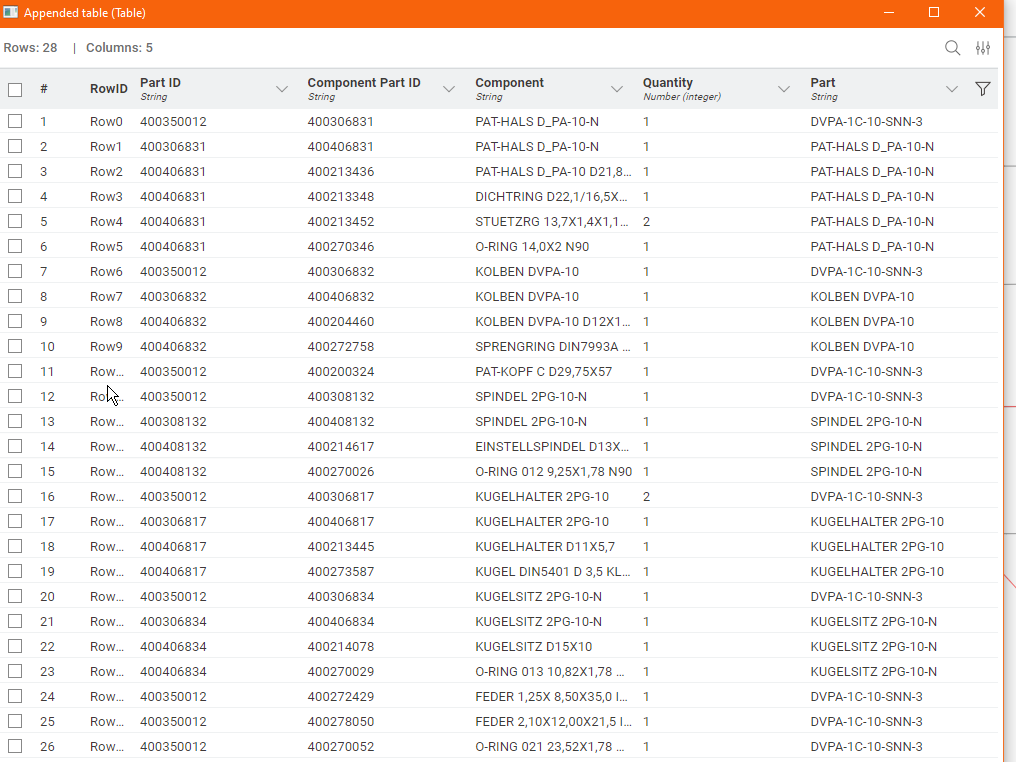
With that done, the remainder of the workflow can work with minor modification - your part IDs are numeric, and so I have converted them when they are read to String (also annotated in Orange boxes)
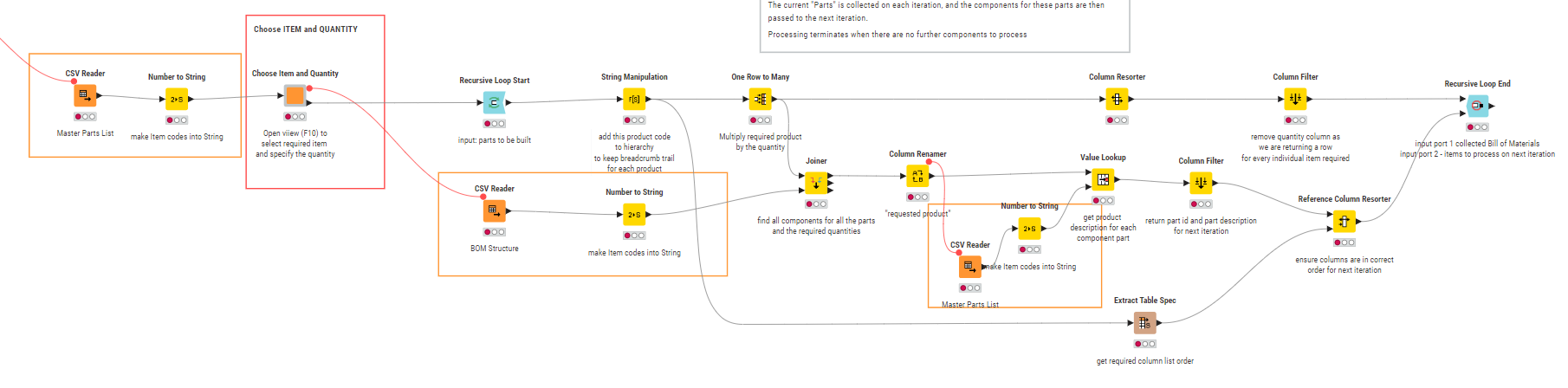
Choosing to build a particular item results in the BOM with items repeated according to the required quantities in the source BOM Structure.
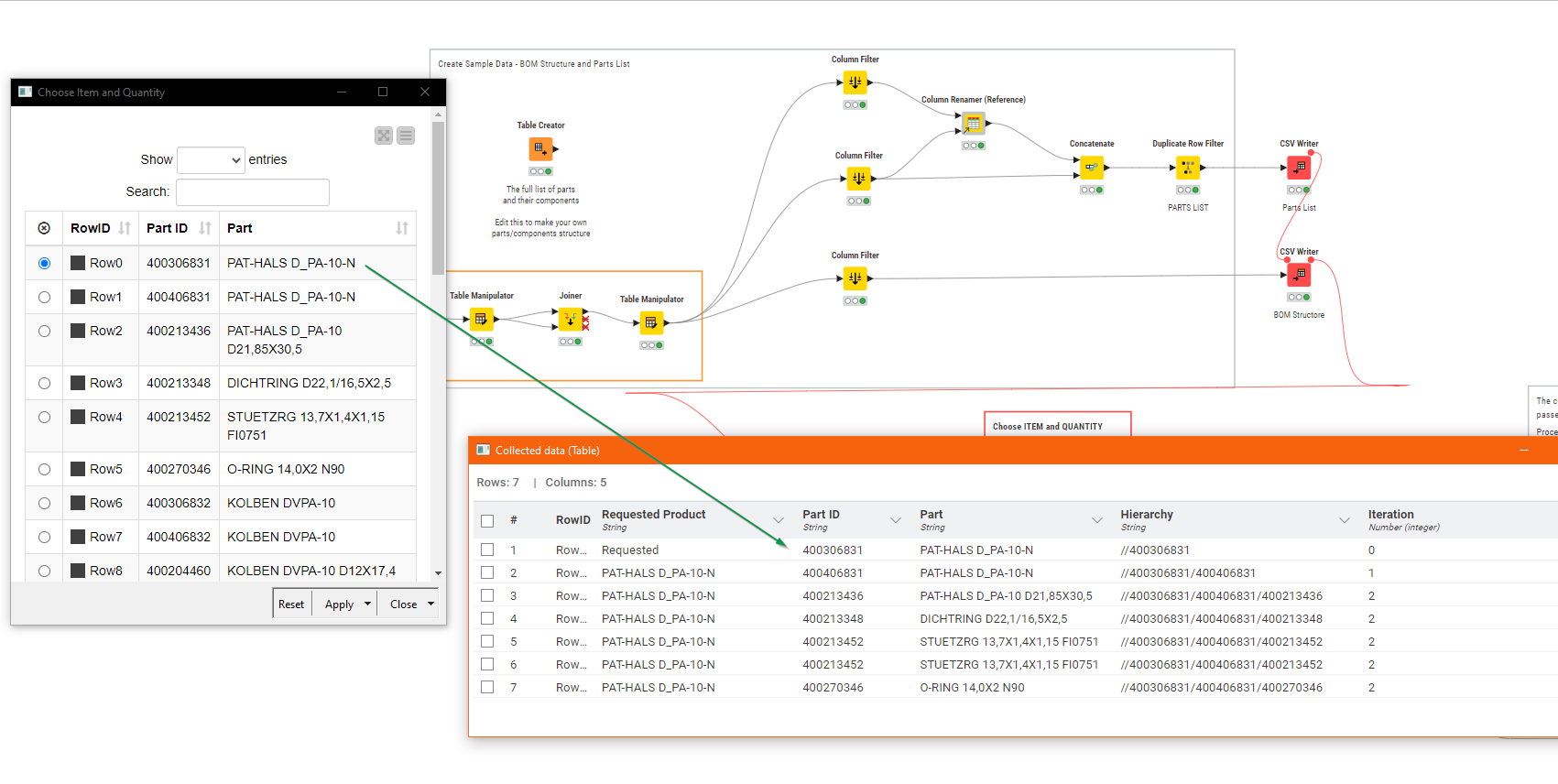
Here is the workflow containing your adapted data
Bill of Materials (BOM) with recursive loop demonstration - adapted.knwf (169.9 KB)