Hi @pyroo56323, I think the problem has to do with how CSV files are read, so nothing connected to KNIME. You can see the problem and the solution here: “CSV file with Arabic characters is displayed as symbols in Excel”.
Taking the example workflow created by @mlauber71 (thanks!!) → forum question (43958) about use arabic letters in KNIME – KNIME Hub, if you write your file using the Excel Writer node, the problem is solved automatically.
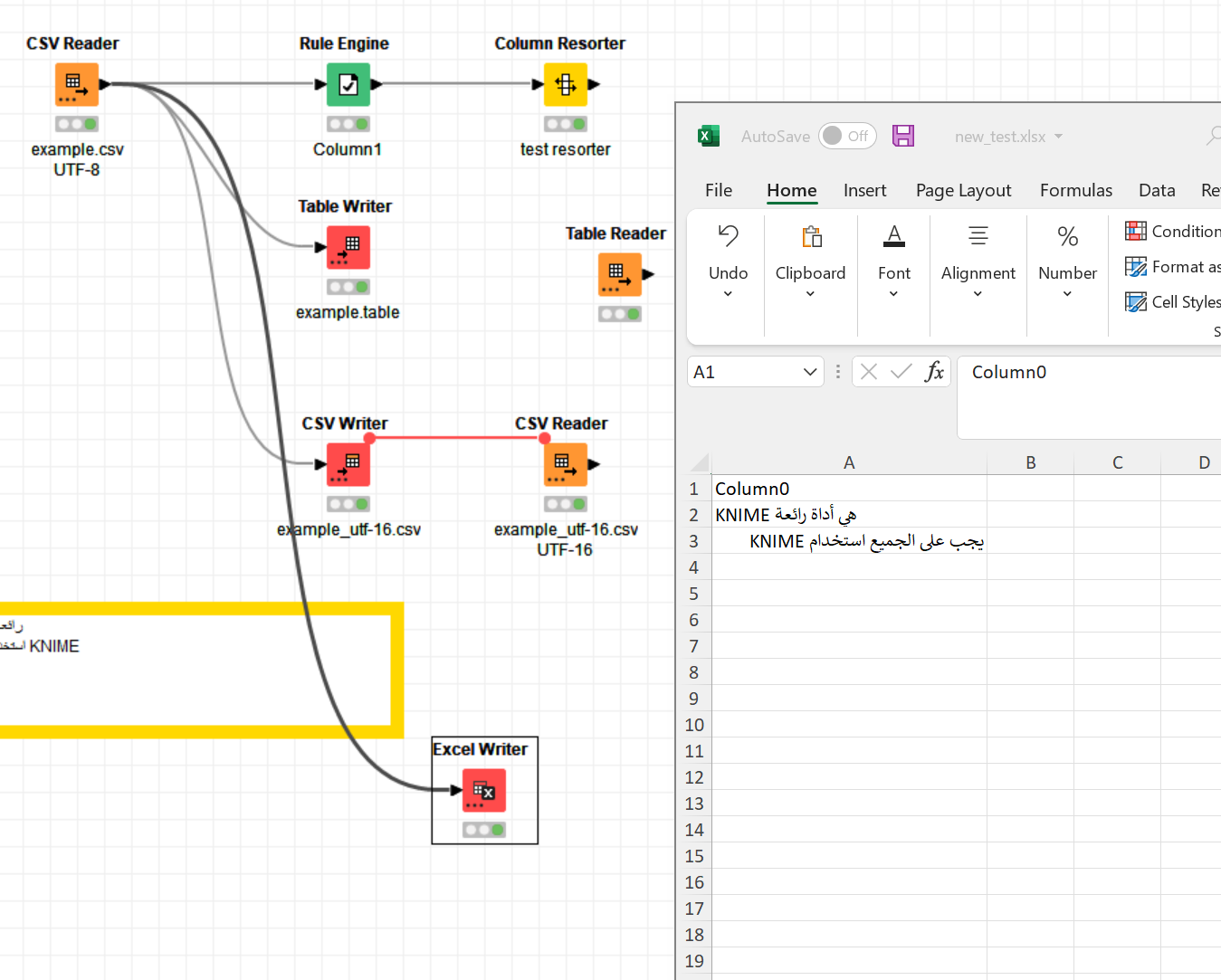
However, another problem arises: that is that KNIME in the second row is placed on the left cell margin although it was originally on the right margin. This happens on the local Excel file only, in KNIME the table is correctly displayed. Again, I suspect this is a problem of how Excel reads and somehow sorts characters. Searching the Internet for how this can be customized should definitely solve your issue  .
.
Hope it helps!
Best,
Roberto