Hi @klenner , welcome to the KNIME forum!
Life’s a mystery sometimes  I’d not noticed that behaviour before but you’re right it is inconsistent.
From some quick experimentation, it seems you need to convert a boolean to a string before sending it to the csv writer, so that it gets written as “true” or “false” rather than 1 or 0, and then in the CSV Reader it is then possible to transform that string into a boolean. Either that, or following the CSV Reader you’d have to convert 0 and 1 back to false and true, using an additional node.
To convert the boolean to a string, you can use String Manipulation prior to CSV writer, if this is just a single boolean column. You can use the function:
string($NameOfMyBooleanColumn$)
and select to have it replace the existing boolean column.
Likewise, if reading 1 or 0 as an integer in CSV Reader, it could be followed by a Rule Engine to convert back to boolean, e.g:
$mybool$ = 1 => TRUE
$mybool$ = 0 => FALSE
So the workaround is a little annoying, but simple, for a single boolean column.
Unfortunately the situation isn’t quite so straightforward if you have multiple boolean columns. You could obviously have a series of String Manipulation nodes or Rule Engine nodes. Ideally you could use String Manipulation (Multi Column) but unfortunately that node cannot handle boolean data (it “breaks” if it encounters a boolean). It seems that Boolean support wasn’t given top priority!
I’m trying to think of a simple way to handle booleans in a multi-column environment. This would be where we’d want to make use of a Multi-Column Rule Engine, but such a node doesn’t currently exist. Yes you could use a column list loop, but that a lot of work for something “simple” like this.
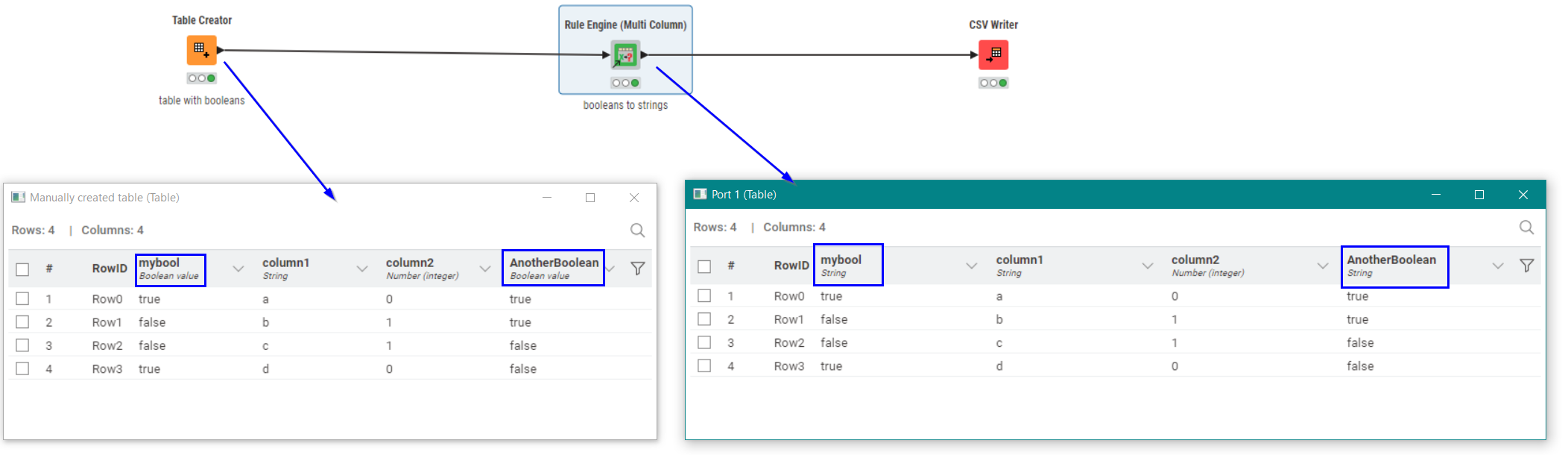
I’m out of suggestions for core nodes! I know it can be achieved with my “Rule Engine (Multi-Column)” component, which basically wraps the Rule Engine node, and adds some additional features:
see:
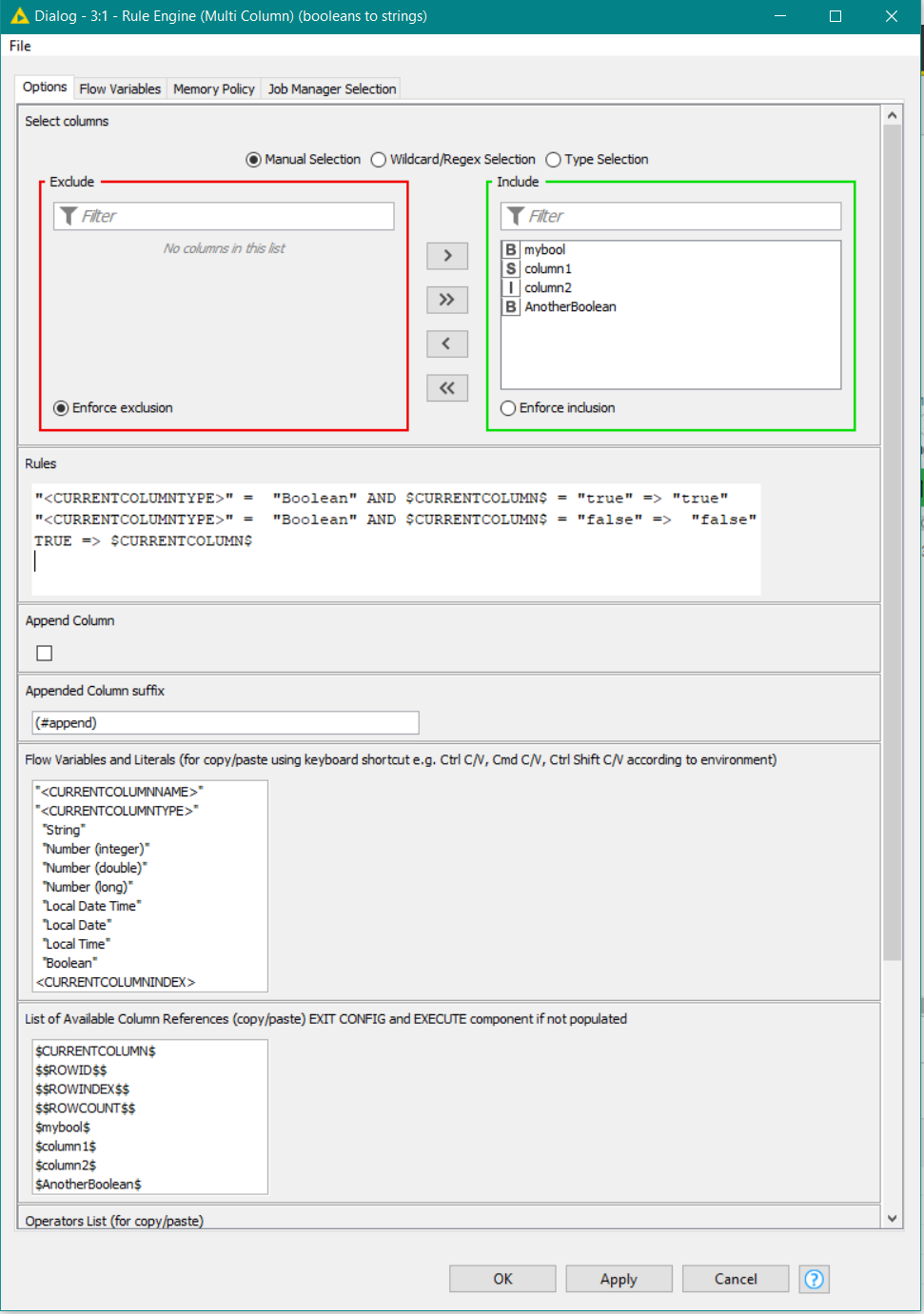
Although the following script looks like it wouldn’t do anything, it will actually convert all booleans into strings of either “true” or “false”.
"<CURRENTCOLUMNTYPE>" =  "Boolean" AND $CURRENTCOLUMN$ = "true" => "true"
"<CURRENTCOLUMNTYPE>" =  "Boolean" AND $CURRENTCOLUMN$ = "false" =>  "false"
TRUE => $CURRENTCOLUMN$
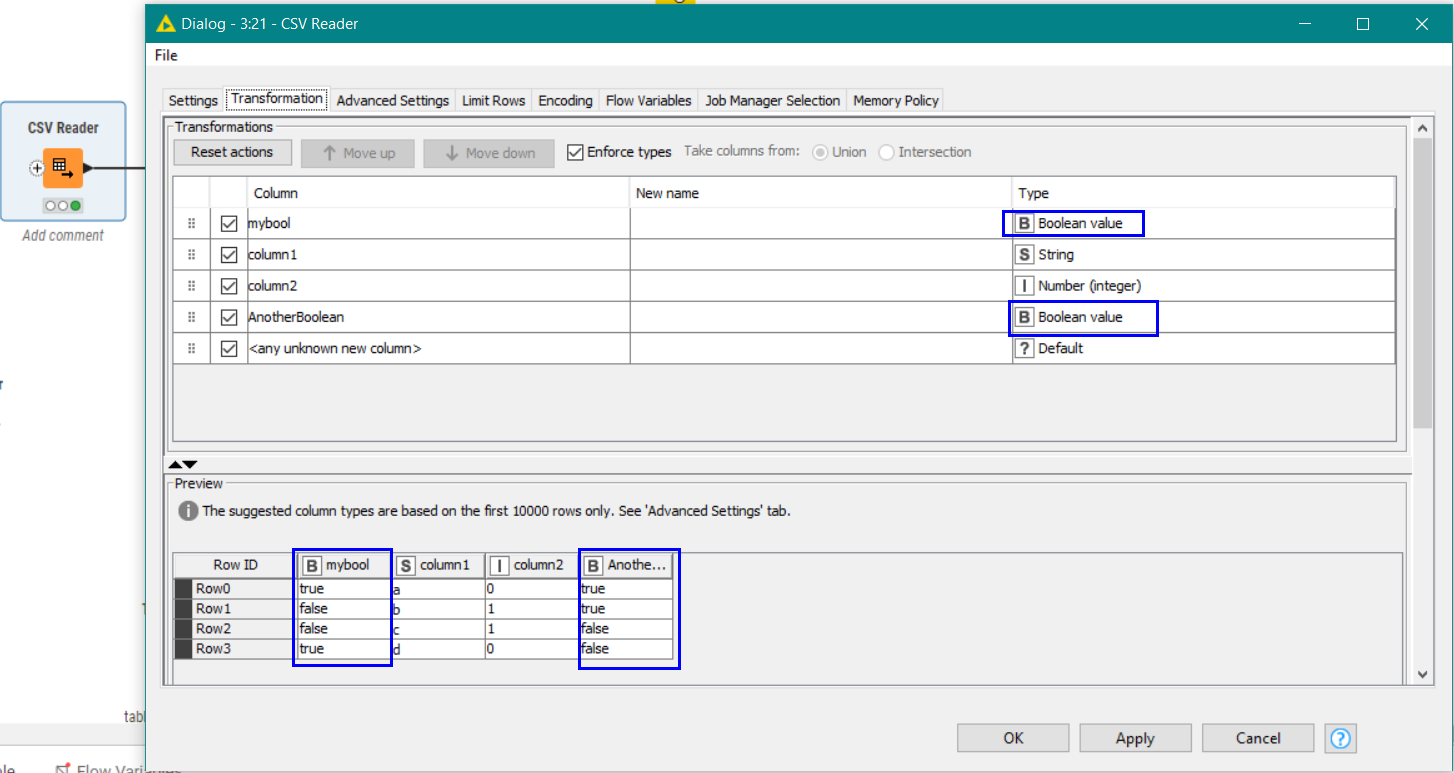
This would then enable you to read the Booleans in after configuring the CSV Reader:
Sorry I haven’t currently got a simpler (core KNIME) solution to your question. Maybe somebody else can spot a better way that I’ve missed.