Hello, was working through learning the Call Local Work Flow (row based), which allows you to “kick off” a workflow, and was able to utilize it to call a workflow that I intentionally saved “completely reset” meaning no green traffic lights.
Why am i using “row” vs table? because the table local workflow didn’t make sense or my patience is too low, i was able to get the row based to kick off with less pain… this initiates a full workflow, and it’s reset, and no extra code/tooling.
here’s what the local workflow config looks like, it’s painless thankfully
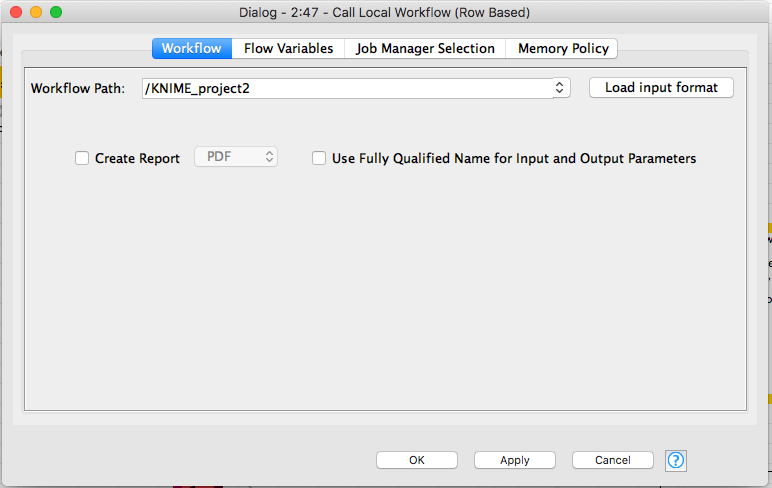
input your workflow that is “not executed” and it works as a means of “reseting” without command line code.
It appears to be working as intended. It calls a workflow that is saved “turned off/reset/not executed” and it runs that workflow.
If you leave your workflow open, it will not work because the nodes will be executed. Turning the workflow off, and reset, is a way that I’m currently using to reset a node before “playing it”
here’s how im doing it.
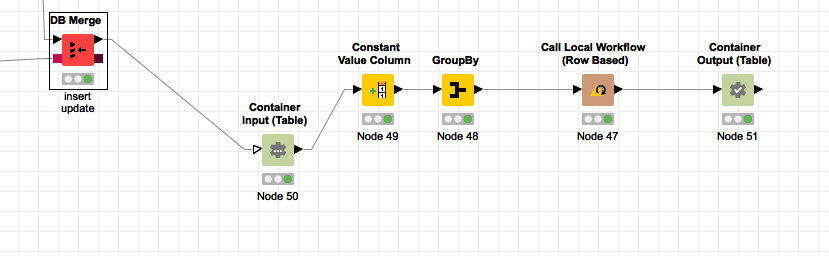
after i insert/update to sqlite, i want to write JSON and overwrite the BI facing data source.
I’m forcing it down to 1 row because again, table local call didn’t make sense, and it felt it easier to reverse engineer what i was learning from community if i just took the logic of the process and made it play my game… which could be super wrong , lol
not sure if im doing this right but i do my best to keep it simple. i think the input and output is needed to kick off the workflow. (although there’s a way to batch script kick off nodes -reset, i want to avoid building more code to automate next workflow)
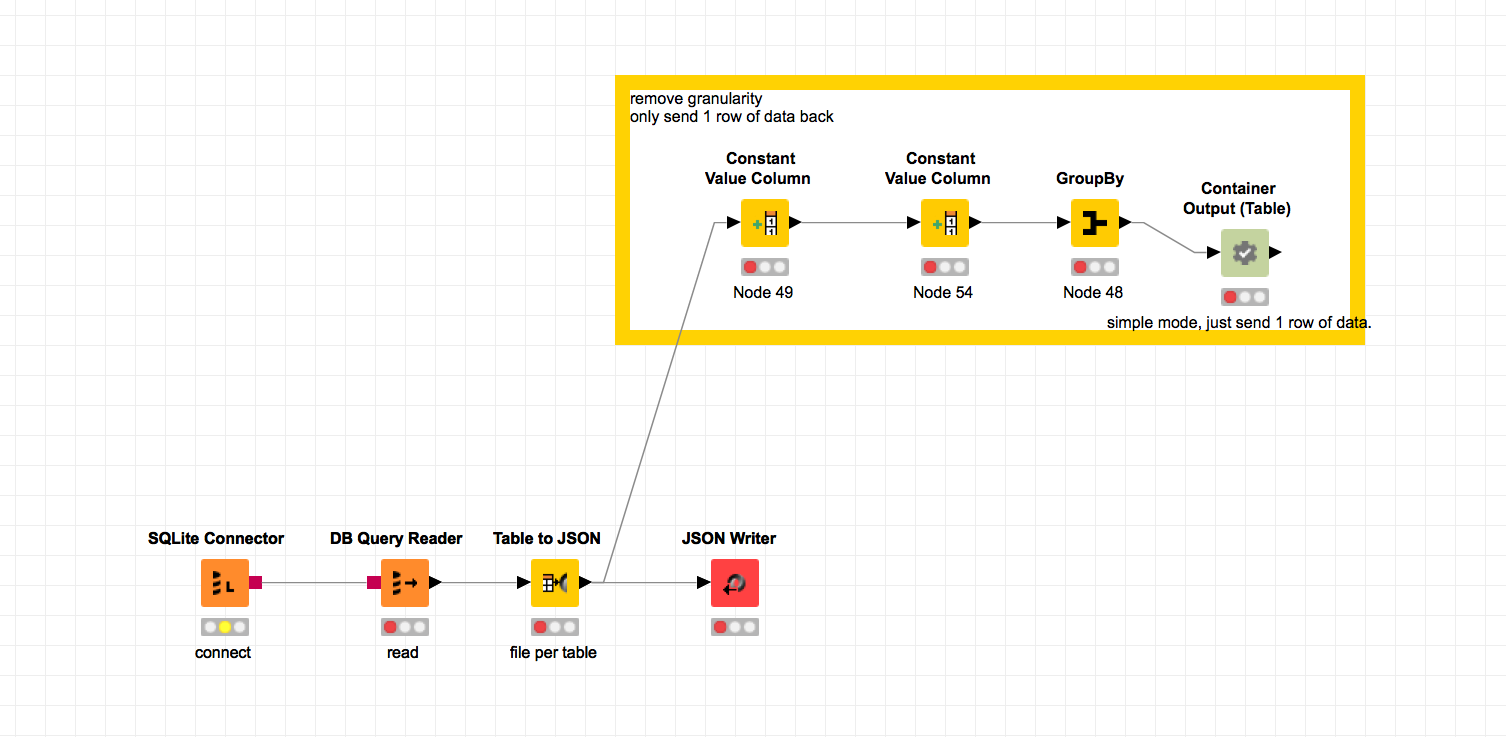
my output sends 1 row of data to sort of “make it easier in my mind” however that’s not necessary and you can send the entire data source back through, however i just needed to get it to reset and not saving it executed AND not keeping the workflow open is the solution.
cheers, tldr
Tyler