
The library does work for rendering smiles in a Generic JavaScript view
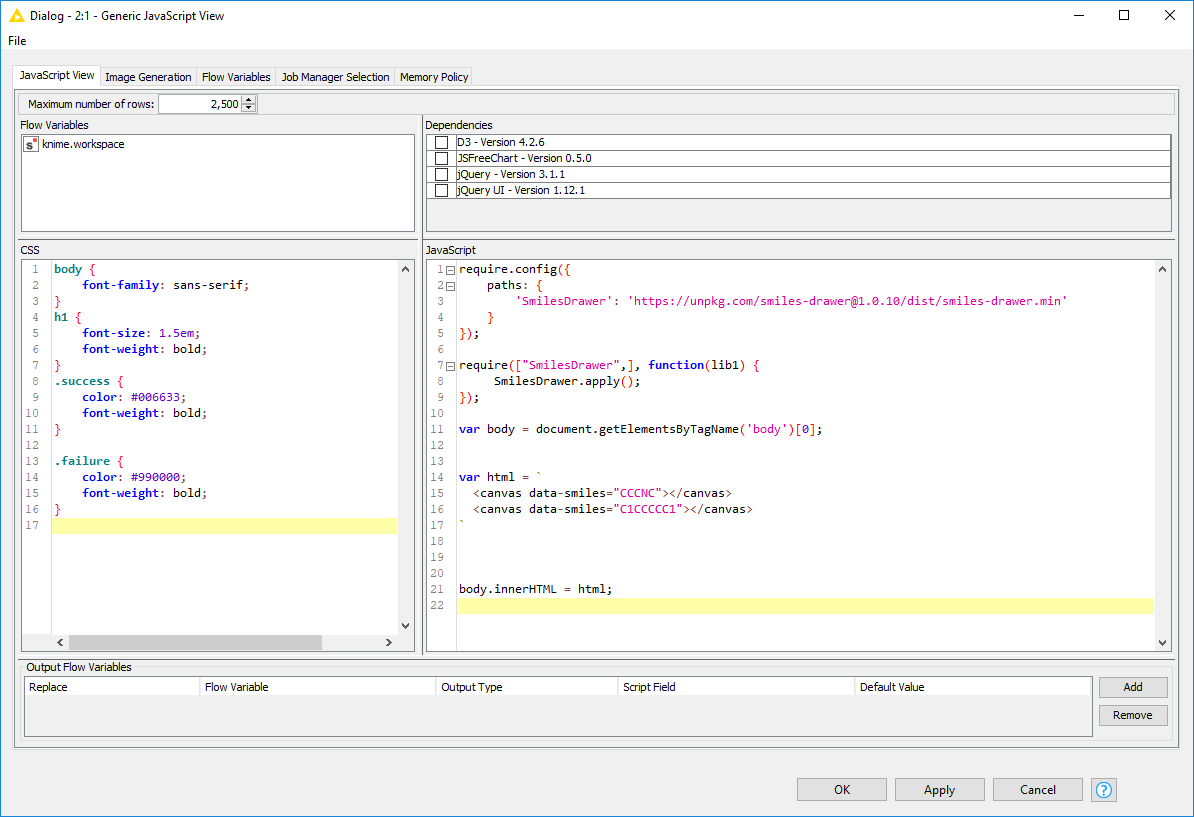
require.config({
    paths: {
        'SmilesDrawer': 'https://unpkg.com/smiles-drawer@1.0.10/dist/smiles-drawer.min'
    }
});

require(["SmilesDrawer",], function(lib1) {
	SmilesDrawer.apply();
});

var body = document.getElementsByTagName('body')[0];


var html = `
  <canvas data-smiles="CCCNC"></canvas>
  <canvas data-smiles="C1CCCCC1"></canvas>
`


body.innerHTML = html;
I’m not sure I’ll personally have the time to a structure matrix view in a Generic JavaScript view. It would be cool if this renderer could be incorporated into the Tile View or Generic JavaScript view so you can take advantage of the event listening, filtering, pagination etc.
If this isn’t likely to happen anytime soon I may try and see what I can come up with when I have some spare time.
EDIT:
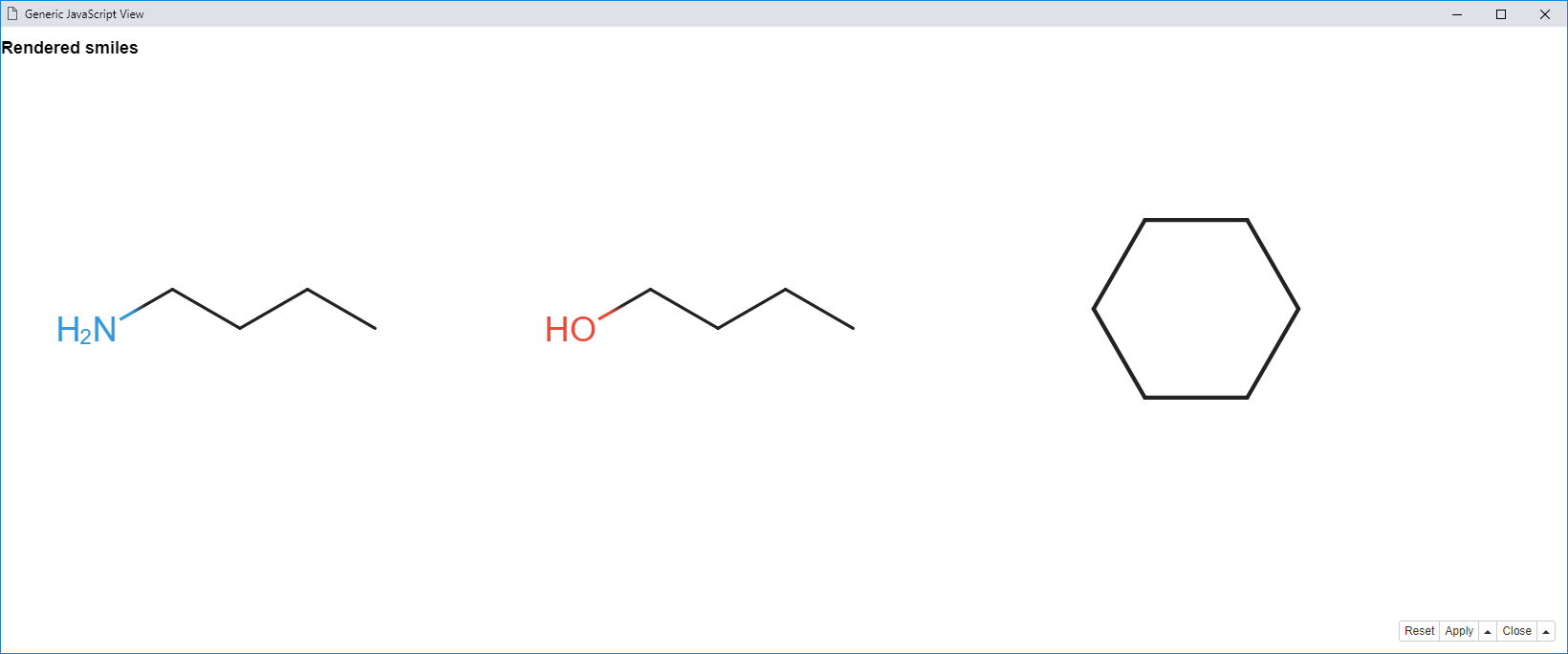
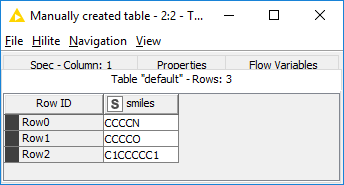
And here is an example that will render sequentially smiles from a column of smiles strings from the table input. The example assumes the input table column is named smiles.
// Setup the SmilesDrawer library developed by the Reymond Group - https://github.com/reymond-group/smilesDrawer
require.config({
    paths: {
        'SmilesDrawer': 'https://unpkg.com/smiles-drawer@1.0.10/dist/smiles-drawer.min'
    }
});

require(["SmilesDrawer",], function(lib1) {
	SmilesDrawer.apply();
});

// This is where you set the column name
// ideally this would be a dialog option
// Shane the value if you have a different
// column name
var smilesColumnName = 'smiles';

/**
 * Find the column name - does table provide a method for doing this?
 * Need ot locate the JavaScript API
 */
function indexOfColumnName(name) {
	var columnNames = knimeDataTable.getColumnNames();

	var index;

	for (var i = 0; i < columnNames.length; i++)
	{
		if(name === columnNames[i]) {
			index = i;
			break;
		}
	}

	return index;
}

var colIndex = indexOfColumnName(smilesColumnName);


var body = document.getElementsByTagName('body')[0];
var html = "<h1>Rendered smiles</h1>";

// Iterate through the data and add the renders
if (knimeDataTable) {

	html += '<div>';

	var data = knimeDataTable.getColumn(colIndex);

	for (var col of data) {
		html += `<canvas data-smiles="${col}"></canvas>`;
	}
	html += '</div>';

} else {
    html += '<div class="failure">No data available.</div>';
}
body.innerHTML = html;
This is what the input table looks like:
Cheers
Sam