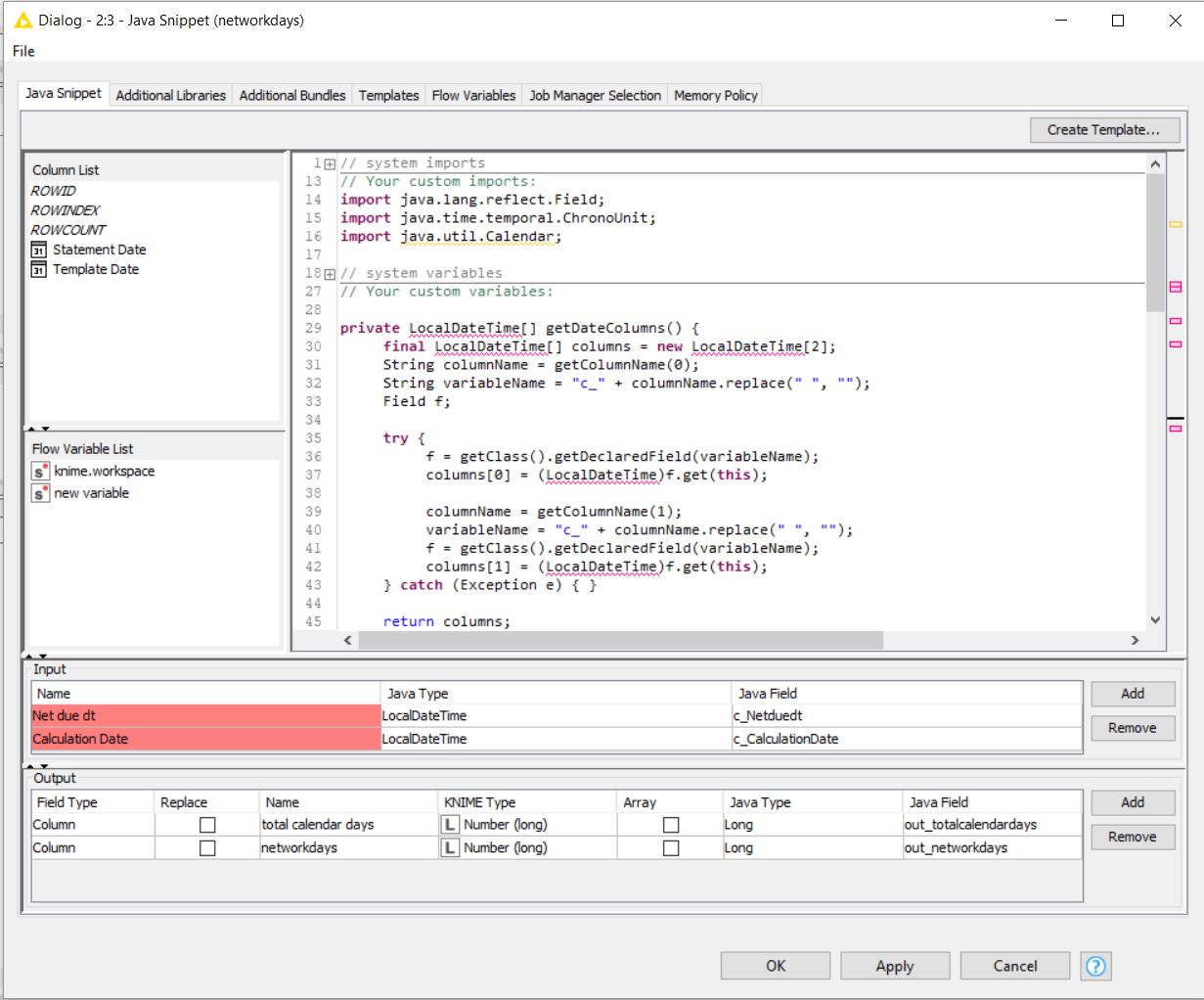
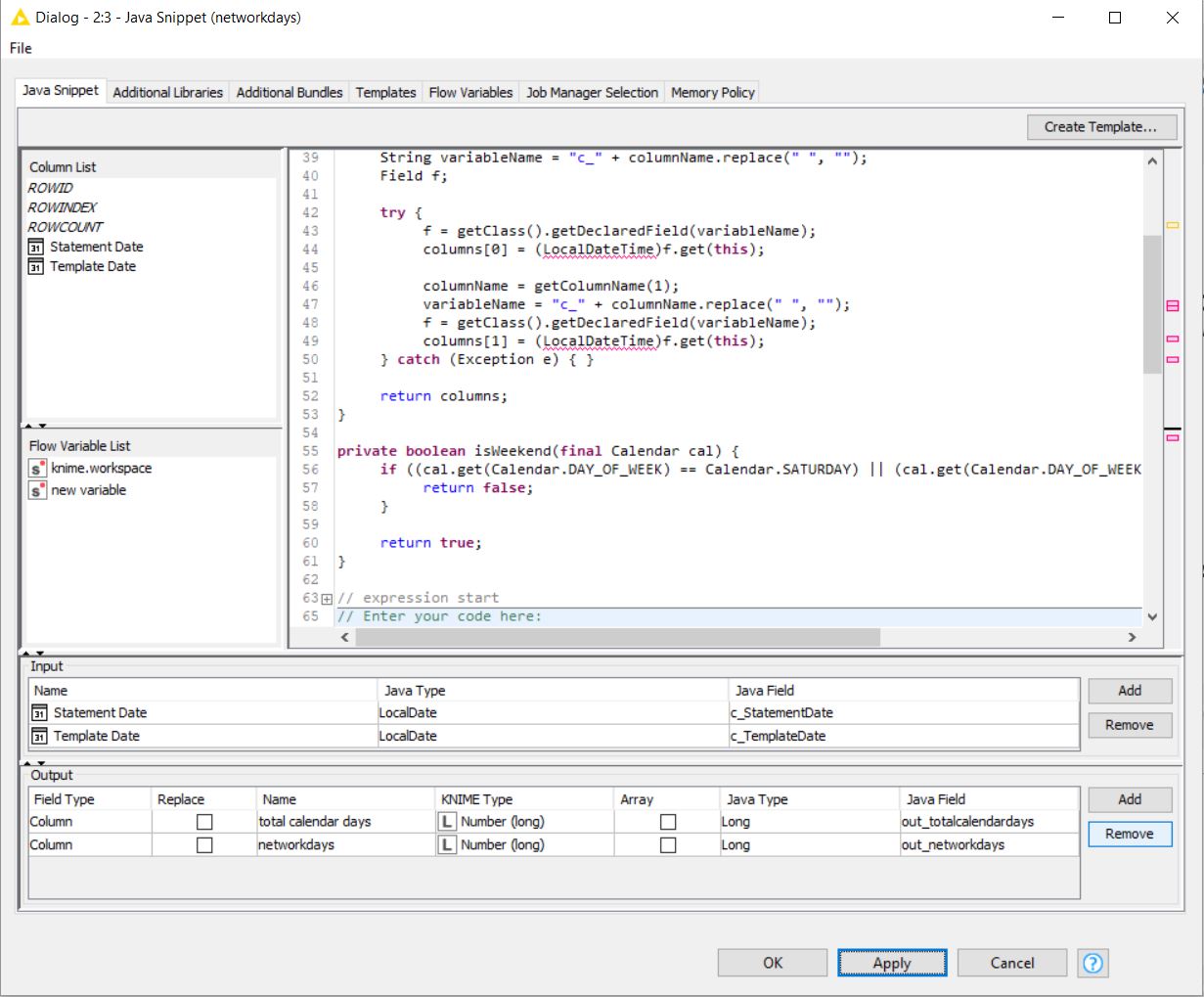
Attached is a workflow with a java snippet node that performs the calculation.
I’ve tried to make it as usable as possible for people who don’t know how to write Java, and so it doesn’t actually rely upon the variable names for the incoming columns, per se (tech: it picks them up via Java Reflection) - they must just be the first two columns and added to the node.
So if you attach the Java Snippet node to input from a different node, or the same node but whose XLSX file you read has different column names, just make sure the data columns are the first two columns and then remove and re-add the columns as seen in the attached GIF (which isn’t attached because the forum software wasn’t having it - see here: http://theori.st/take_away/knime/pavan_node.gif )
I have followed the steps mentioned in the .gif, received the following errors as mentioned in the below screen shots. I am just guessing some setting related to localdatetime, not sure how to fix it. But i feel once this works it would be a great achievement.
Oh how weird… your nodes / version of KNIME / something … create Java types of LocalDate whereas for me, i get columns of Java types LocalDateTime (and so i also get the import statement for that class.) Are you reading in the exact same XLSX file that you uploaded to this thread?
This will sound like a pain in the ass, but everywhere you see LocalDateTime in that Java Snippet code, change it to LocalDate - which should be lines 36, 37, 44, 49, and 67.
Then on line 69, change it to:
out_totalcalendardays = new Long(ChronoUnit.DAYS.between(dates[0], dates[1]));
I have changed as suggested by you, it worked. But there is 1 difference in the output, the aging is always as positive. Ideally if the start date is greater than end date, the aging should be in -ve. May i know where should i change the code for this.
out_networkdays = new Long(weekdays * multiplier);
Also please do confirm what version of KNIME you are running and which, if either, of the attached XLSX files in this thread is the one you are reading in your workflow - it is very important to understand whether the difference in Java types is due to KNIME version, data version, or something else.
Finally the output has come as per the requirement, happy about it. A big thanks to you for your effort & time in providing the same.
I am using KNIME 3.7.1 and i am using the same excel file along with other one in the workflow. As per my understanding when you read the excel file attached in the thread, KNIME will read it as datetime, i have converted that into date only format, may be that is the reason for the difference in the java types, its purely my assumption.
Once again a very big thanks to all who supported on this query…