I did it already but it was of no use.
Hi @giffinromeo , yes I can understand the scenario, and I’m trying to think of other options to work around this, but for the moment, I’d be interested to see if @iCFO 's suggestion can be made to work for you as I know he has far more experience than I do of working with the Excel template node. But I will watch this thread and if I have anything to add, I’ll come back,
This wonder if this could be an issue with incorrect update site info in your preferences? Maybe check that the update sites in preferences match your version number.
Downloading the newer non-depreciated version of this node will absolutely fix your issue.
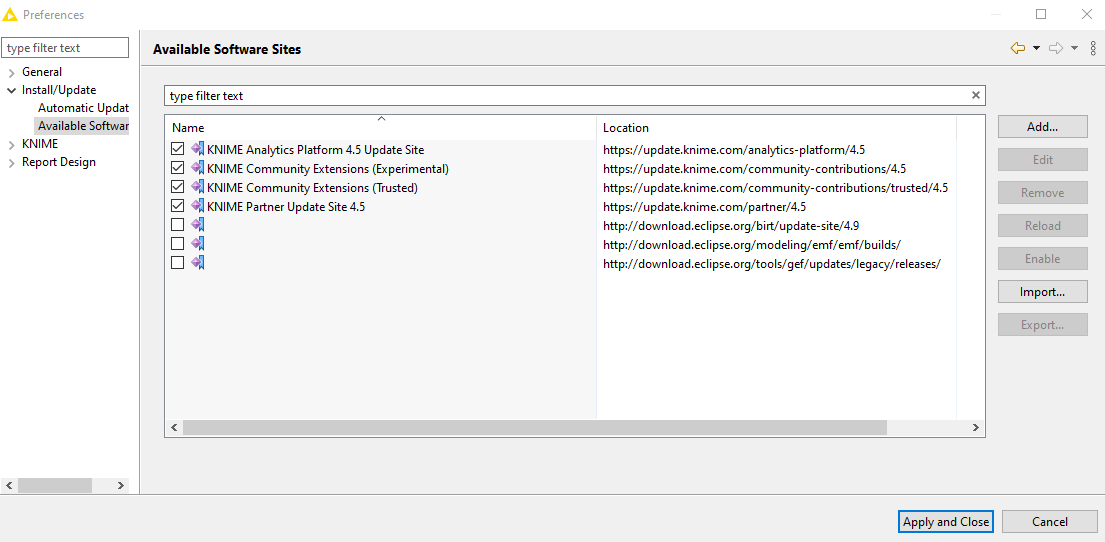
Your available software sites look good. You have Experimental checked and everything is v 4.5. I have never seen this kind of a node install issue. It could be OS admin rights, firewall, org restrictions, etc…
Since we have left the original workflow setup problem and now have an extension install problem, perhaps it is a good time to tag @ScottF to see if he has suggestions on troubleshooting the extension install. At this point, I would probably fall back to trying the old “IT Crowd” axiom… “Did you try turning it off and turning it back on again”?
Did you manage to get that extension installed?
nope, I was not able to install it
A few things that I can think of to try.
Run KNIME AP as admin
Turn off (or adjust) VPN / Firewall
Check with company IT to make sure the extension isn’t black listed / blocked
Try starting a new forum thread specifically about the extension install failure
Upgrade KNIME version, or uninstall / reinstall your current version of KNIME if all else fails.
2 Likes
This topic was automatically closed 90 days after the last reply. New replies are no longer allowed.