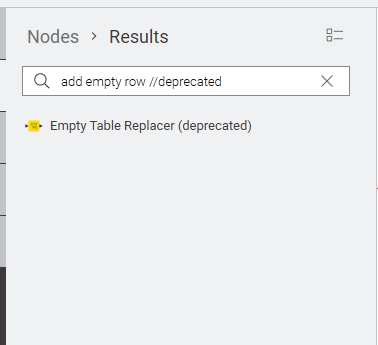
Hi @mwiegand, that would have had me confused too!
I can (sometimes) understand the changing of node names over time but these can be equally confusing for both seasoned users and newbies, who look through the forum for a solution to a problem, but then the solution appears to make no sense on the latest version, because the mentioned nodes “don’t exist”
Having just looked at the 5.8 change log I see this appears
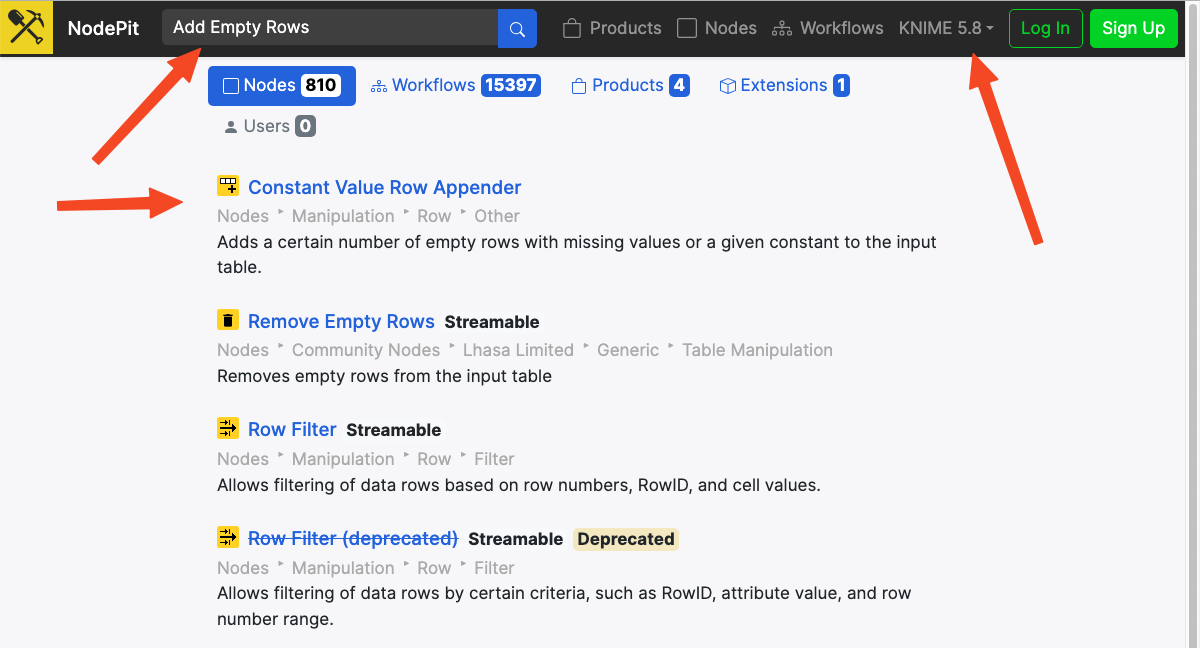
AP-25036: WebUI-Migration for Constant Value Row Appender (previously Add Empty Rows)
But it would be nice to have a more obvious section on the changelog (and in the KNIME help menu)that explicitly tells us of these node name changes.
I’ve long-since wanted some kind of lookup table for where node names have changed, as it can be a pain trying to mentally switch between versions, and today, I had a play with the Nodepit extension which can build a catalog of the KNIME nodes. I’ve chosen to search from 4.3 through to 5.9.
I’m wondering if there’s a unified naming convention or guideline, so that when I can’t find the empty... node, I can guess its new name is constant....
I certainly don’t want to have to search through Excel to find node name mappings.
hi, @takbb , Could you please briefly explain the process of generating this Excel file? I don’t want to know the details; I just want to know the general flow. Thanks!
Another interesting point I found is that if I directly search for “Add Empty Rows” in NodePit without specifying a KNIME version, the first result is the renamed version. If I can’t find the node I originally had in mind, this search method might be the fastest way to find a replacement node.
Changes to KNIME node names are not random; they follow a clear logic designed to improve the user experience, standardize the naming system, and reflect the platform’s ongoing development. By analyzing the history of these changes, we can categorize them into a few key types.
Type 1: Adding or Removing Suffixes/Prefixes to Clarify Status
This is the most common type of change. By adding a “tag” to a node’s name, developers can provide important context about its status and function.
Logic:
Marking Outdated Versions: Suffixes like (legacy) or (deprecated) are added to indicate that a newer or preferred version of the node exists.
Flagging Experimental Features: The (Labs) suffix signals that a node is experimental and its functionality might change in the future.
Specifying Data Types or Functions: Suffixes like (Table), (Event Log), or (Apply) clarify what kind of data the node operates on or its specific role in a process.
Examples:
'KNIME Server Connection' → 'KNIME Server Connection (legacy)'
These changes do not affect the meaning of the name but are made to maintain a consistent style across the platform.
Logic: To standardize naming conventions, correct typos, or improve readability.
Example:
'Courts List' → 'CourtsList' (Space removed for consistency).
Type 3: Renaming for Clarity and Specificity
These are often the most significant changes and can sometimes make it difficult to find a node using its old name. The goal is to make the node’s function more intuitive.
Logic:
From Generic to More Specific Descriptions: The new name provides a more detailed explanation of what the node actually does.
Example: 'Add Empty Rows' → 'Constant Value Row Appender'
Analysis: The old name was limiting. The new name accurately reflects that the node can append rows with custom, constant values, not just empty ones.
From Technical Implementation to User Goal: The name shifts from describing how the node works to what the user achieves with it.
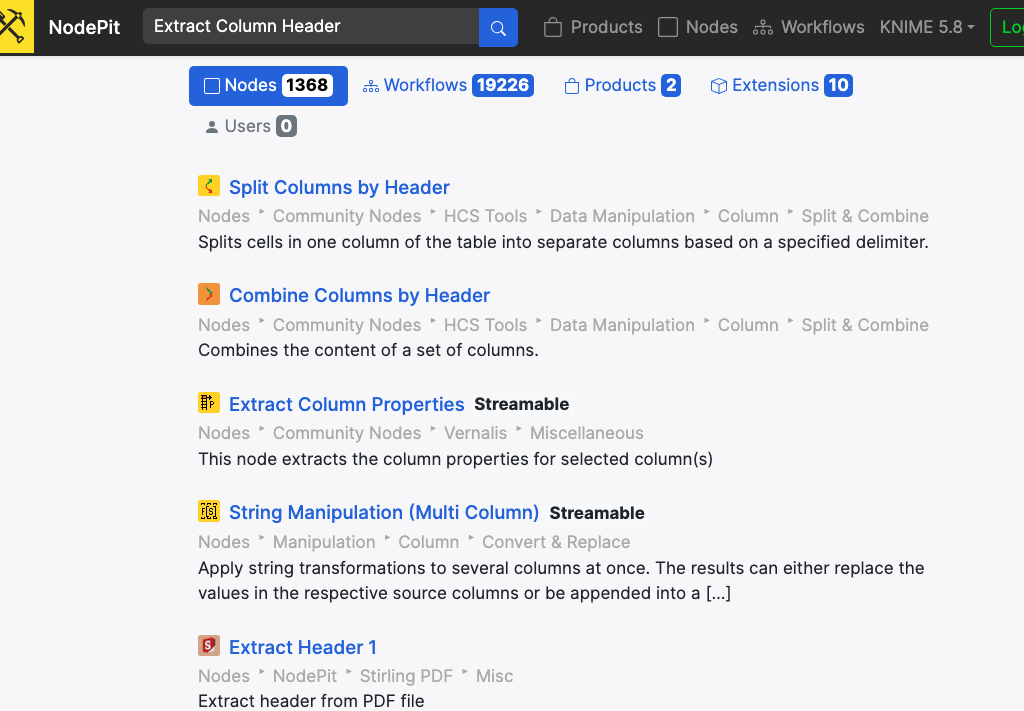
Example: 'Extract Column Header' → 'Column Name Extractor'
Analysis: The user’s goal is to “extract column names.” The new name aligns better with this goal, making it more user-centric than the technical description of “extracting a header.”
Adopting More Standard or Common Terminology: Technical jargon is replaced with more widely understood terms.
Example: 'Auth Header' → 'API Key'
Analysis: “API Key” is a more common and intuitive concept for authentication than the technical term “Auth Header.”
Adding Context with Abbreviations: Well-known abbreviations are used to add context without making the name too long.
Example: 'Get Ask Stories' → 'Get Ask HN Stories'
Analysis: Adding “HN” (a common abbreviation for Hacker News) makes the node’s source clearer and more specific.
Thanks for sharing. Though, I belive the “Add Empty Row” node was perfectly named as it did exactly that.
In contrast, the Constant Value Row Appender adds much more funcitonality and even “rivals” these “veteran” nodes we all do know well:
Certainly there all three nodes have their distinct features but the new “Constant Value Row Appender” kind of doesn’t fit into in such a way that it simply feels unnecessary. What is your take on that?
Hi @HaveF , my workflow automates what you showed in your nodepit screenshots - it looks up the name for each node on Nodepit for the different major KNIME versions, using the Nodepit extension. I’m working on refining it a little and then I’ll make it available.