Hello
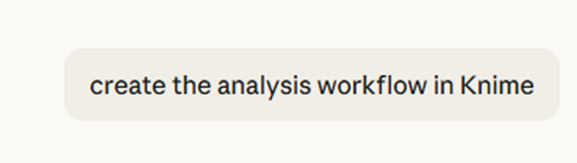
Testing Anthropic Claude, “IT” created a Knime workflow (I guess we can describe Clade as “IT”, by now)
The process is described in the workflow created by Claude.
Claude Analysis Workflow
From there It created the Knime workflow
Claude Knime Workflow
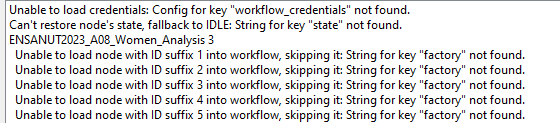
This workflow can’t be imported in the desktop version, due the way the nodes are described in the xmls.
the question is:
Is there a way to import the knwf file and avoid to retype the workflow?
Hey there,
have you considered that Claude may have hallucinated the XML structure or made errors somewhere?
I would not have expected that Claude writes a KNIME workflow that actually then can be successfully imported.
I have done similar experiments - not related to KNIME though (e.g. my ERP exports data in a structure that my tax accountant could not use, so I pointed claude to the docs of the API my tax accountants tool expected and after like 12 iterations (incl. feedback on what went wrong during import from my tax accountant), Claude provided a conversion script that allowed the data to be imported by my accountant…
I’d suggest to start with a very simple workflow and to find resources online (maybe knime github repo?) that you point Claude towards. Then whenever something fails, provide the error description and ask Claude to fix it…
2 Likes
Yes, I understand the point about the hallucinations.
This is a simple process, read select columns, filter…
I was surprised that Claude had access to a server version to create the workflow. As I understood those files can not be uploaded to a desktop Knime version.
My guess is: The Server and the Desktop version create different type of xmls to describe the nodes.
Server, in the workflow.knime
<entry key="factory" type="xstring"
value="org.knime.base.node.io.csvreader.CSVReaderNodeFactory"/>
<entry key="node_name" type="xstring" value="CSV Reader"/>
Desktop
<entry key="factory" type="xstring" value="org.knime.base.node.io.filehandling.csv.reader.CSVTableReaderNodeFactory"/>
<entry key="node-name" type="xstring" value="CSV Reader"/>
All the heavy work is in the xmls, so it is possible to recreate the values.
It took me 2 days to create and test my model, understand the data, select the records and decide how to present the results.
It took 25 minutes to create all the work, even the analysis report in Claude.
The problem, it will take several hours to validate the result.
So you are saying that you can run a workflow on a KNIME Server to generate above views, but you cannot import it into KAP?
Maybe I am misunderstanding.
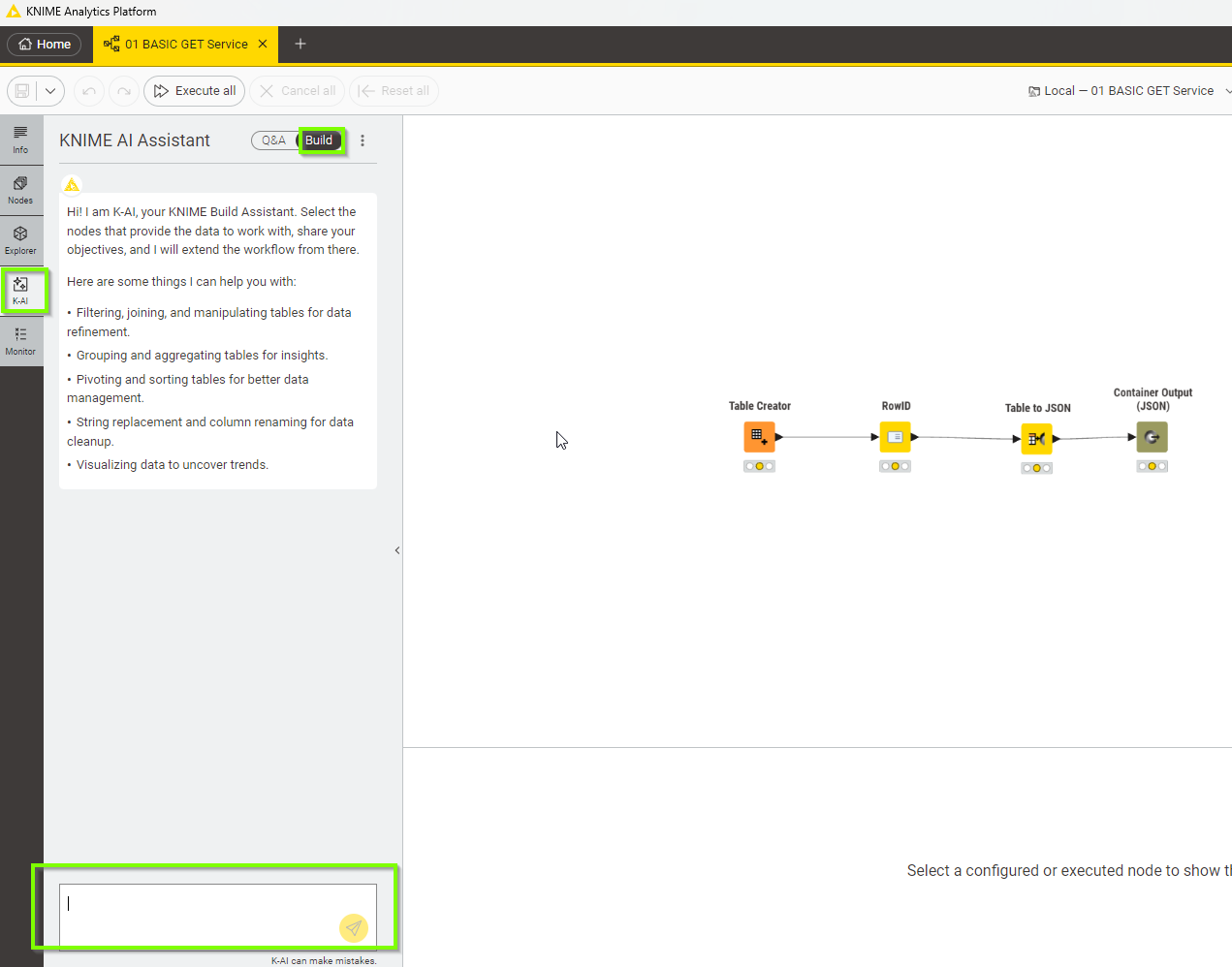
If you want AI-Assisted Workflow building maybe you can try out the “Build” function of K-AI?
No,
What I’m saying is Claude has access to Knime Server, I don’t.
What I’m saying, Claude created the workflow.
I only have KAP, if that is Knime for desktop, and I tried to test the result.
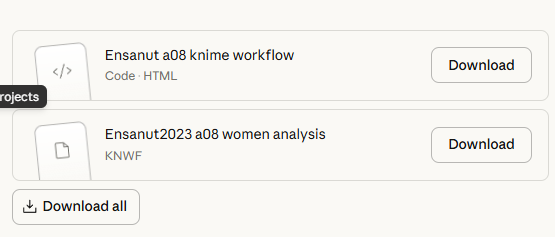
This is the file created by Claude:
ENSANUT2023_A08_Women_Analysis.knwf (11.7 KB)
I’m getting confused here.
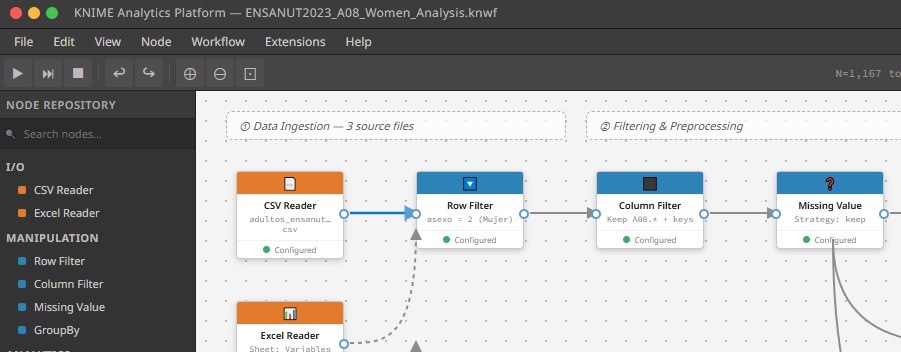
Can you explain what it is I see on the screenshot? That is not KNIME Server to the best of my knowledge… is that some sort of visual interface that Claude provided to you to inspect the .knwf file?
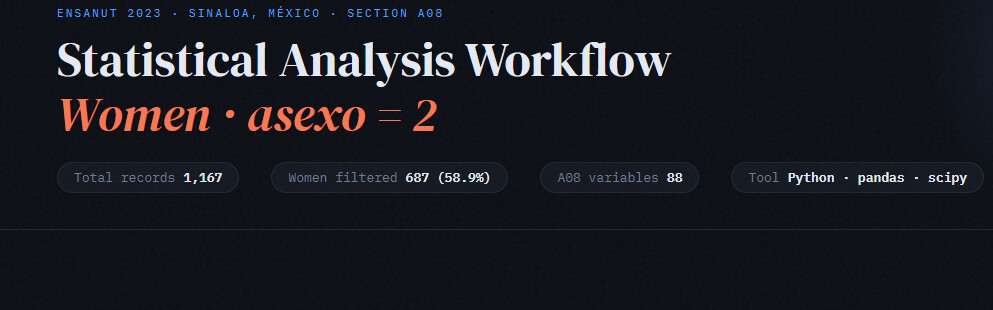
That’s the image that Claude showed with the workflow.
Looks like it created a presentation of the diagram.
https://claude.ai/public/artifacts/013e487b-badb-457b-8841-0a4da627c56f
As shown, Knime 5.1 at the top right and bottom right in the artifact, which is the html file.
So, the knwf file that I attached, was created by Claude. I don’t know how did “Claude” create the file.
I don’t know in which platform can be imported.
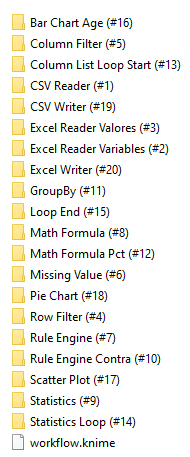
I expanded the knwf to review the workflow.knime and the settings.xml of some nodes.
So if by any chance you have a knwf created in a server to expand, review, and verify if they have similarities. Knime server vs Claude Knime.
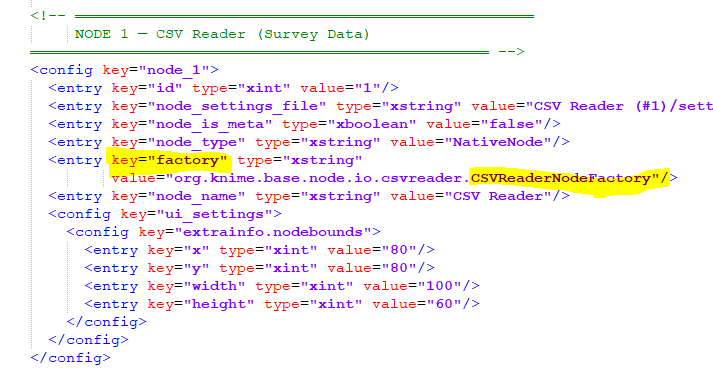
I think the entry factory is the key to understand the situation.
Claude
<!-- ═══════════════════════════════════════════════════
NODE 1 — CSV Reader (Survey Data)
═══════════════════════════════════════════════════ -->
<config key="node_1">
<entry key="id" type="xint" value="1"/>
<entry key="node_settings_file" type="xstring" value="CSV Reader (#1)/settings.xml"/>
<entry key="node_is_meta" type="xboolean" value="false"/>
<entry key="node_type" type="xstring" value="NativeNode"/>
<entry key="factory" type="xstring"
value="org.knime.base.node.io.filehandling.csv.reader.CSVTableReaderNodeFactory"/>
<entry key="node_name" type="xstring" value="CSV Reader"/>
<config key="ui_settings">
<config key="extrainfo.nodebounds">
<entry key="x" type="xint" value="80"/>
<entry key="y" type="xint" value="80"/>
<entry key="width" type="xint" value="100"/>
<entry key="height" type="xint" value="60"/>
</config>
</config>
</config>
admittedly I could not comment on what is incorrect there. Overall the workflow structure required for KNIME is quite complex - so would not be surprised if Claude made mistakes.
What you could try is:
Built the workflow straight in KNIME to have a reference - provide that .knwf file to Claude and ask it to double-check its work and sort out any mistakes.
2 Likes
In this case, Claude made an useful workflow. Now it is very easy to create a new workflow, drop the suggested nodes, copy the filters, formulas, etc., “Claude” added the graphs, selected the graph types. I didn’t ask for graphs in my “prompt”.
I agree, Knime is complex but the Node concept is quite amazing, simple xml files with the definition to load and execute.
If I have time, will try to run it from the command line and see what happens .
I will “prompt” more knime workflow designs, some times takes a long time to decide how to solve a erquirement.
This discover, was a surprise to me.
Well but it does not seem to be working in KAP and you think it runs on KNIME Server, but you cannot check it right?
I tried a simple example yesterday and guess what it did not work