Hi,
My date is in the following format: “MM/DD/YYYY HH:MM” then AM or PM.
How do I translate that into a date/time field that I can work with? I’d like to make graphs.
Thanks,
Hi,
My date is in the following format: “MM/DD/YYYY HH:MM” then AM or PM.
How do I translate that into a date/time field that I can work with? I’d like to make graphs.
Thanks,
You could first convert it to string and then use the
Node and select the proper string pattern. If you want more operations with dates you could seek inspiration here:
Various operations with dates as date value, string and number
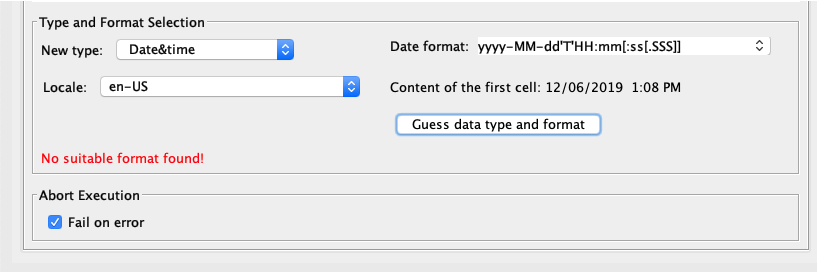
My date format doesn’t appear in the en-US options. The example workflow you gave me chose a date format from de-DE. When I click Guess data type and format, it tells me “No suitable format found!”
I tried putting in MM/DD/YYYY HH:MM but the node broke. Then, I tried using the String to Date/Time (legacy) node and putting the date format in there, but I came out with dates that were all in December when my dates were in April in the column I was trying to convert.
How do I convert the date-time format I have into something usable?
Thanks,
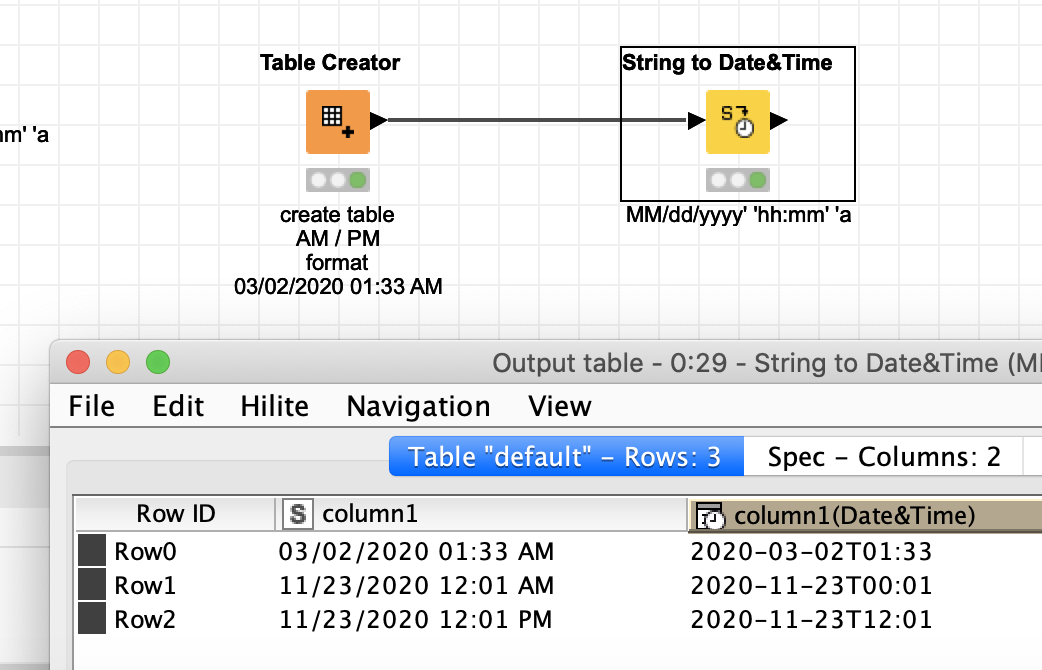
You might have to choose the format by hand and if this does not work to do additional conversions discussed here:
Maybe KNIME can improve the date and time nodes to handle these am/pm formats better.
Thank you so much. A combination of those links got me to be able to convert the date into something I can use.