Hi, im trying to create a python extension,
i tried following both java and python tutorials with no luck in the last few days - in the end node could not be recognised and ive decided to just give up on using IDE - just don’t want to burn any more time playing with a setup, just want to get on with the logic even if debugging is gonna be harder.
My question is - could someone advise what would be bare minimu files needed in \AppData\Local\Programs\KNIME\plugins\ path to have a plugin with one input, one output and python pandas in the middle? I just want to modify .py file logic, change icon and node name.
Are there any simple existing python nodes that i could use as a starting point that you could recommend looking at?
Thank you for sharing! Another question - if i download files and drop them into dropins or plugins, nodes should become available after restarting knime?
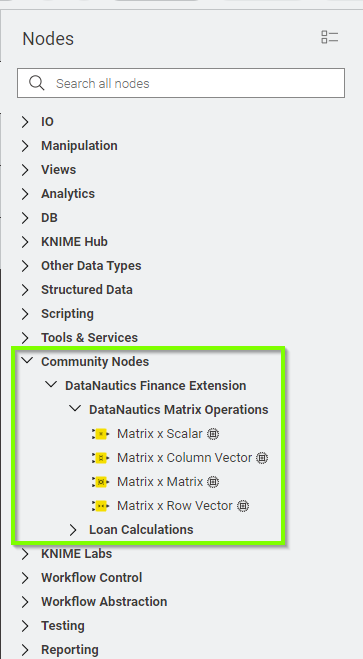
I cannot seem to find them in knime…
Folder path should be right:
AppData\Local\Programs\KNIME\plugins\DataNautics-KNIME-Finance-Extension-main
in there i have all loose files and flders: src, config.yml, knime.yml etc.
I have set Preferences → Knime modern UI → Nodes included: All nodes
Is there a setting that would prevent community nodes from being loaded?
If you want to get inspiration on how to build a python extension then you can review the extension on GitHub.
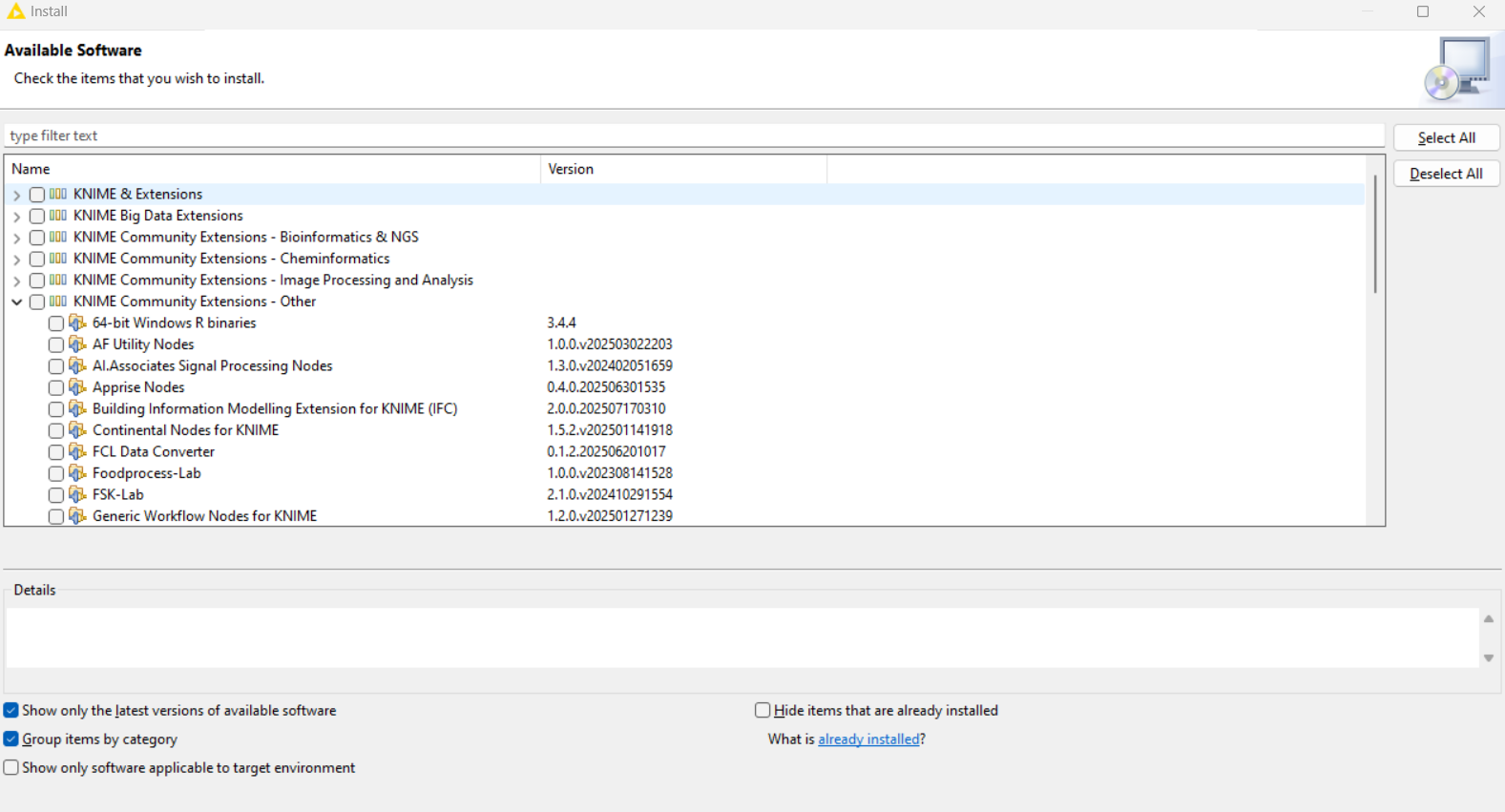
I you want to use the extension you best install it from the relevant update site. Go to Preferences => Install/Update => Available Software Sites and make sure that community contributions as per below is active and potentially reload it
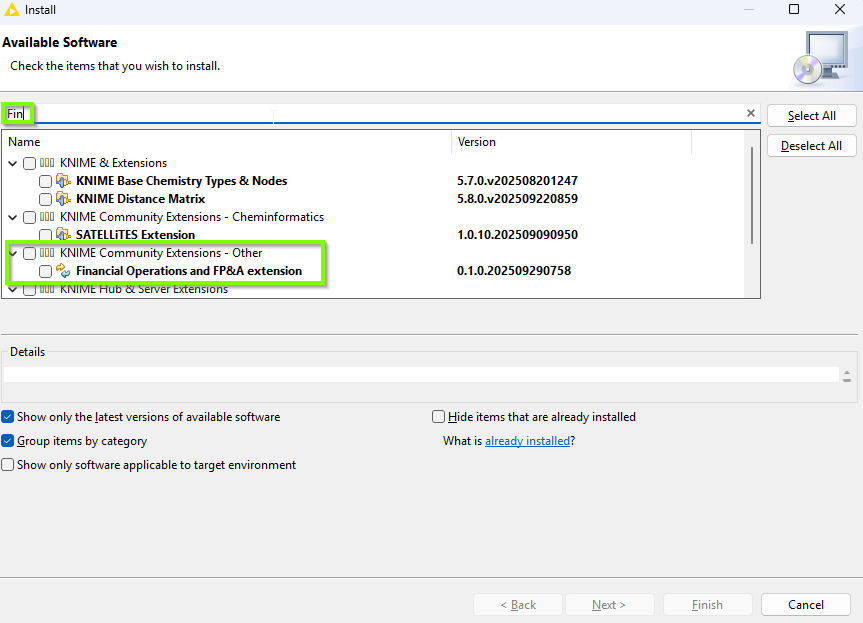
Then go to Menu => Install Extensions and in the pop up search for Fin. Then Select Financial Operations and FP&A extension and click next, accept licenses etc. until it installs.
Are you still in development mode or have you built your extension and installed it?
If you are still in development mode, then it can be normal. I think it is a known bug or missing feature at least in modern UI that note categories do not show up correctly - i.e. in Modern UI they show as Uncategorized - when you switch to Classic UI you can see them in the correct category.
Once you’ve built your extension and installed it, you should see the categories both in modern UI and in classic UI.
I don’t think you can choose anything else other than community, maybe partner, or so I have not yet done that.
Yep, extensions are not installed (and bundled before installation). Instead the extensions are implemented using a config.yml which points to the respective src and python_executable.
But: Extensions are not in development resp. debug_mode. The config.yml defines debug_mode: false.
I think it is a known bug or missing feature at least in modern UI that note categories do not show up correctly - i.e. in Modern UI they show as Uncategorized - when you switch to Classic UI you can see them in the correct category
Thanks, good to know. I’ll try with Classic UI then. (And hope for a quick fix in Modern UI.)
Unluckily I cannot bundle (yet), since I can’t use conda/pixi. For solid reasons I’m restricted to using venv/pip. I’m yet to reverse engineer the bundling process - though I think this might get complex due to dependency to maven.