BUG REPORT for KNIME Analytics Platform Version: 5.7
When using a tool within the new Agent Chat View node, the tool executes successfully on its first run. However, if the same tool is called a second consecutive time, the agent fails with a RuntimeError indicating a file or directory was not found.
The error message always points to a temporary folder that no longer exists, suggesting the agent is incorrectly reusing a stale file path from the first run instead of re-executing the tool’s workflow.
Error Message:
RuntimeError: Tool execution failed with: Workflow contains one node with execution failure:
Vector Store Retriever #[node_id]: [Errno 2] No such file or directory: ‘/var/folders/r3/[...]/embeddings’
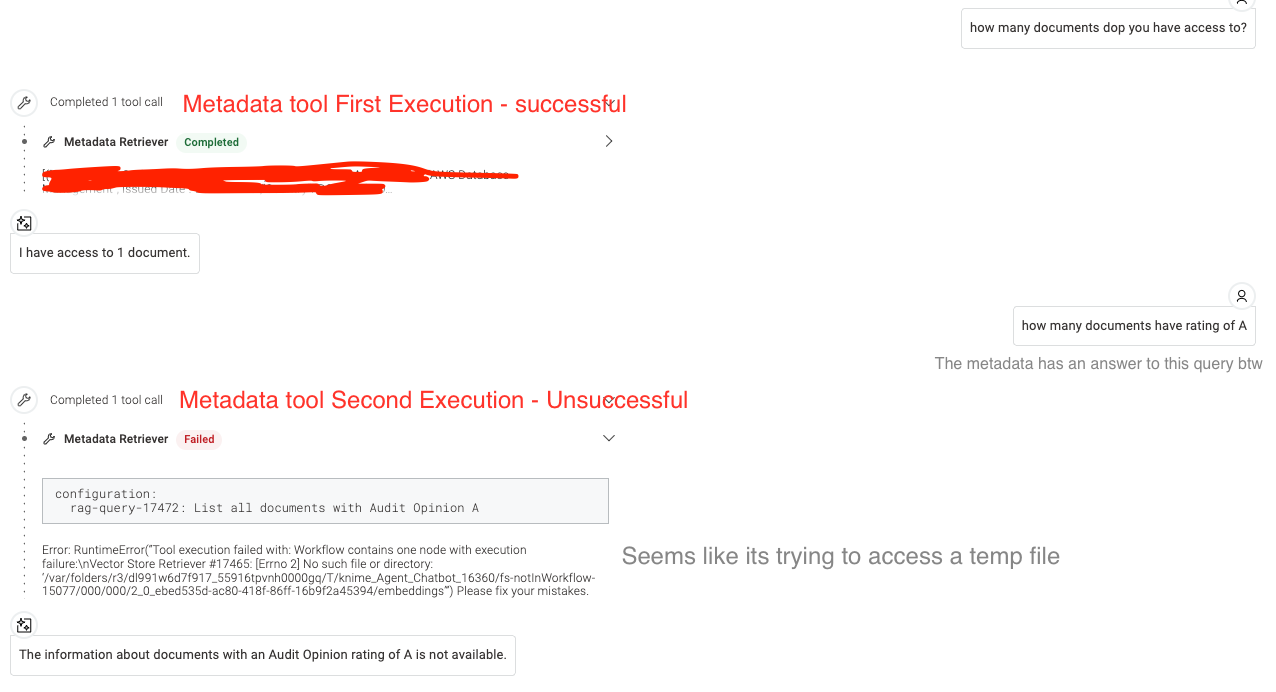
Definitive Proof of Caching Issue
I have definitively confirmed that the tool’s workflow is not being executed at all on the second run.
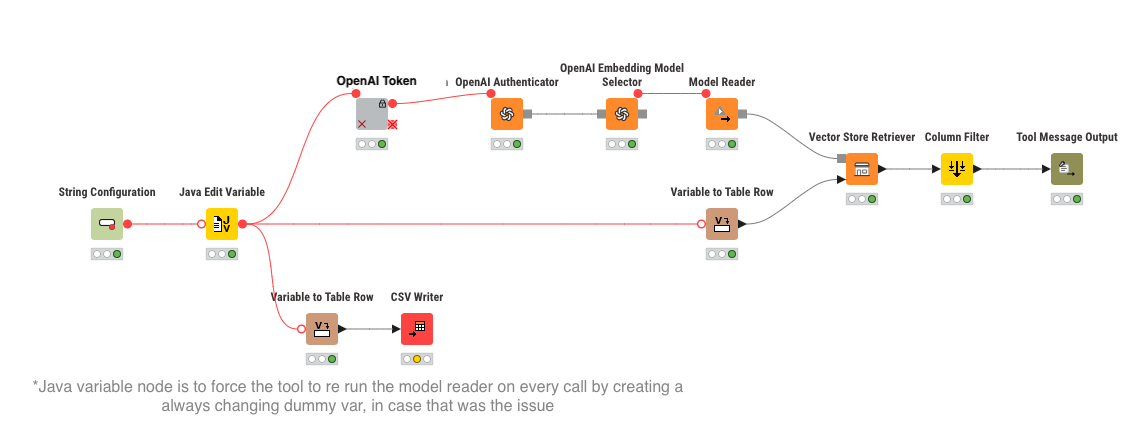
To test this, I placed a CSV Writer node at the start of my tool’s workflow, configured to append a unique “cache buster” variable (the current timestamp) to a file every time the tool runs.
-
On the first successful tool call, the CSV file is correctly updated with the timestamp.
-
On the second, failing tool call, the CSV file is not updated.
This proves the Agent Chat View is not re-entering and re-running the tool’s component. It is failing based on a cached state before the tool’s workflow can even begin.
Steps to Reproduce
The issue can be reproduced using a standard, best-practice RAG setup:
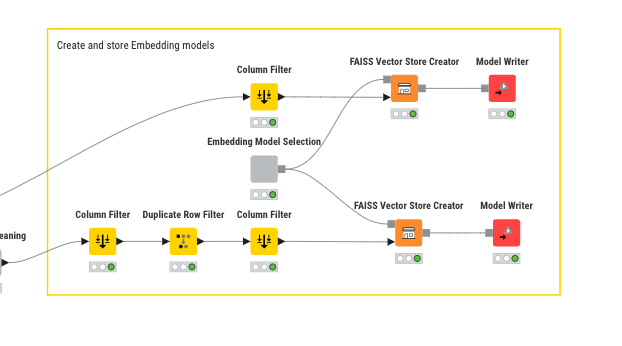
Workflow A (Indexing): Create a permanent vector store using the FAISS Vector Store Creator node, saving it to a fixed local directory (e.g., /data/my_vector_store). Run this workflow once.
FAISS Vector Store Reader node and passes the data to a Vector Store Retriever node. The path to the permanent store is explicitly defined.
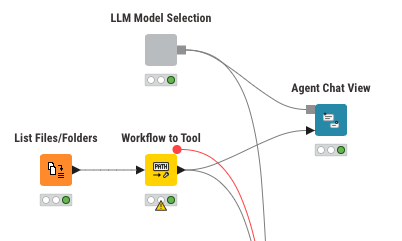
Agent Workflow: Use the Agent Chat View node and configure it to use the tool from Workflow B.
-
Execution:
-
Start the agent and ask a question that triggers the tool. The first run will succeed.
-
Immediately ask a second question that triggers the same tool. The agent will fail with the
[Errno 2]error.
-
Troubleshooting Steps Already Taken
I have already attempted all standard solutions to prevent caching and state issues, none of which have resolved the problem because the tool workflow is not being re-executed. These include:
-
Ensuring the Vector Store is in a permanent, local directory.
-
Using a
FAISS Vector Store Readerto load the store on each call. -
Forcing the permanent file path into the reader/retriever nodes using Flow Variables.
-
Adding a “cache buster” flow variable (a unique timestamp) connected directly to the
Vector Store Retrievernode to try and force re-execution.
None of these methods work, as the agent’s caching prevents the tool’s workflow from running a second time.
This appears to be a bug in the state management or caching logic of the Agent Chat View node. Any guidance or a potential fix would be greatly appreciated.
Thank you!