Can’t see file creation/modification time in KNIME Hub Space

Hi everyone,

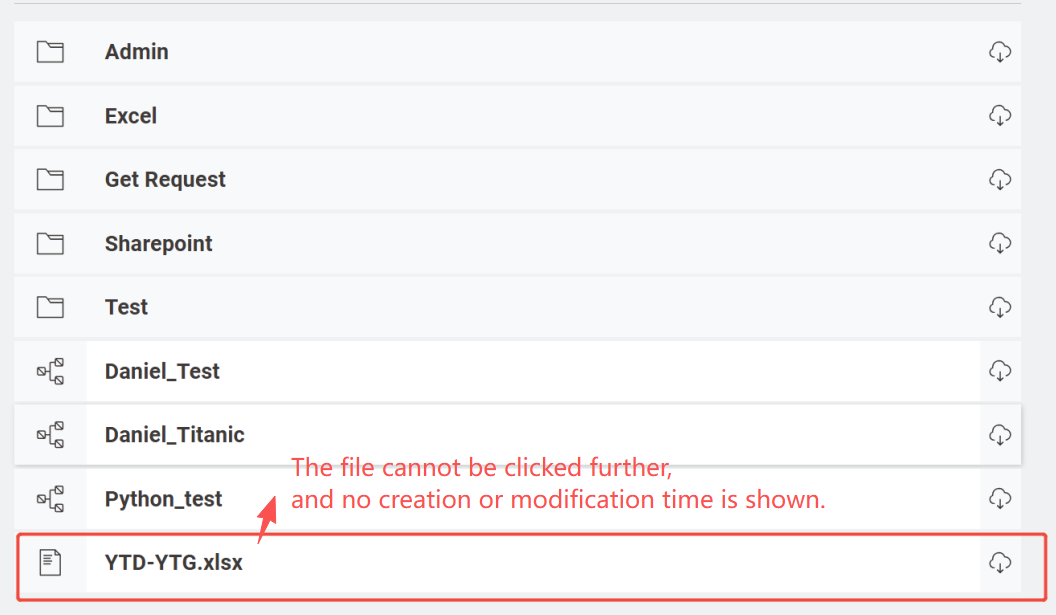
When generating files (in Excel format) on KNIME Hub, I noticed that the creation time and modification time are not visible directly.

:open_file_folder: What I’d like to do:

View the creation and modification timestamps directly in the KNIME Hub Space, instead of only through workflow execution.

:light_bulb: My current workaround:

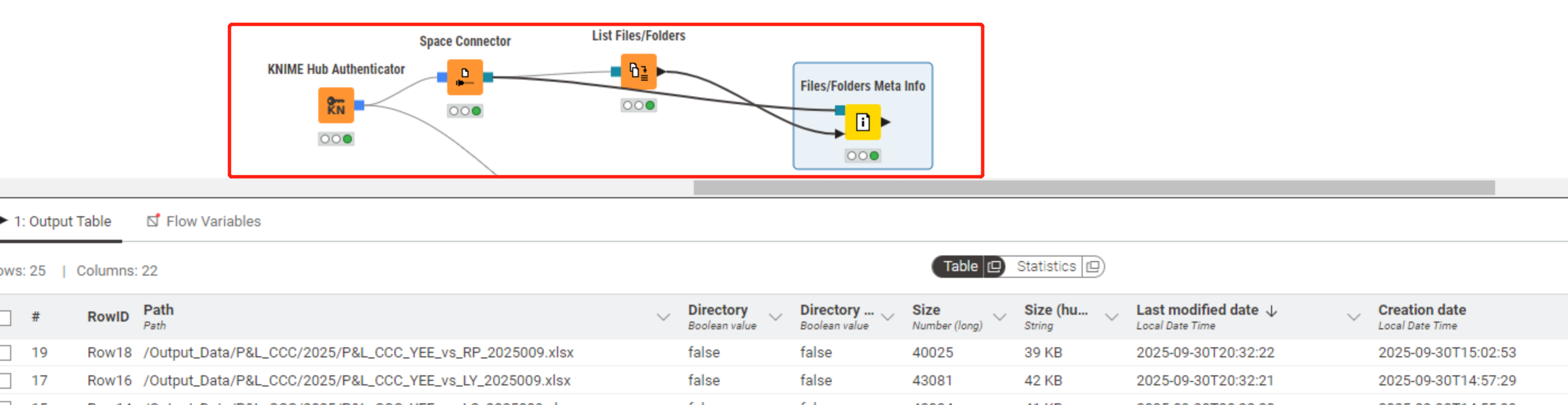
I’m using the Files/Folder Meta Info node to retrieve this information programmatically.

It works, but it’s not very convenient when managing files in Hub.

:paperclip: Attachments:

Screenshot of viewing the Excel file in KNIME Hub (no time info visible)

Screenshot showing my workaround using the Files/Folder Meta Info node

Is there any alternative way to view or manage file timestamps directly in KNIME Hub?

Thanks a lot for your help! :folded_hands:


Hi.

There’s no built-in way right now to display those file system-level timestamps directly in the Hub UI. I can look into whether there’s an existing feature request for this and submit one if needed.

Here are a few of workarounds I can think of:

  1. Put timestamp in filenames: When creating Excel files, add a timestamp to the filename using a flow variable like ${current_timestamp}. You can format it (e.g., YYYY-MM-DD_HH-MM-SS) using the Date&Time to String node for easier tracking in the Hub file list.

  2. Embed timestamps into Excel: Use KNIME’s Date&Time nodes to insert creation or modification timestamps into a metadata sheet or header row within the Excel file during export for quick reference.

Hope this helps.

1 Like