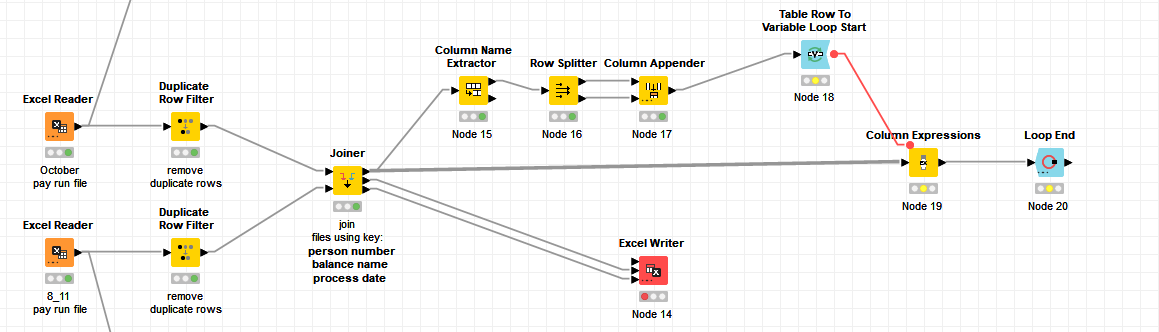
Hi You probably want to show your whole flow for better debugging.
Loop end nodes can be configured to allow changing table specs
but I would also ask why you need a loop to check whether columns in 2 tables are same or not?
br
There are 33 columns in each table so I didn’t want to have to write a column expression to compare each column so I thought I would try to use a loop.
If it’s about the col headers then some kind of unpivoting/ table transposing and then do a rule engine would be a way.
And there is also a table difference finder node for exact comparison of content as well
br
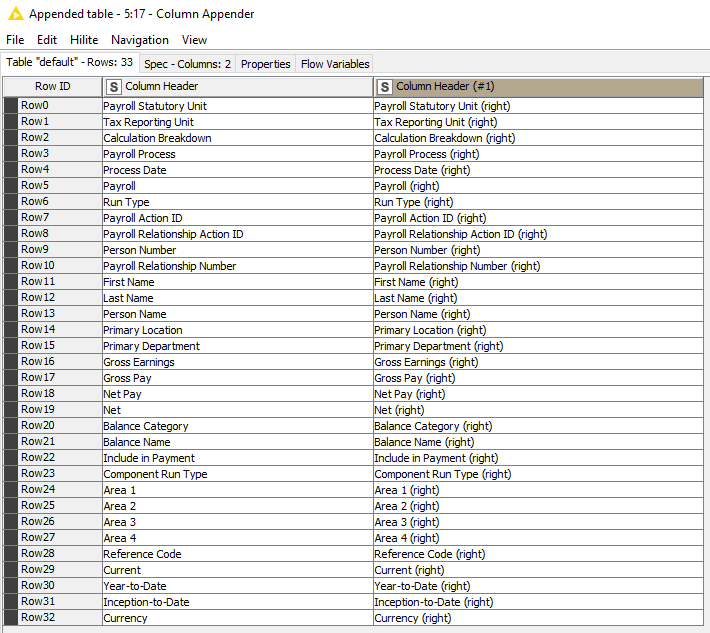
I need to compare each row of data in each column in table 1 with the corresponding column in table 2 (with a (right) suffix). For example, from the top joiner port I need to compare:
Payroll Statutory Unit - Payroll Statutory Unit (right)
Tax Reporting Unit - Tax Reporting Unit (right)
Calculation Breakdown - Calculation Breakdown (right)
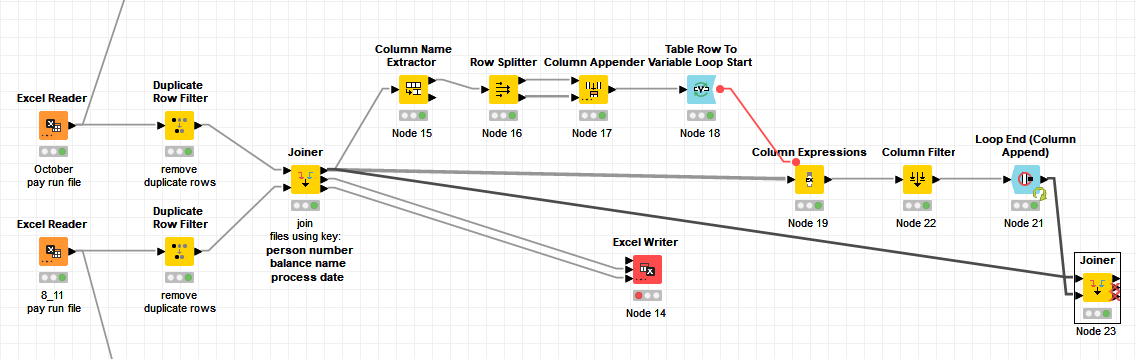
I have solved my problem. I tweaked the workflow slightly. Changed the loop end to a loop end (column append), filtered out the original data and then used a Joiner node following loop end to join the result with the original input data.
don’t know if you are aware of Table Difference Finder node. That’s the node that compares two tables. Maybe it can be useful in your case and help you simplify your workflow.
Thanks for the heads up on the table difference finder node.
I did give that a try but I find its output difficult to read. I am also not sure it would work in this instance as my source data tables don’t have the same number of records (hence why I have used a joiner node to identify records in one table and not the other (and vice versa).
In addition, the end user has requested a format which allows them to look at and filter on each comparison column.