@bbrink I was able to access FoxPro (dbf) databases thru some drivers in KNIME. First you register a custom database in the KNIME preferences like this. Yes, with all three drivers (com.wisecoders:dbf-jdbc-drive, com.h2database:h2, com.github.albfernandez:javadbf):

The URL Template is this:
jdbc:dbschema:dbf:/<database>
Then you configure the DB Connector node with a custom string pointing to the location of your DBF files (the folder not the individual file although that might also work):
jdbc:dbschema:dbf:/<PATH>?charset=windows-1252
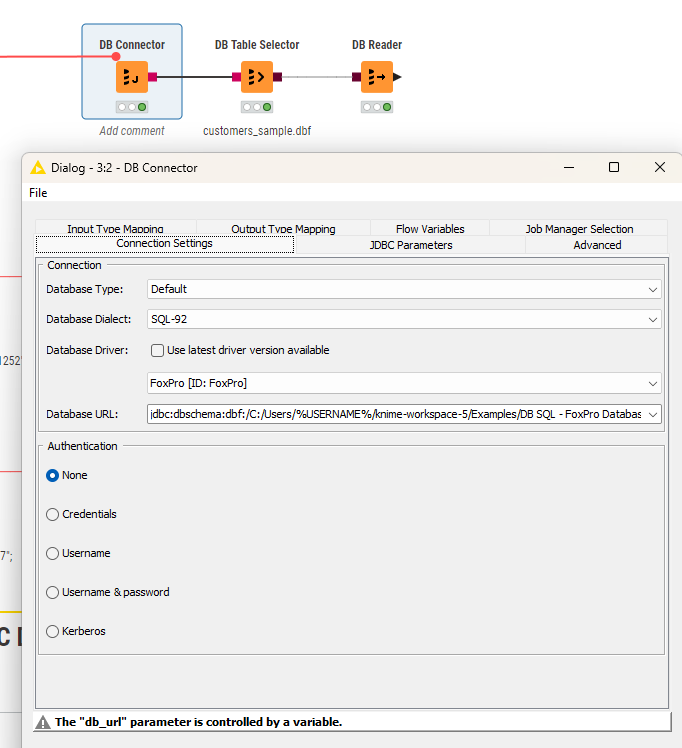
You can let a Java Snippet create the path dynamically on your system.
Now you should be able to select the database you want. Remember: you might have to tweak the charset settings.

You can check this workflow using sample DBFs with more detailed instructions how to install the drivers:
Another option could indeed be to use a Python or R library as @ActionAndi has suggested if the DBF files would allow that.