Hi @Nguyen_Huynh_Du , thanks for the update. If you are happy that the SQL is doing what you want, then that’s fine. I wanted to be sure before trying to “reimagine” it into KNIME nodes  but I realise this post isn’t about being an SQL tutorial, lol, so here goes…
I’ve used the initial data set for this example, because I’d already started playing with this.
My question about whether you’d be happy for an SQL solution was because one of the simpler options is to make your KNIME data into a database table. Typically you could do this by creating an H2 database connection, creating a table and uploading your KNIME table into it, and then execute a query against that data.
That though, feels a bit “involved”, so it was for that use case that I previously created some components that are freely available on the hub.
For a single one off table, you can use this component:
and then write the sql query directly against it.
I have uploaded a demonstration workflow to the hub here:
You simply direct your data table at the component
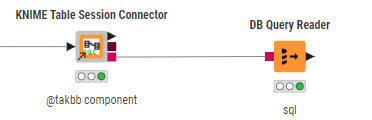
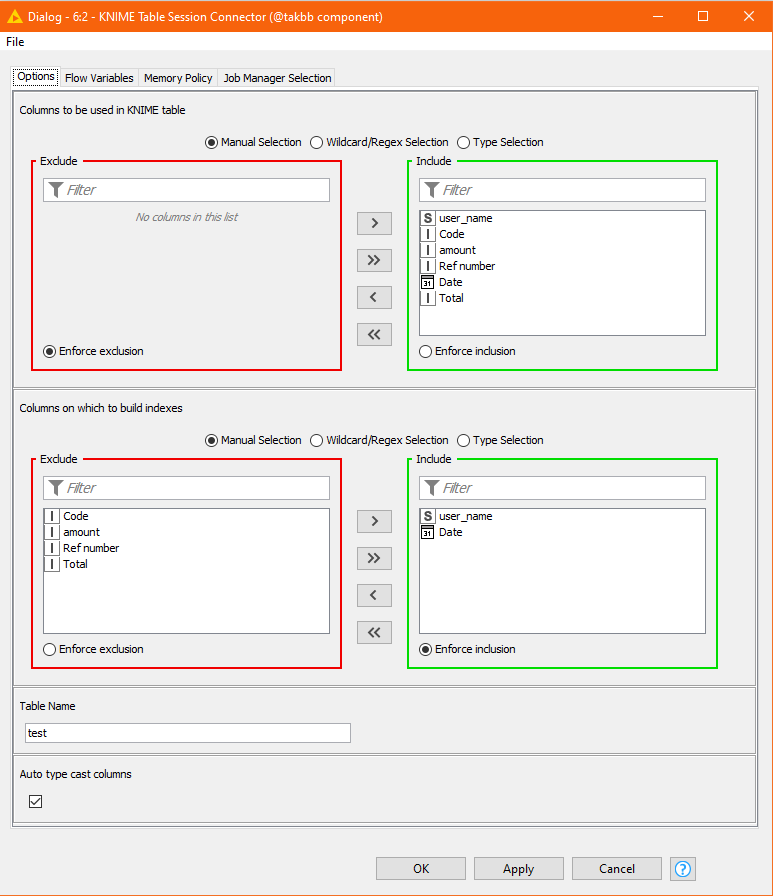
and configure it, specify the columns to be included, and any columns for which indexes should be created (optional, but can improve performance on larger datasets). You also give the table a name, in this case “test”
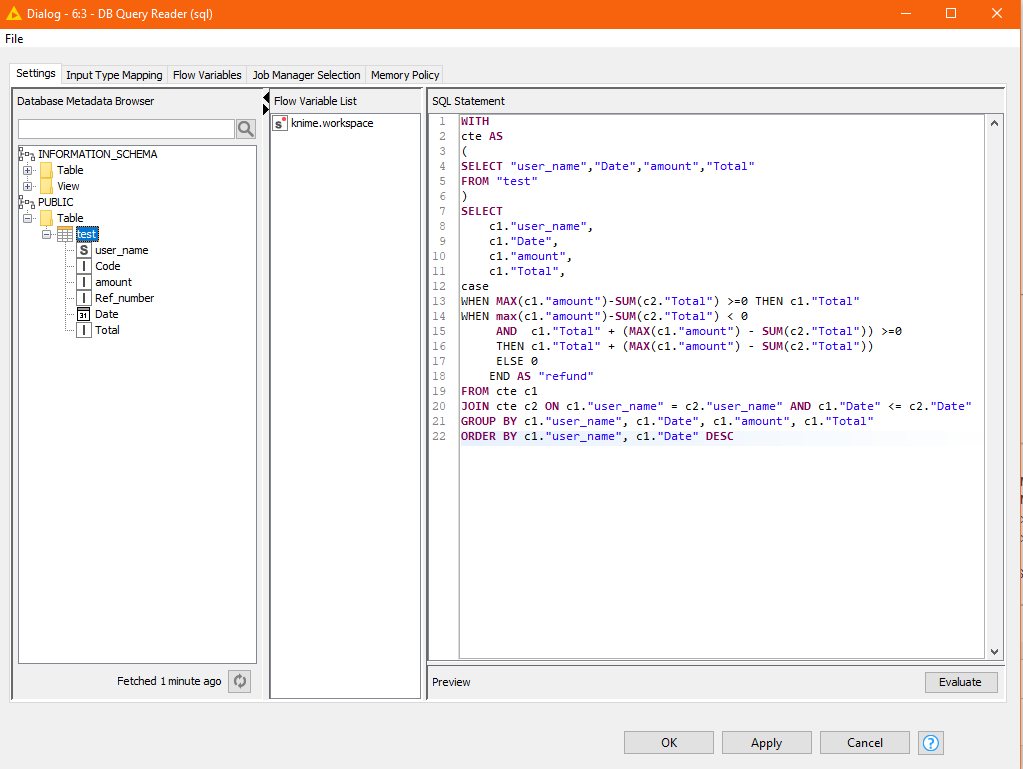
Once that’s done, you can access this data using SQL
WITH
cte AS
(
SELECT "user_name","Date","amount","Total"
FROM "test"
)
SELECT
    c1."user_name",
    c1."Date",
    c1."amount",
    c1."Total",
case
WHEN MAX(c1."amount")-SUM(c2."Total") >=0 THEN c1."Total"
WHEN max(c1."amount")-SUM(c2."Total") < 0
     AND  c1."Total" + (MAX(c1."amount") - SUM(c2."Total")) >=0
     THEN c1."Total" + (MAX(c1."amount") - SUM(c2."Total"))
     ELSE 0
    END AS "refund"
FROM cte c1
JOIN cte c2 ON c1."user_name" = c2."user_name" AND c1."Date" <= c2."Date"
GROUP BY c1."user_name", c1."Date", c1."amount", c1."Total"
ORDER BY c1."user_name", c1."Date" DESC
as you can see, this SQL is very similar to your original, but I have just had to deal with the case-sensitivity of the column and table names.
As an interesting exercise though, I have also built the equivalent of that same SQL using standard KNIME nodes
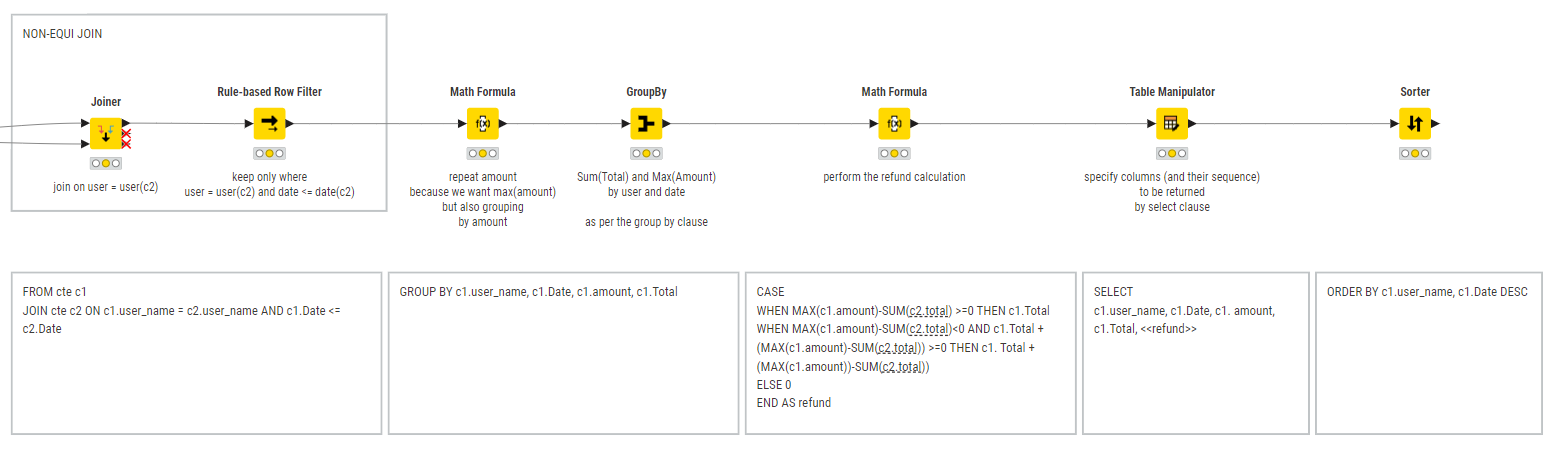
The two give the same results (albeit there are differences in data types - long vs double/integer) between the two mechanisms.
For a further demo of the KNIME Table Session Connector, and its counterpart the KNIME Table Connector (used if you want to join to different KNIME tables using the same database connection), see this workflow:
and also this post