Hello!
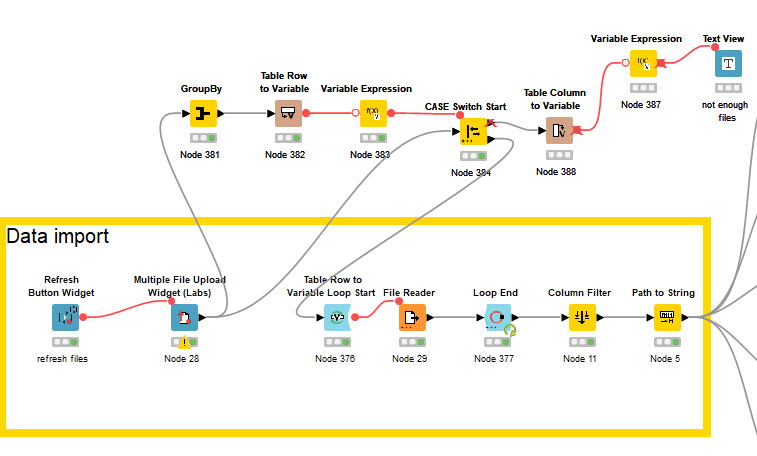
I am creating a data app so all my nodes are inside a component. My data source is 6 .txt files, but I would like to make it possible for the user to select which files to use. I currently have the Multiple File Upload Widget (labs). However, it only works when I edit the node itself (apply changes temporarily & close) to change the files. When I open the entire component, change the files and press refresh nothing happens. I have also deployed the workflow as a data app, and it’s the same. The user is able to upload files, but it doesn’t affect the rest of the workflow.
I tried to use the File Upload Widget, it could work to upload the 6 files separately, but the same issue persists.
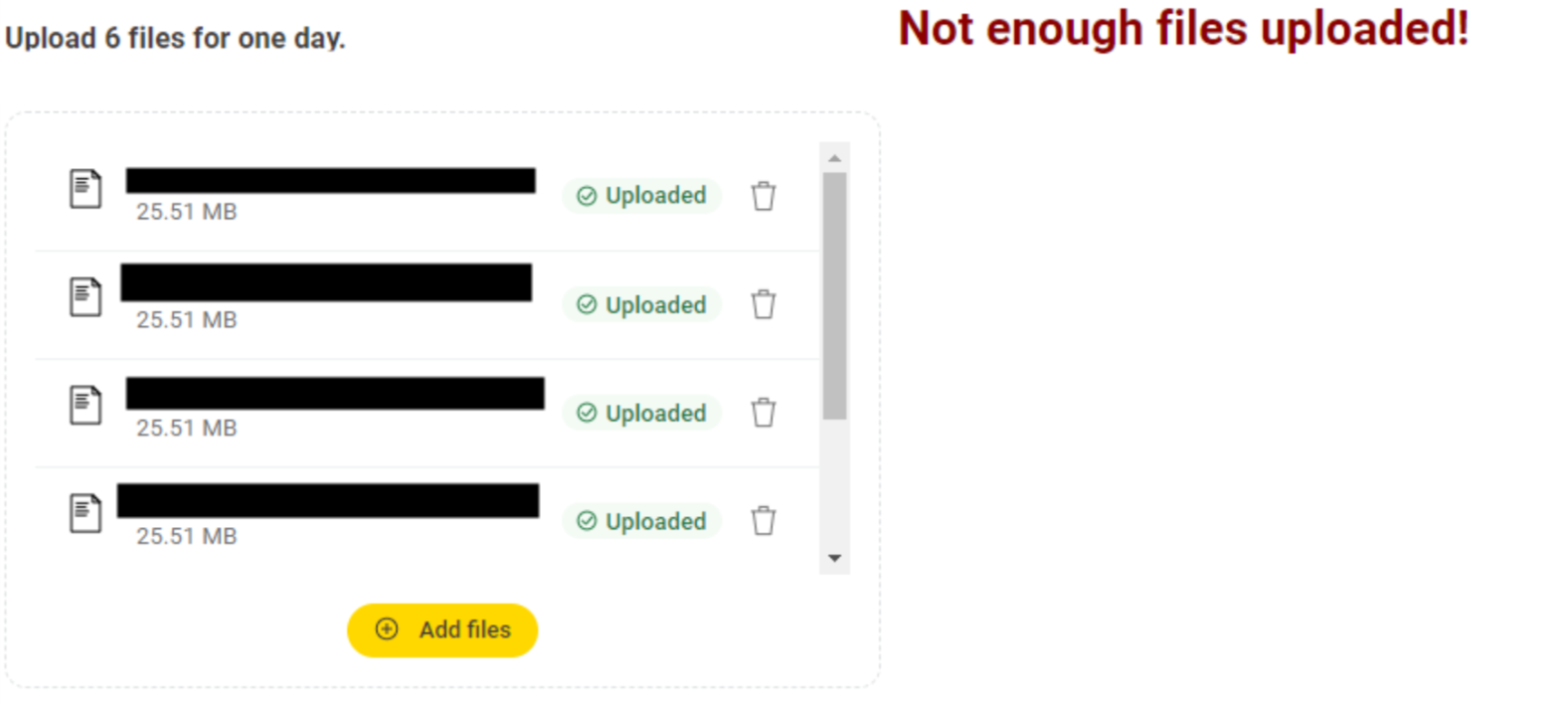
You’ll see in my workflow, I check that there are 6 files, in order to proceed. Otherwise, it gives an error message “Not enough files uploaded.” And in the second picture, I have uploaded 6 files, pressed the refresh button but the nodes don’t run again.
Does anyone have any ideas about why it’s like this or what I could do differently?
Thank you!
Hi @erikawalther ,
Do you know what version of KNIME you are working on? If you are below version 5.4, then there are some issues regarding the Multiple File Upload (Labs) node which were not completely addressed until version 5.4.0. An upgrade may be the best solution to your problem. Otherwise, one way around can be to replace it with 6 File Upload Widgets.
Or after deploying the Data App on the Hub use the Execution history to debug this:
-
Open the latest run and click Inspect to see which nodes actually executed and where the flow stopped.
-
Before uploading a new version, fully reset the workflow in KNIME AP (no nodes in executed state), then deploy again.
If you could share your .knwf file, the community can take a more precise look at the flow variable wiring.
Hope this helps,
Sena.
@NurSenaAlici Thanks for replying!
I’m on Knime 5.5.1.
I will upload a snippet of my knime workflow here that includes all the necessary nodes. When the user has uploaded 6 unique files, it should go to the bottom CASE output, otherwise use the top and give the message that there are not enough files. Thank you!
multiple file upload.knwf (21.4 KB)