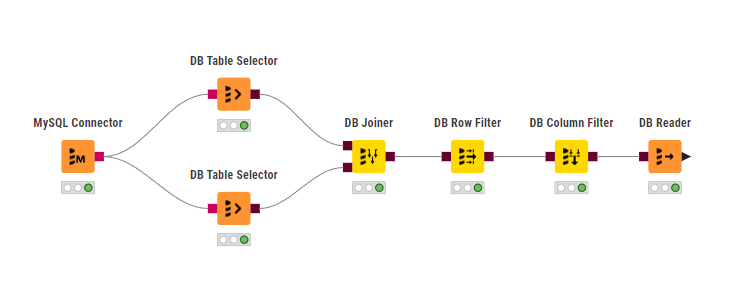
I’m working on a workflow that reads data from a MySQL database, and it is not updating some data that I know have changed.
I added a custom query in a new DB Table Selector node and there I get the correct data, but not in the existing workflow. I did reset and re-executed with no success.
It looks like that somewhere it reads cached data.
Do I miss anything here? Any help is greatly appreciated.
So you see the results in the preview of the node but not as output of this node on workflow level?
For me it sounds like a problem with data types, which I had in the past.
For testing it could be useful to cast the colums as strings. If it works then, you know the root cause.
And in the final output too, btw.
I worked around this time by selecting the custom query at the DB Table Selector
such as “select * from <db.table>” and it worked, but will it work on any future data change?
How can I trust it will reflect the actual data?
@mlauber71, thanks for the suggestion, but I don’t have admin rights on that database, unfortunately. As I explained to @ActionAndi, using a custom query the data showed up, but I’m not sure if this will keep working. Can I trust it will reflect the most current data?
It looks like I’m the only one running into this issue and I don’t know how to address it. I’m not feeling comfortable with a workaround in the long run though.