are you really talking about insert, or do you mean update/upsert? If you have a fragmented or no index, these operations are expected to be slow if primary keys or check constraints need to be evaluated
whats your batch size? higher batch size may be suitable if your data is slim
whats the logging configuration on the database? this can impact write speeds significantly
Knime has a DB Loader which does bulk inserts (usually without type checking). I dont know if thats available for Databricks but should offer the best performance
OLAP Warehouses are usually not ideal for OLTP (insert) transactions.
I don’t have an index. It is a table without primary key rules. I just need to populate the table. The columns are organized by data type (string with string, etc.).
I have no idea. Is this configuration in Node or Databricks?
I have no idea. I am not the Databricks DBA. I only have some table creation access, but I am not an admin. I cannot change settings.
I checked some forum answers and saw some comments about this DB Loader node, but I didn’t understand the settings. I downloaded an example and tried to use it, but when I connected the node to the Databricks connector, it wasn’t accepted. I don’t know if I did something wrong.
Pure Insert without any keys should be decently fast.
batch size can be set in the Insert Node but I suspect if you didnt change the default, its set to 1000. still, check this in the Insert Node.
DB Loader KNIME → Python may not be supported.
You may have better success going a Knime → Spark → Databricks route, but this will become even more complex.
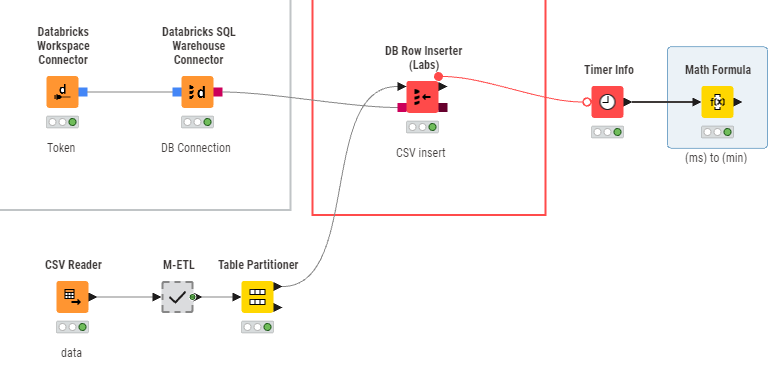
Annotated workflow for study.
I didn’t know how to configure the DB Loader, and now it has become easier.
I hope it helps others.
Very simple and straightforward.
Thank you very much.
Your workflow worked perfectly.