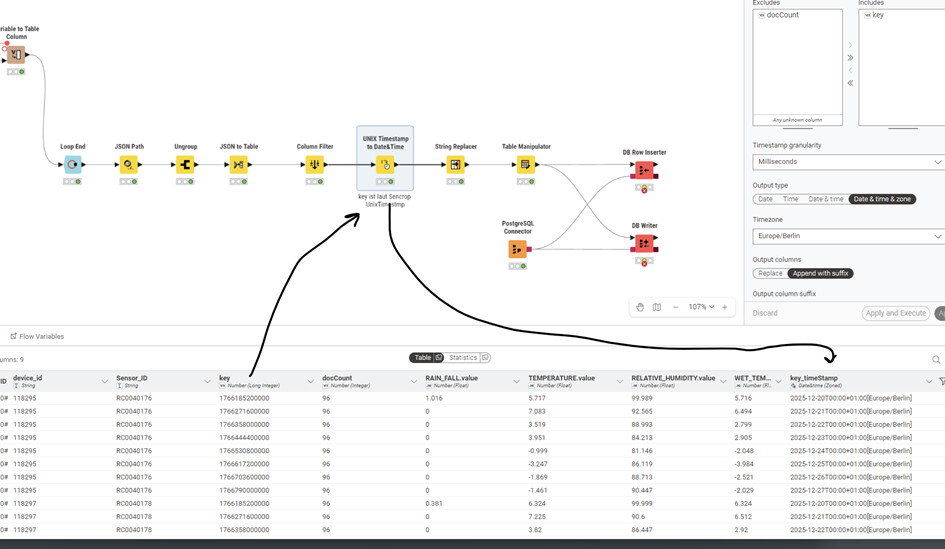
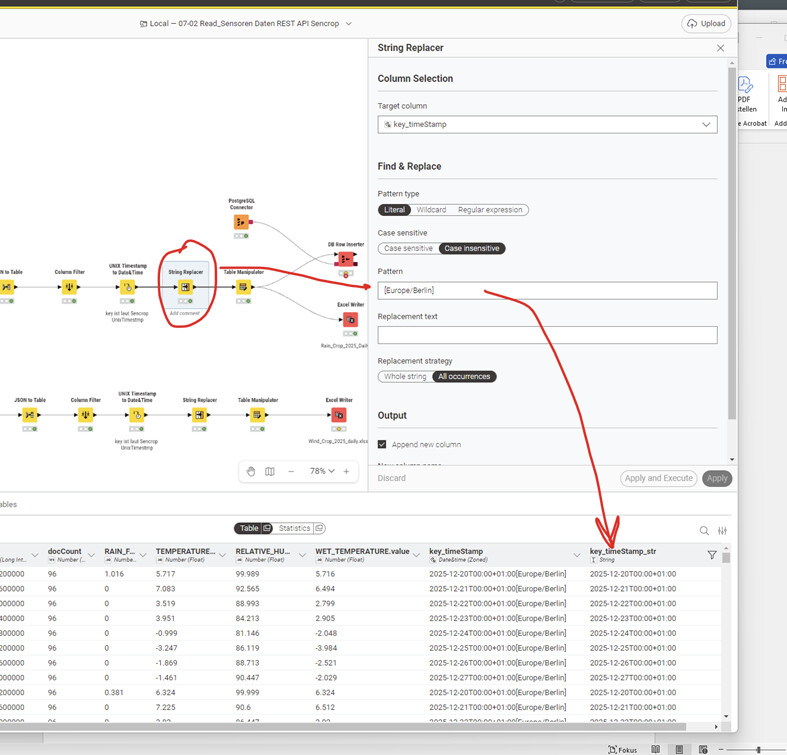
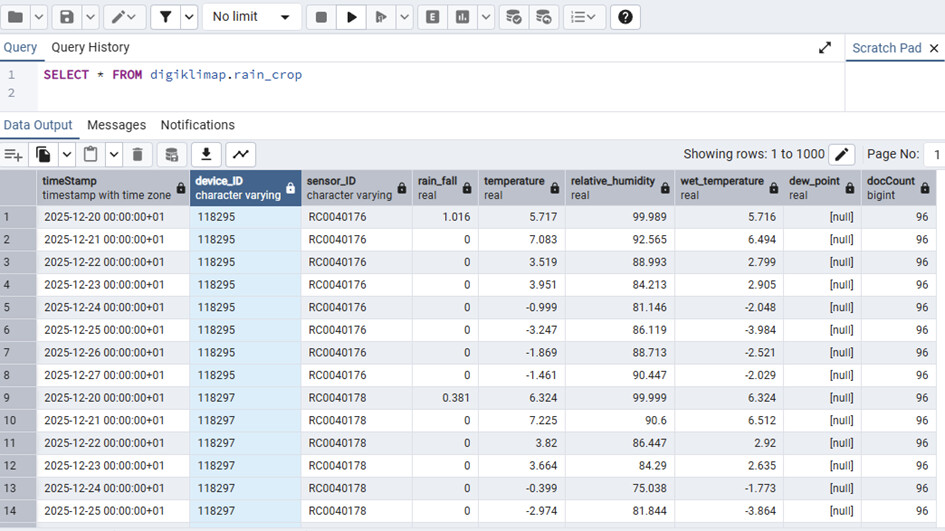
For a project, I need to read sensor data via a REST API. The data is returned in JSON format. The timestamp is returned as a number. See column KEY. It should be in UNIX format. I converted this using the Node UNIX Timestamp to Date&Time. Column key TimeStamp.
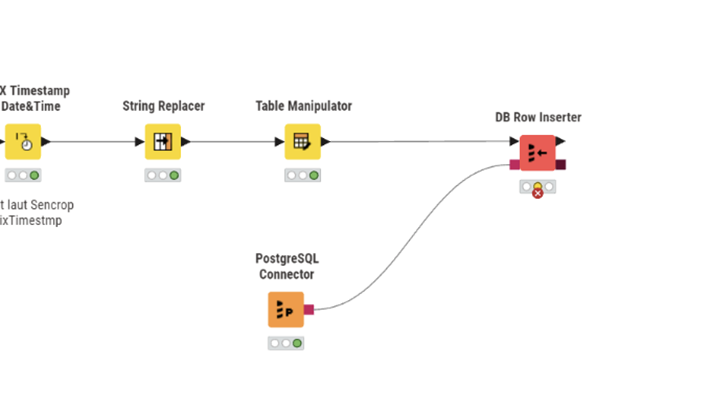
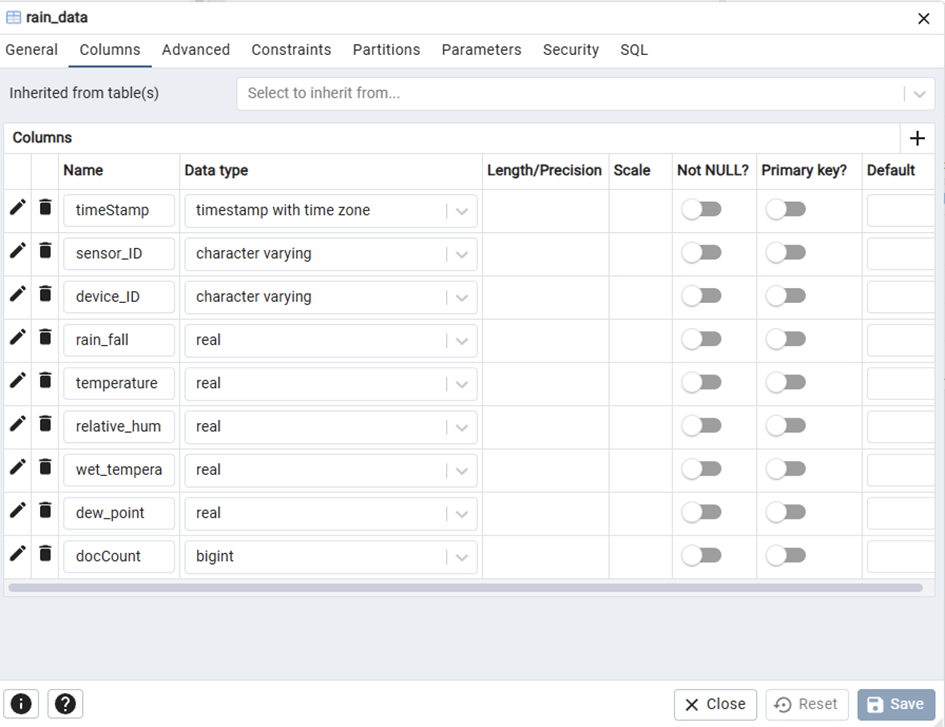
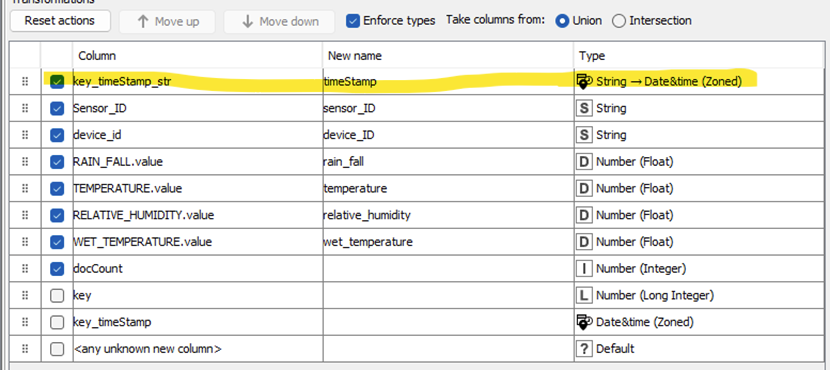
Execute failed: Error while adding rows #-1000 - #0, reason: Batch entry 0 INSERT INTO “digiklimap”.“rain_data” (“timeStamp”, “sensor_ID”, “device_ID”, “rain_fall”, “temperature”, “relative_humidity”, “wet_temperature”, “docCount”) VALUES ((‘2025-12-20T00:00+01:00’),(‘RC0040176’),(‘118295’),(‘1.016’::double precision),(‘5.717’::double precision),(‘99.989’::double precision),(‘5.716’::double precision),(‘96’::int4)) was aborted: FEHLER: Spalte »timeStamp« hat Typ timestamp with time zone, aber der Ausdruck hat Typ character varying Hinweis: Sie müssen den Ausdruck umschreiben oder eine Typumwandlung vornehmen. Position: 166 Call getNextException to see other errors in the batch.
I’m sorry, but I can’t understand that. I’ve had this problem before. Back then, there were nodes. Since the switch to the new user interface, you can’t find anything anymore. Nodes have disappeared or been replaced by useless ones. It’s so annoying.
1. get datetime as number
I get the date in the key field via the REST interface, supposedly in Unix format.
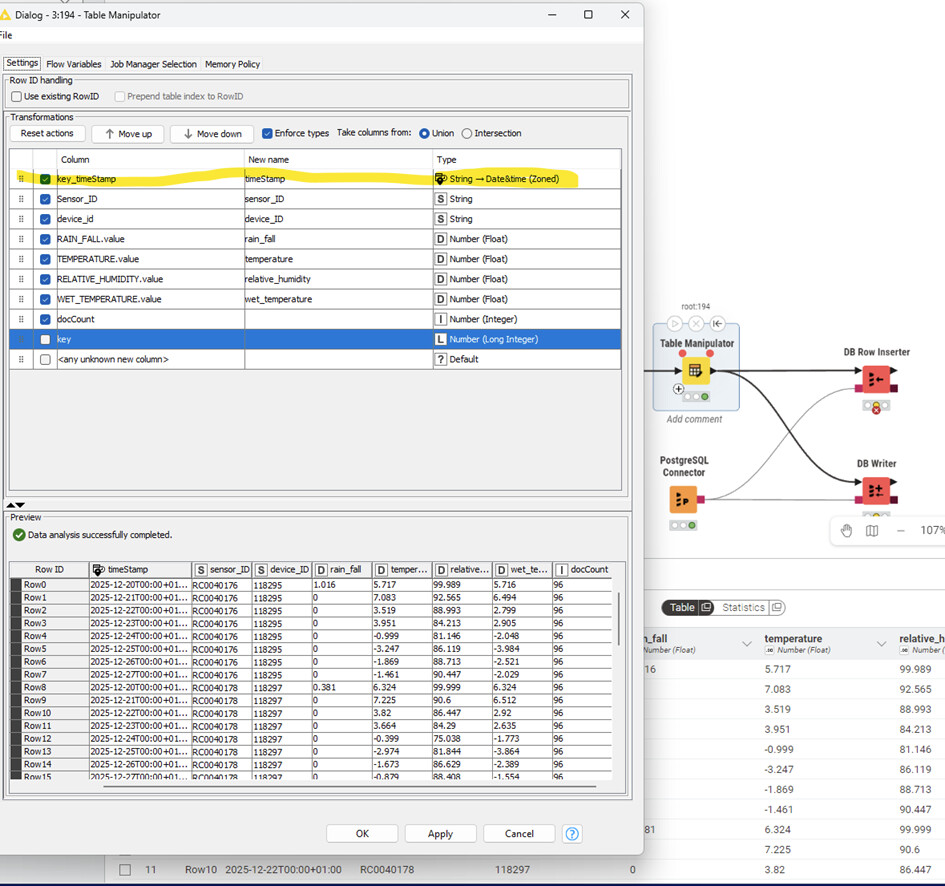
2. convert to datetimezoned
Since nothing else could be found, I used the node “UNIX Timestamp to Date&Time.
I am certain that there used to be other nodes that could be found under Manipulation.
3. convert to string to removed the zone part
I do that too. Since I can’t find anything else, I use Node “String Replacer.”
Unfortunately, I’m completely stuck. I’ve been working on the ETL process for days, and now I have my data ready to write to the database, but it’s not working.
you can always go back and use the old interface - thats also what i am doing.
secondly, my list was not a list of recommended steps but just a list of steps you are doing. and those steps aren’t without error, hence i listed it to become more clear.
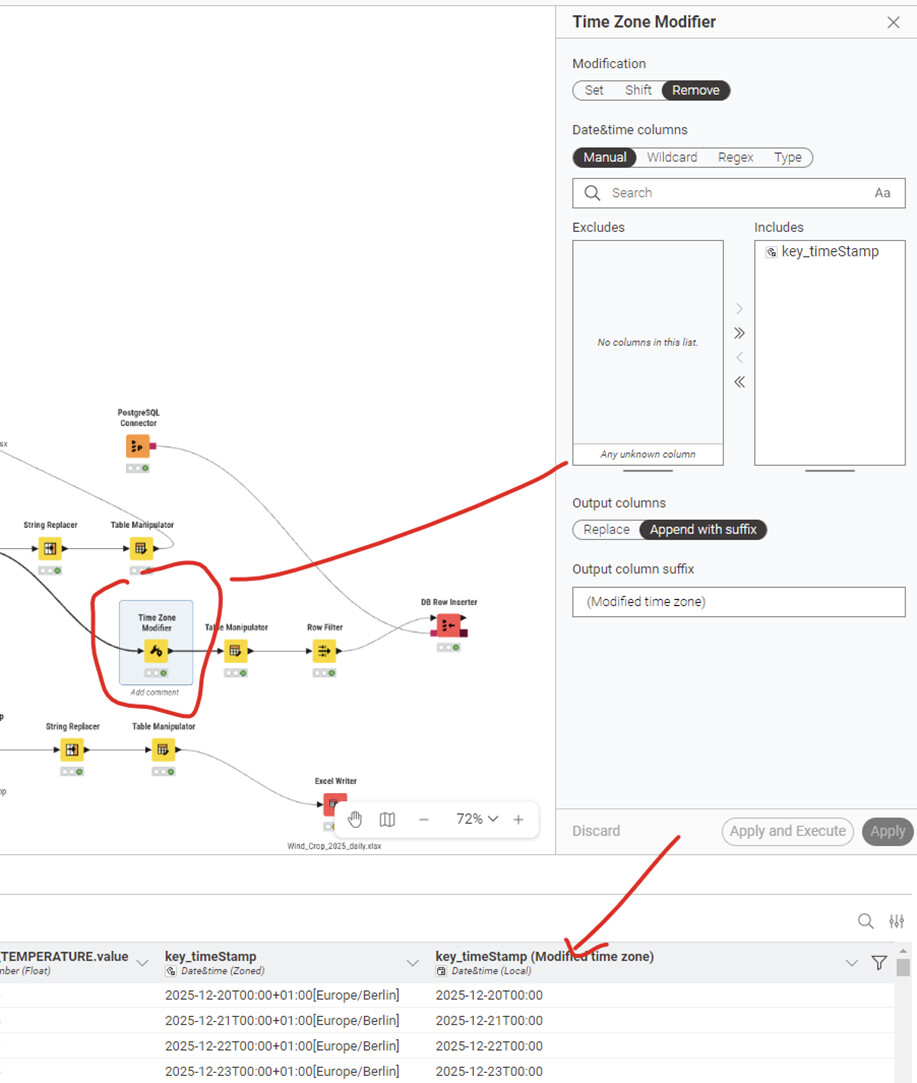
the node that should resolve most of your problems is the “Time Zone Modifier” to remove/replace the current zone info
lastly, in your postgres connector, have a look at the outbound (Knime to DB) column about the mapping of datetimezoned. potentially, this isnt set up and you need to provide it as ISO text string instead because Knime/postgres/jdbc driver dont have a direct interface for datetimezoned info (because they speak a different dialect)
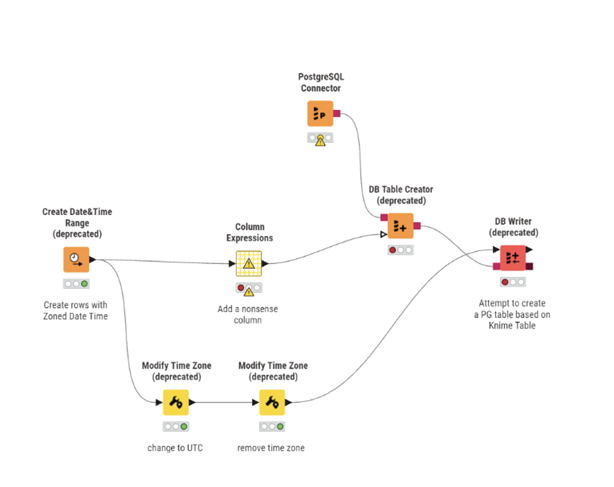
I had already found this worksheet. Unfortunately, it no longer works. Column Expressions no longer exists, and all other nodes are marked as deprecated.
I think I had also used “Modify Time Zone” back then.
I can only hope that this is the right approach. The next step is to retrieve the data hourly. If there is a problem with the time zone, it will be a significant issue, particularly in the summer.
@PatrikS I might be able to check later. In the meantime you could take a look at this workflow where there is a date variable as primary key. You could leave out that part.