Hi,
I’m successfully connected to snowflake with a Snowflake Connector using the latest driver (3.23.1). I want to use the node DB table selector connected to this Snowflake connector but the window is not reponding at all. Nothing is displaying.
Hi,
I’m successfully connected to snowflake with a Snowflake Connector using the latest driver (3.23.1). I want to use the node DB table selector connected to this Snowflake connector but the window is not reponding at all. Nothing is displaying.
@obygyv Welcome to the forum.
Could you please share which KNIME Analytics Platform version and operating system you are using?
Also, can you confirm whether you are using the new DB Table Selector node or the old one?
Hi and happy new year.
I’m using KNIME 5.8.1 LTS on Windows 11.
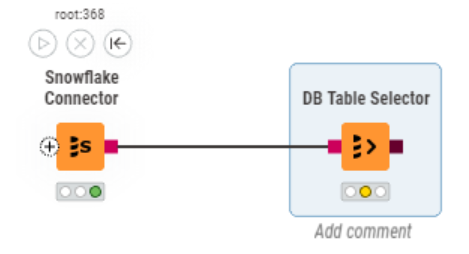
I don’t know the “old” DB Table Selector, here is the picture.
I noticed that if I don’t join the 2 nodes but I set the schema name and the table name in the DB Table selector before joining to the connector, then the flow runs. But if I join the nodes, then try to edit the Table Selector node, it freeze KNIME, or it will load it forever if I use the “Embedded inside application” setting (“Node configuration dialog mode”).
@obygyv Happy new year!
Thank you for the detailed report. This is happening because the lazy-loading improvements implemented in 5.9.0 (STS) were not shipped with 5.8.1 (LTS). As a workaround for now, either use the old Table Selector (search DB Table Selector //deprecated) or install 5.9.0 (STS).
We have the following tickets to implement this in the next 5.8.x bug-fix:
AP-25446 and UIEXT-3163.
Hope this helps.
Internal ticket ID: UIEXT-3163
Summary: Revert ModernUI DB Table Selector introduction for 5.8
Fix version(s): 5.8.2
Other related open ticket(s):
AP-25446: DB Table Selector Seems to do Multiple Deep Listings Instead of Lazy Loading
This topic was automatically closed 90 days after the last reply. New replies are no longer allowed.