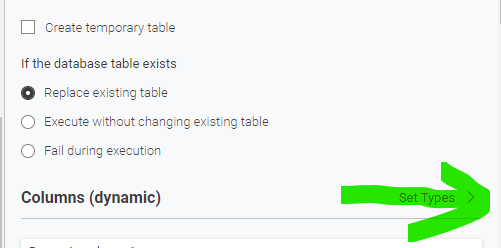
You have the settings in additional tabs that can be found further down:
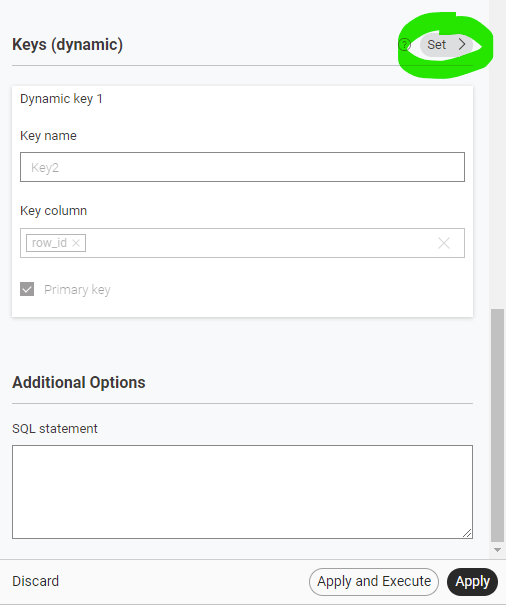
There also are the settings for the Primary Keys. This is also where you can add additional SQL commands.
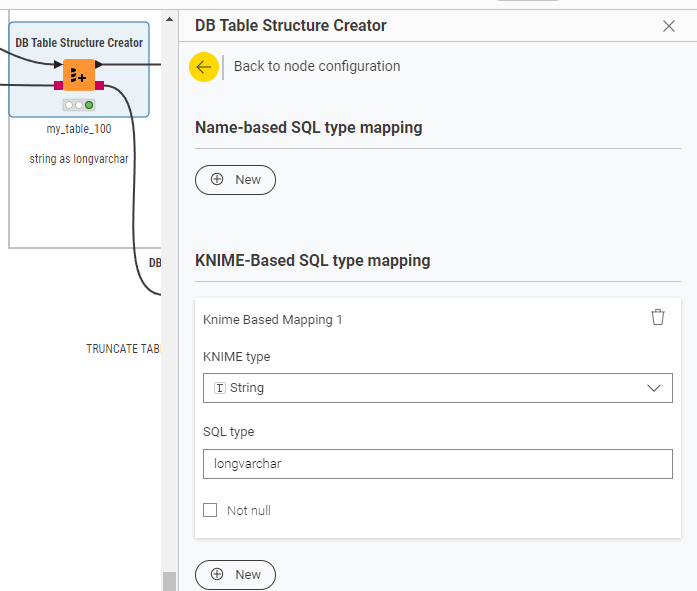
The difference is that you can use name patters of your columns within the database to assign SQL types. Or you can use the type provided by KNIME to decide they all should get a specific format.
In this sample case I wanted all strings to have enough space in a local H2 database, so I told KNIME to convert them to longvarchar instead of the standard varchar.
Primary Keys consisting of multiple columns I think always had to be done by code like this:
ALTER TABLE "PUBLIC"."my_table_001"
ALTER COLUMN "row_id" SET NOT NULL;

ALTER TABLE "PUBLIC"."my_table_001"
ALTER COLUMN "Counter" SET NOT NULL;

ALTER TABLE "PUBLIC"."my_table_001"
DROP CONSTRAINT "Key1" IF EXISTS;

ALTER TABLE "PUBLIC"."my_table_001"
ADD CONSTRAINT "Key1"
PRIMARY KEY ("row_id", "Counter");
I think the nodes are still evolving. I am not 100% sure why the individual settings of types are greyed out (sometimes?). The overall logic behind the new UI is to enable KNIME to be run in the browser without a fixed installation. That is why they all get ‘flattened’ - I think the process is not yet finished and some quirks are still there that hopefully will get fixed over the coming months.
Maybe you can toy around and familiarize yourself with the (new) handling.