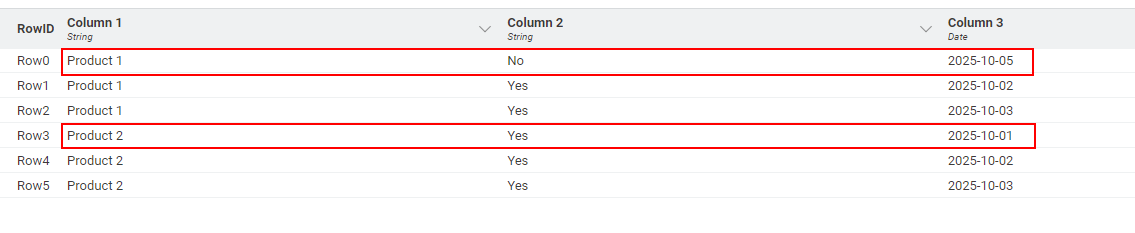
Hi @rds , your actual requirement appears to be that you are wanting to remove duplicates of Column 1 so that you retain only a single row for each product.
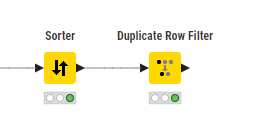
Since you have specific criteria by which you want to choose which row to keep, you can just make use of the fact that by default the Duplicate Row Filter will keep the first row it encounters for each duplicate. You can change the criteria used by Duplicate Row Filter (especially by opening the “advanced” setting) but this won’t give you the ability to include more than one “other” column on which to base the decision, so instead, make sure your data set is in the correct row order so that the first row for each product is the one you wish to keep.
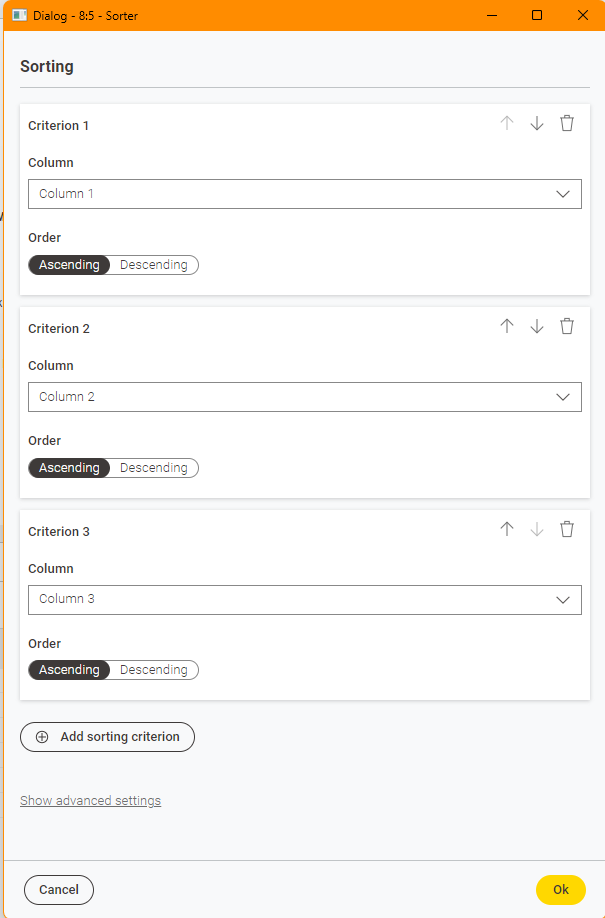
You will of course need to ensure that Column 3 is actually a date (or is in yyyy-mm-dd format) so that you can sort it correctly in ascending date order:
By Sorting on Column 2 asc, it will ensure that No appears before Yes. Make sure this appears in the sort ordering before Column 3 because it then has priority.
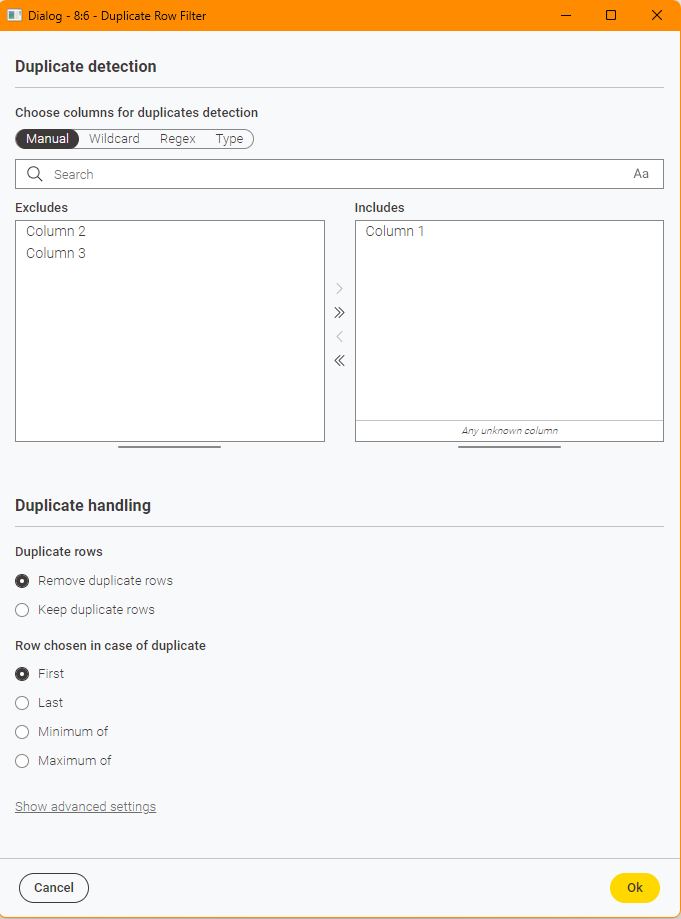
Set the Duplicate Row Filter to then just find duplicates for Column 1: