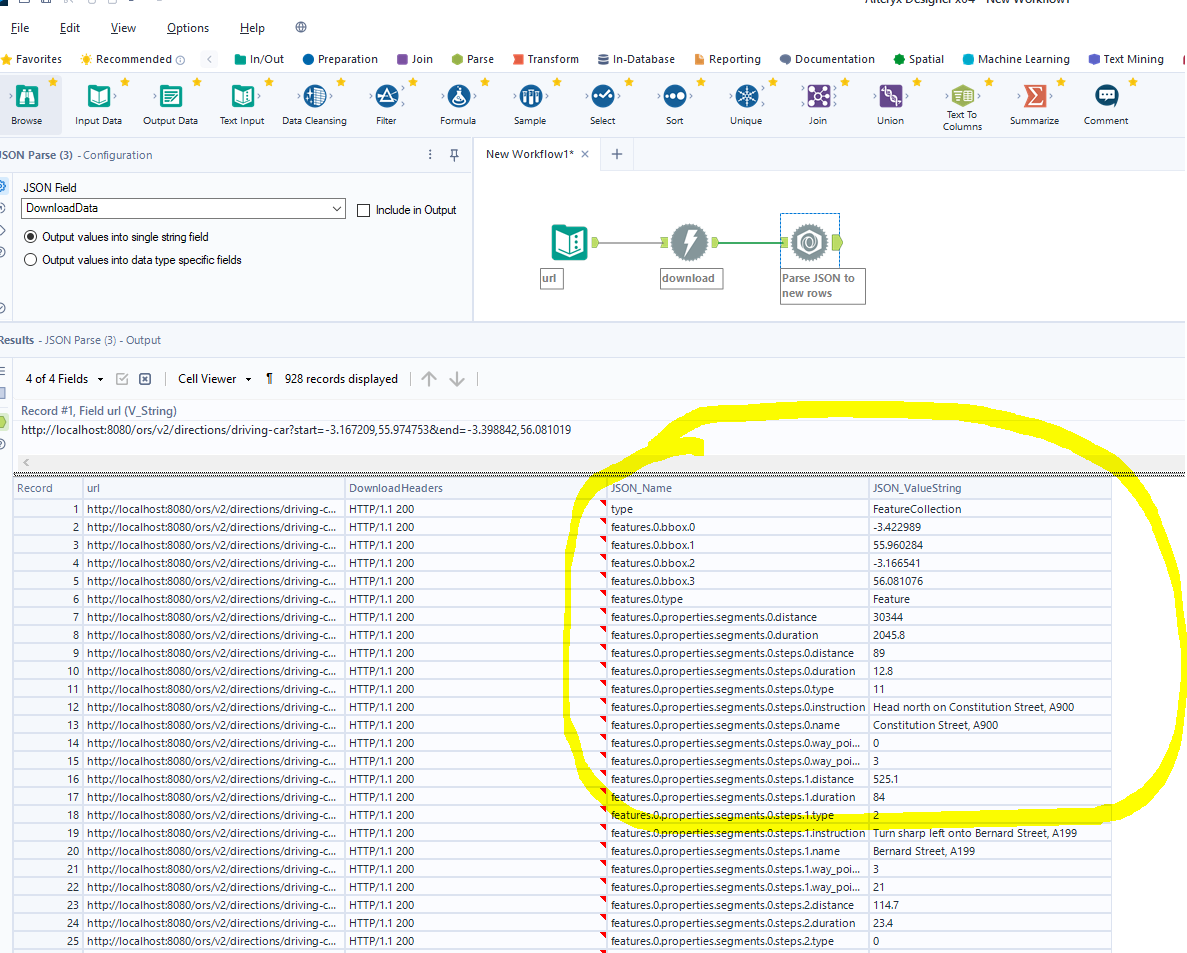
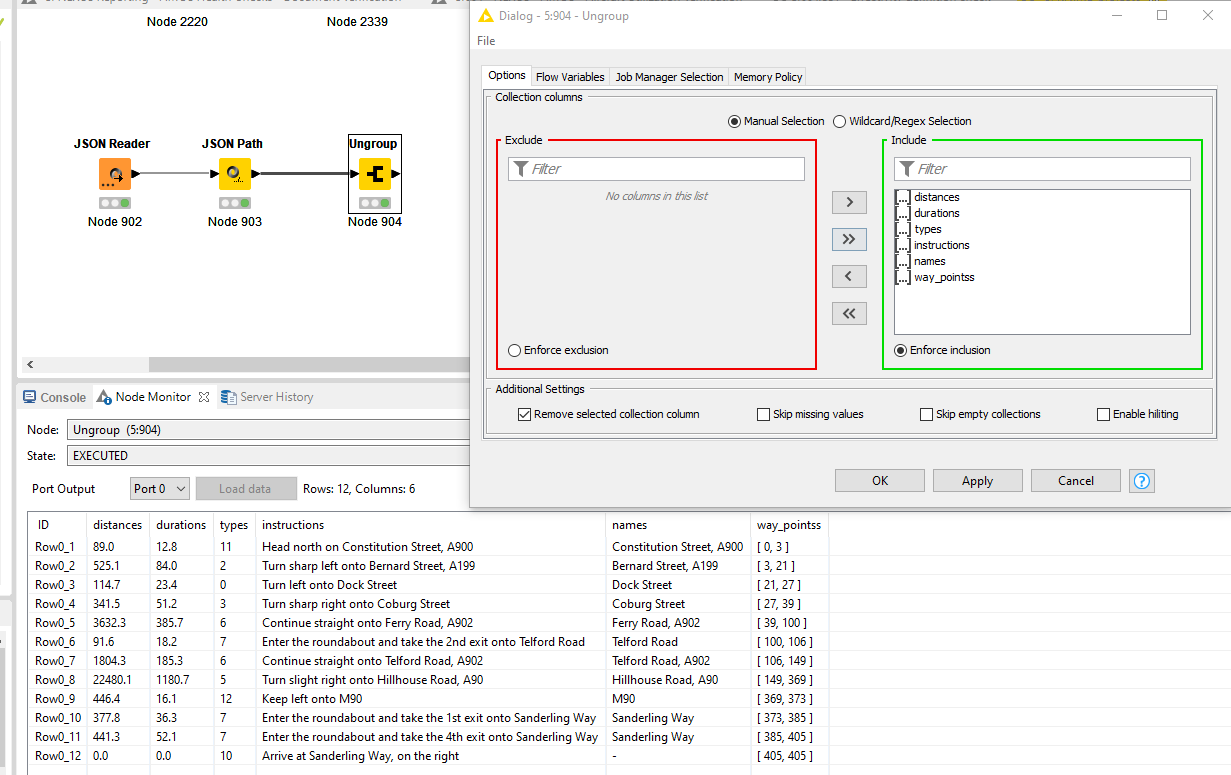
Then I can start filtering the output rows and get to work. Easy, low hassle, intuitive - everything a good analytics package should be.
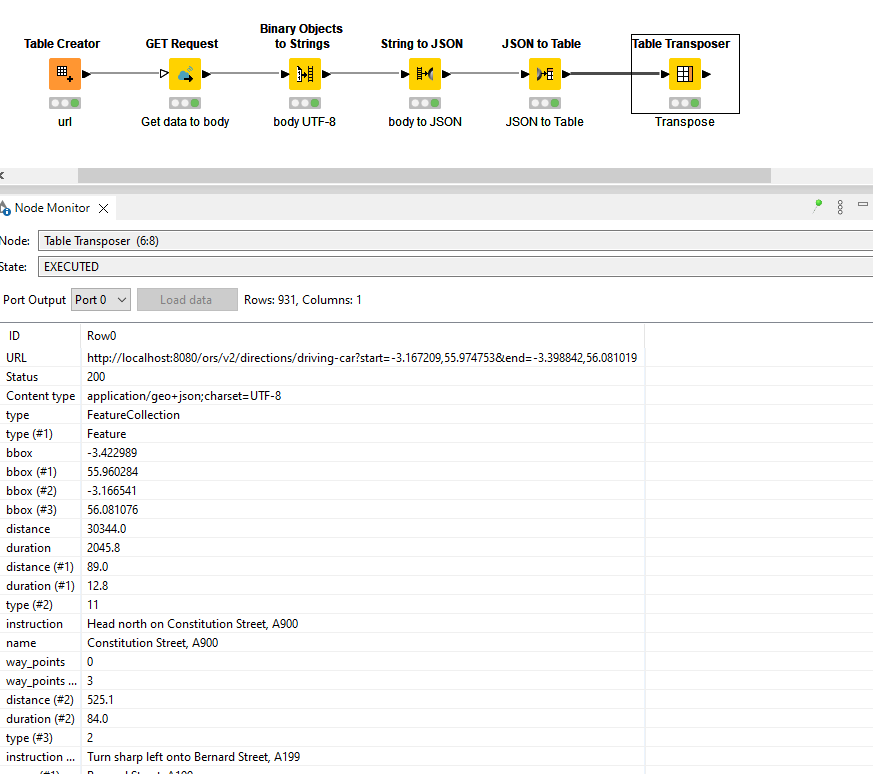
In KNIME I’ve found it somewhat less intuitive, but I’m a beginner here so please can you tell me what obvious node I’ve missed, as I feel my solution is a bit cumbersome and not in the least intuitive? Since the localhost url won’t work for anyone else apart from me, I’ve attached the source text data as a text file. Thanks
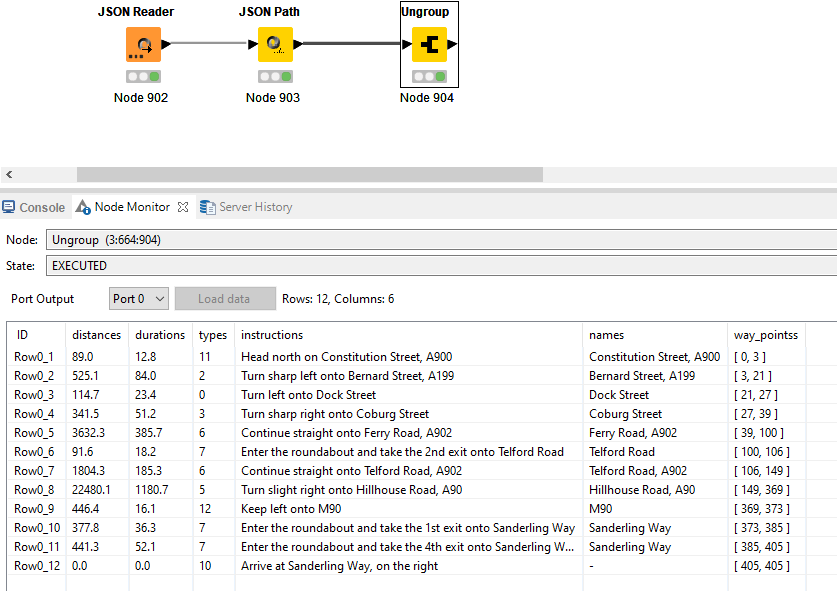
Is the two column long list also the type of output that you would like to have at the end of the process? With nodes like JSON Path and Ungroup you can get to something maybe a bit more user friendly pretty quickly but it depends on your use case.
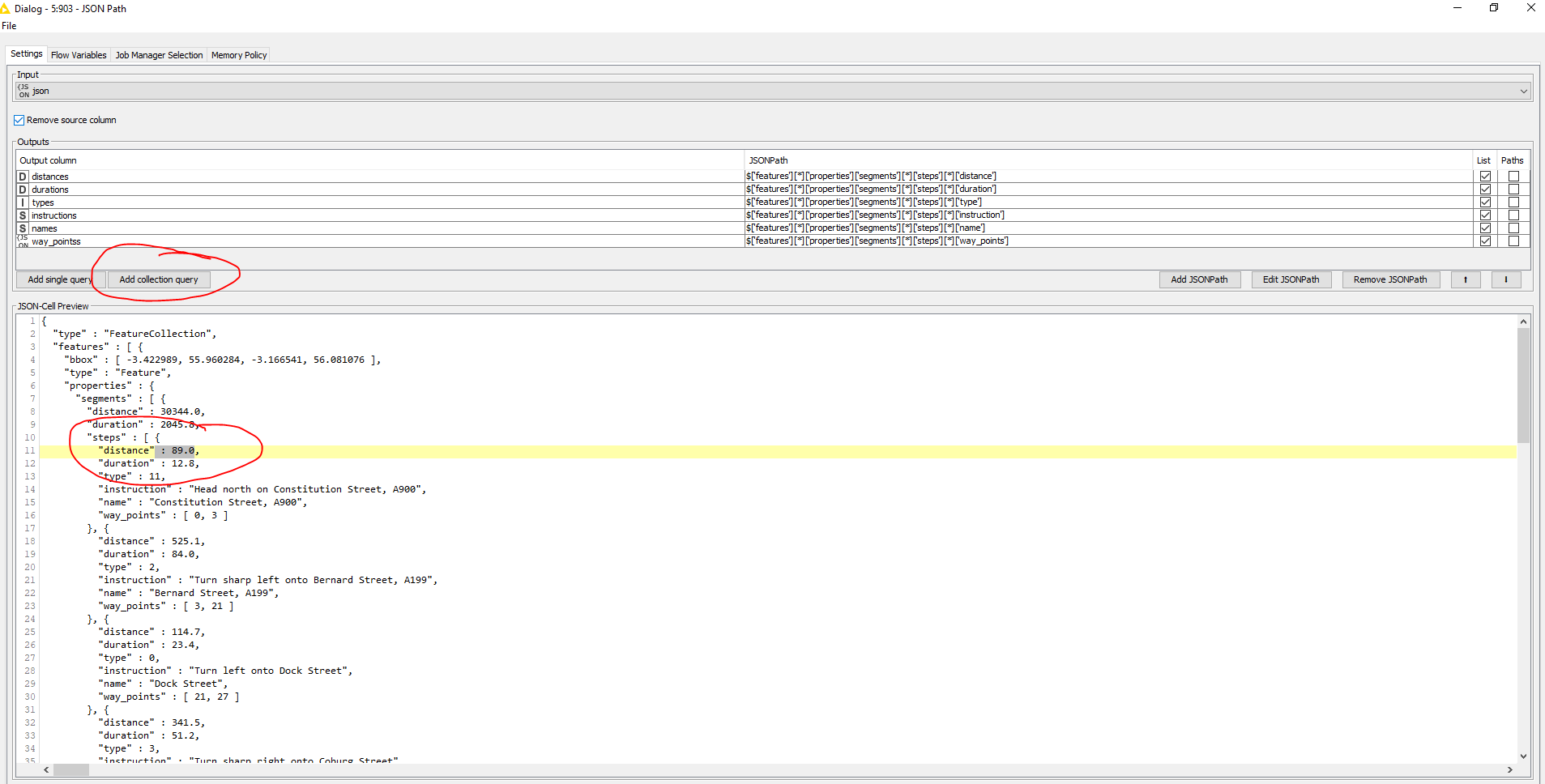
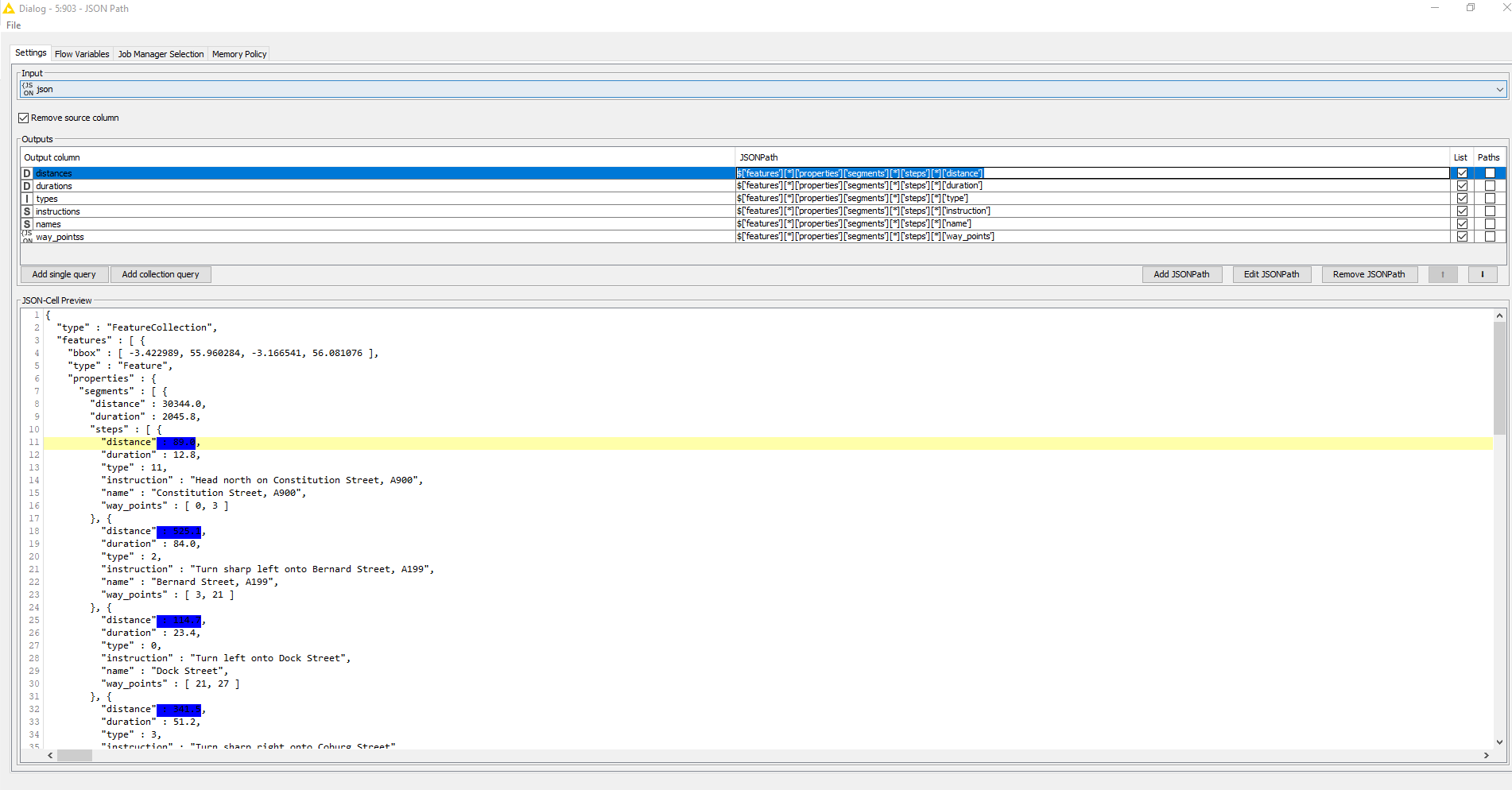
Within the JSON Path node, navigate to the desired attribute and select it’s value (using steps as example here). It will become gray of color. Then click Add collection query.
This will now gather all values which can be found via the path $['features'][*]['properties']['segments'][*]['steps'][*]['distance'] which shows on the top right. Noticeably, this contains wildcards to retrieve these.
This compared to a static query which follows only one path: $['features'][0]['properties']['segments'][0]['steps'][0]['distance'] $['features'][0]['properties']['segments'][0]['steps'][1]['duration']
etc.
If you select the query on the top right, the node will show which values it will retrieve in blue.