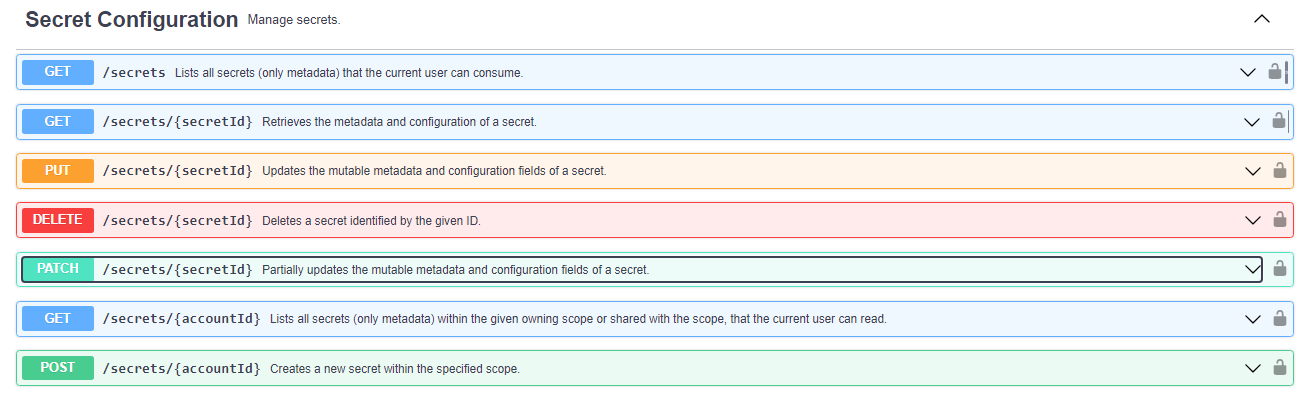
Is it possible to edit or add a Secret, held on the Business Hub, from within a workflow. Is there an API call that I can use?
I’m working with an external web API that has an authentication process that produces an API key, which only lasts for X amount of time. I want to build a workflow that will retrieve the API key that’s currently Stored as a secret (easy), check with the service to see if it’s expired (easy), if it is then re-authenticate and get a new key (easy), and then update the Secret with the new API key (possible?).
Is that possible? Or, is there a better way to cash an API key? It needs to persist between runs of the workflow, so a workflow variable isn’t going to do it.
Secrets can be changed per [1].
You should be able to view available REST API calls by visiting https://api.<yourhubaddress>/api-doc/?service=secret-store#/ .
The scheduled workflows are running on the KNIME Business Hub in the owner’s user context. Therefor the workflows can be created locally on the KNIME Analytics Platform using a KNIME Business Hub Authenticator node as shown here:
Once it the workflow is uploaded to the KNIME Business Hub you can delete the authenticator node as it will use the executing user context instead.