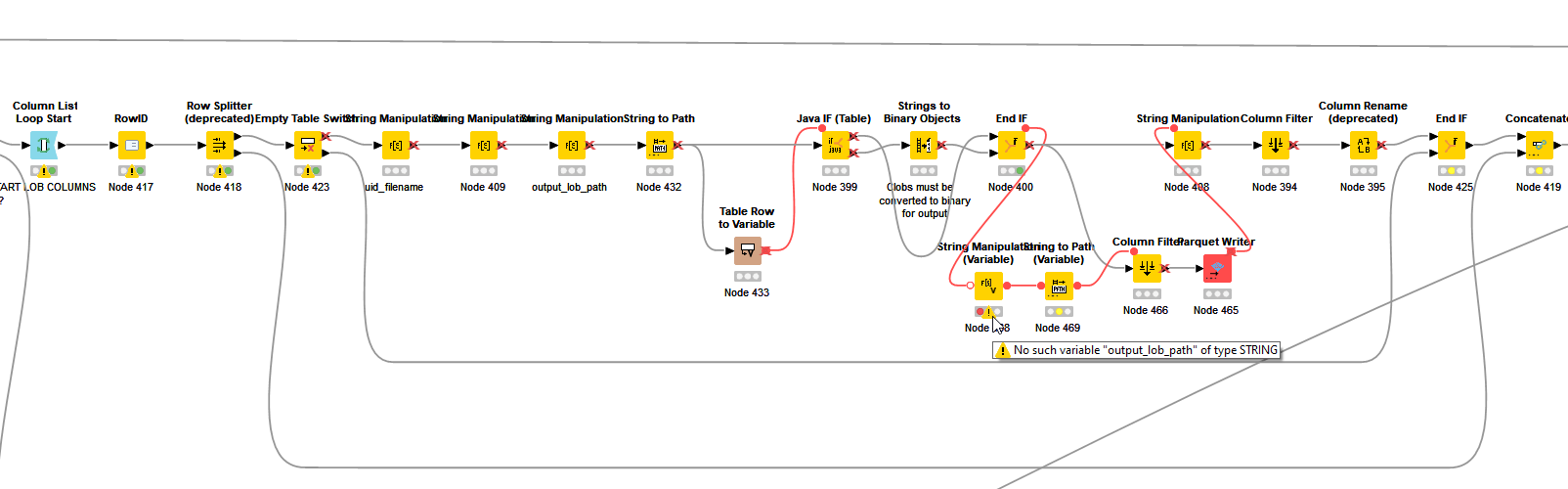
I hit a problem today in both KNIME 5.4 and KNIME 5.5 because a String Manipulation (Variable) node on an inactive branch executed. It failed because the variables it was manipulating didn’t exist.
As you can see in the above image, the “No such variable” error blocked the flow. But it should not have been active because this entire section was protected by an Empty Table Switch, and this failing node was on the INACTIVE branch.
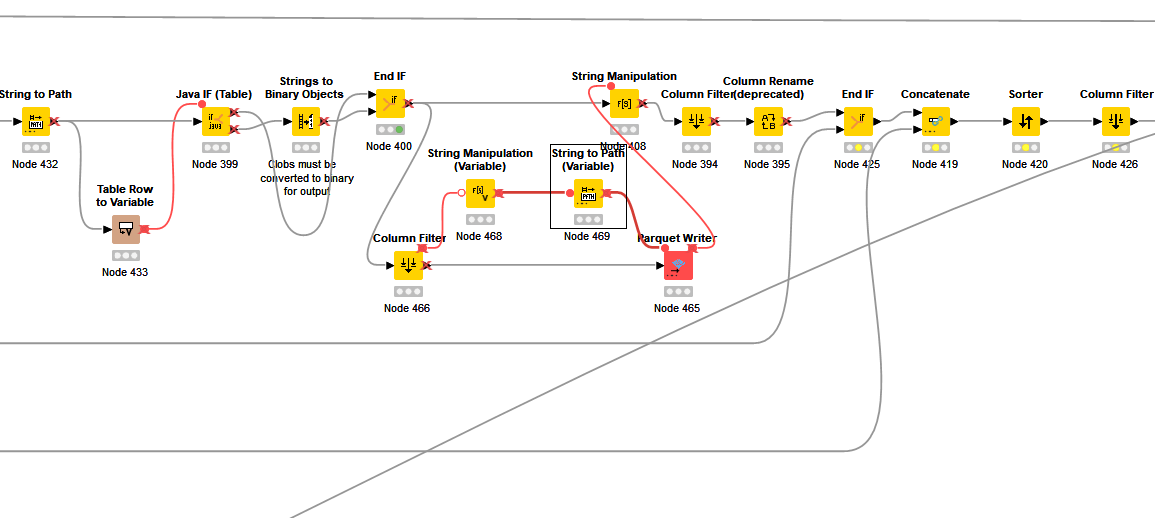
Adjusting the position of the String Manipulation (Variable) node so that it flowed from the Column Filter instead of the End If node resolved the immediate issue, but as you can see here, the End If node has remained ACTIVE (it has executed with a green traffic light)
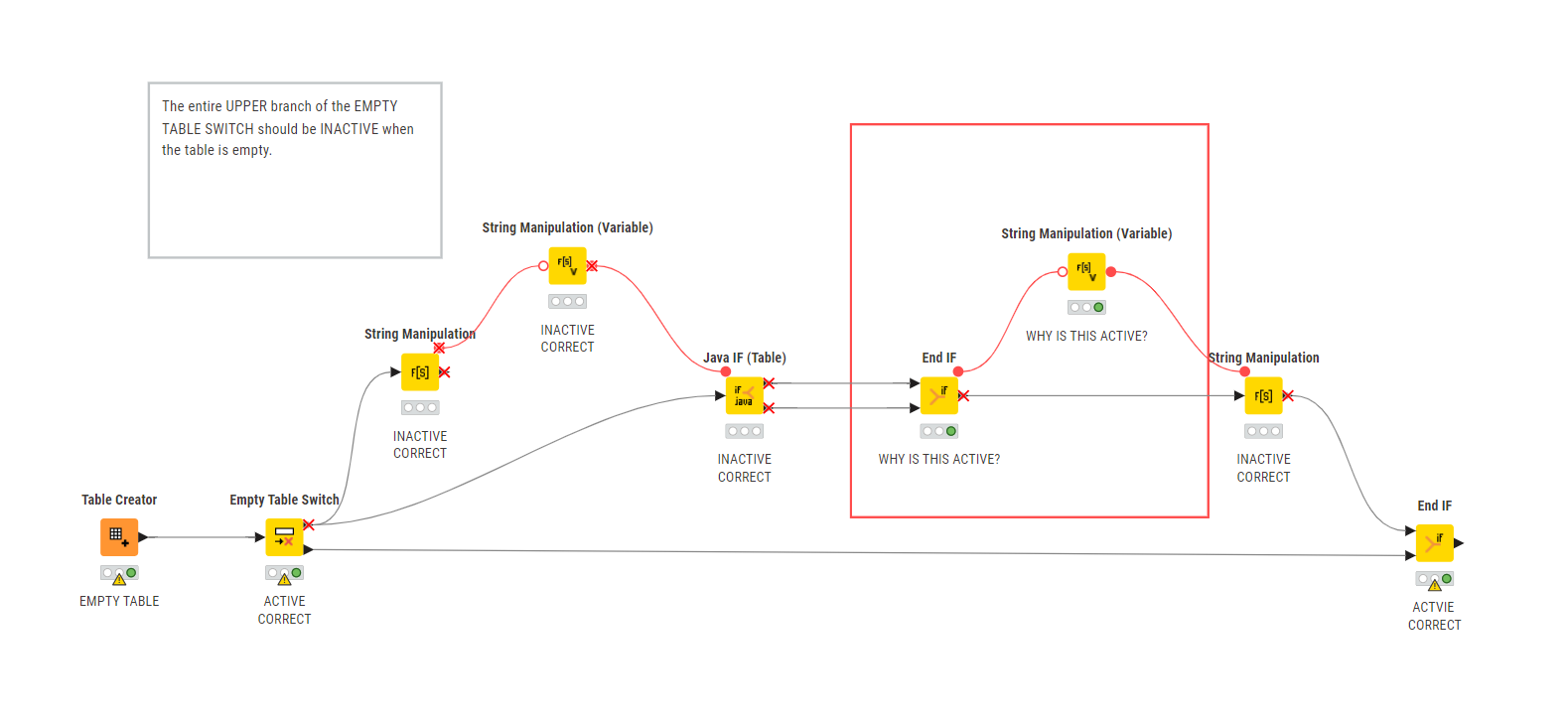
You’ve encountered a limitation that we internally track as AP-15115, which was marked as ‘WON’T DO.’ I will copy the comment from our internal Jira below. The main reason we decided not to fix it is due to concerns about backward compatibility.
We can’t simply “fix” it because it would cause a backward compatibility issue
End If, Case End, etc are “Inative Branch Consumers”, which by definition in the code can’t be inactive entirely. They can have individual outputs to be inactive (like in the screenshot) but they have no control over the mickey mouse ear
The fix in the workflow as per screenshot is simple: Have a variable extractor attached to the data output and link that to the nodes that should be set inactive (and which are currently connected to the mickey mouse ear)
Not sure what to do with this ticket. It’s partly confusing but it’s “as designed”. It can go into “OPEN” (won’t work on this unless <don’t know what needs to happen>), INVALID or WONTDO.
In the end (September '20) we then closed it as WONTDO.
Thanks for the explanation @wiswedel . I can understand the compatability concerns. I’m amazed I’ve not encountered it before but I can see it is a very specific edge case, and there is a work around that resolves the issue.
So the message here is to take care when adding to a flow variable output “ear” on an End If node, especially if it could potentially be on a totally inactive branch, and probably best to not use it, or else put a “data node” in between if there’s any possibility of it being a future problem should the workflow be modified.
Should I assume that all “conditional end” nodes would be similarly affected for the same reasons?
I have a feeling I should bookmark this thread, as it’s one of those things that is bound to come up on the forum in the future, (not often… maybe a couple of years into the future! ). Thanks again.
 ). Thanks again.