I have a saved flow that read several excel files, but whenever I open this flow I got this error message:
Recon IC 1 0 loaded with errors
Recon IC 1 0
Unable to load settings for node with ID suffix 1: Unable to read settings file C:\Users\rfre\knime-workspace\Recon IC 1\Excel Reader XLS (#1)\settings.xml
Unable to load settings for node with ID suffix 10: Unable to read settings file C:\Users\rfre\knime-workspace\Recon IC 1\Rule Engine Dictionary (#10)\settings.xml
Column Rename 0:5
State has changed from CONFIGURED to IDLE
After that I click in “Ok”, but several nodes disappear including the excel reader node of the error above.
I try to clean the data inside the excel file (xlsx), but the message is the same. I try to link it at Alteryx and the same excel work without problems.
your workflow doesn’t have the rule engine node (See error message: \Rule Engine Dictionary (#10)\settings.xml). However, I had no issues loading your datasets. Maybe try saving them in a different location locally and try again.
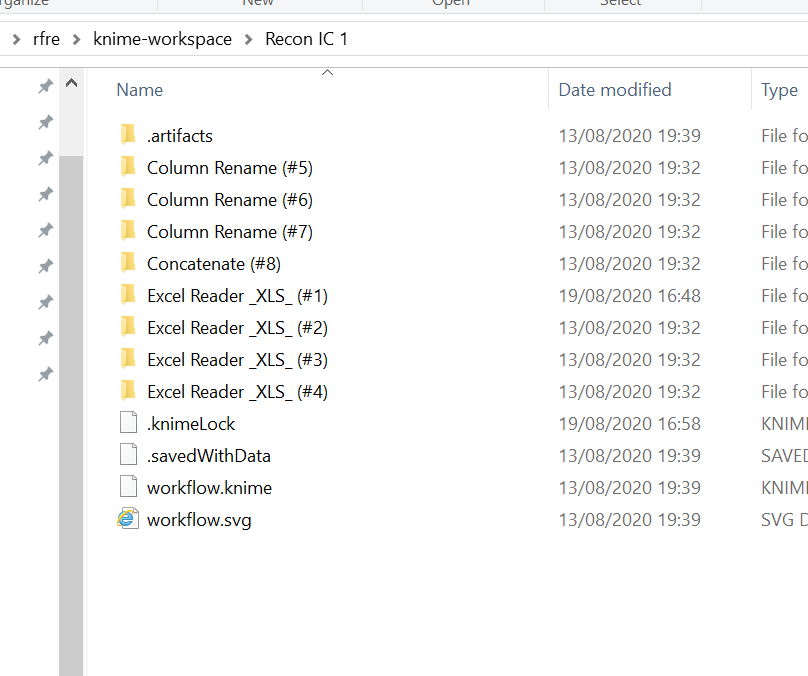
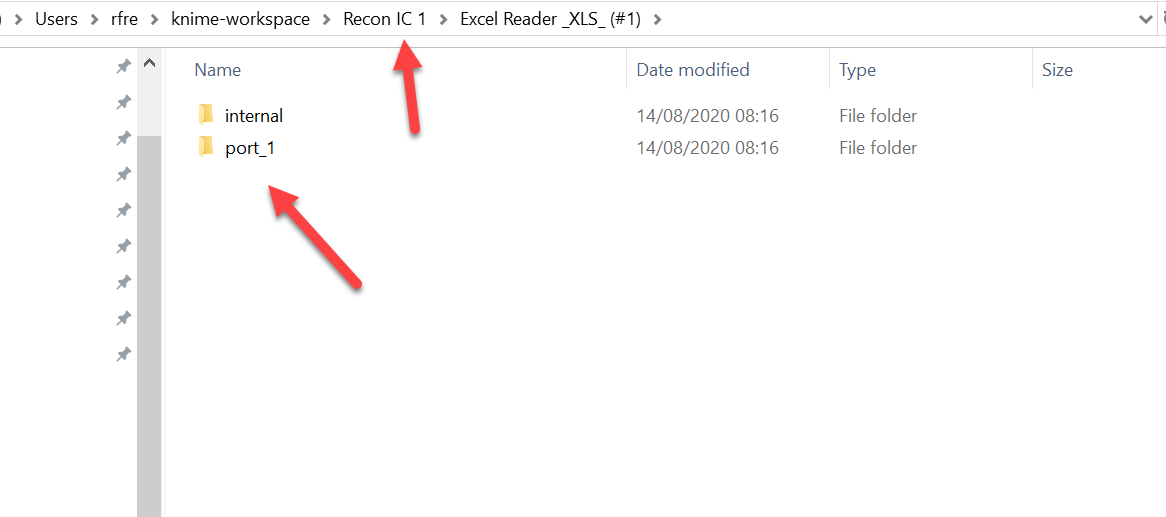
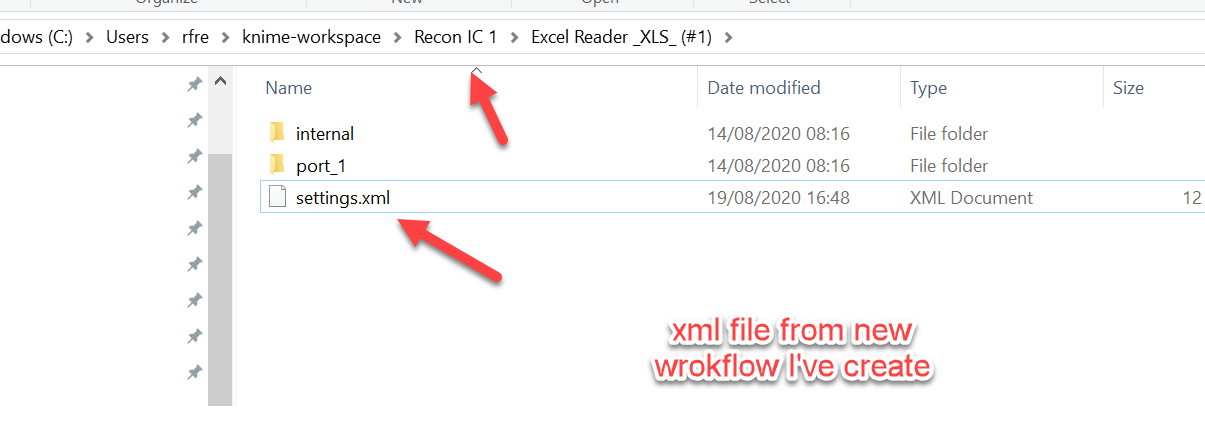
I took a look at my flow work space and notice that in Excel reader folder regaring [BASE BTB] doesn’t have the setting.xml file. What did to work around was create a new flow imported and configured the same excel sheet at it then saved. Afterwards I copy the setting.xml file from this new workflow space and past at [Recon IC 1] workspace, its work for the error about Excel read (I don’t know why this setting.xml file disappear from the workspace, you know?).
 ) :
) :