Hi, I’m using knime 4.6 and in the Oracle Connector node I’m using the “Driver for Oracle v. 19.14.0” to be clear, the built-in one. In the preferences I also set a path to point to the ojdbc8.jar driver, but I don’t use it; Sometimes these errors happen to me, not all three but one or the other or the other:
ERROR : KNIME-Worker-6-Oracle Connector 3:1177 : : Node : DB Insert : 3:1179 : Configure failed (NoClassDefFoundError): Could not initialize class oracle.jdbc.driver.DynamicByteArray
java.lang.NoClassDefFoundError: Could not initialize class oracle.jdbc.driver.DynamicByteArray
ERROR : KNIME-Worker-8-Oracle Connector 3:1673 : : Node : Oracle Connector : 3:1673 : Execute failed: Index -1 out of bounds for length 0
ERROR : KNIME-Worker-18-Oracle Connector 3:2011 : : Node : Oracle Connector: 3:2011: Execute failed: DB Session ff333cc1-220d-416f-9379-1b1b0d11044c is invalid. null
Can someone explain to me if this is a dual-driver issue or something else?
Also, since we’re changing all the WKF files to run with 5.4.2 and are configuring the built-in on all of them before doing so, I’d like to avoid error reports. If there’s a jar to configure in the preferences, removing it would be better.
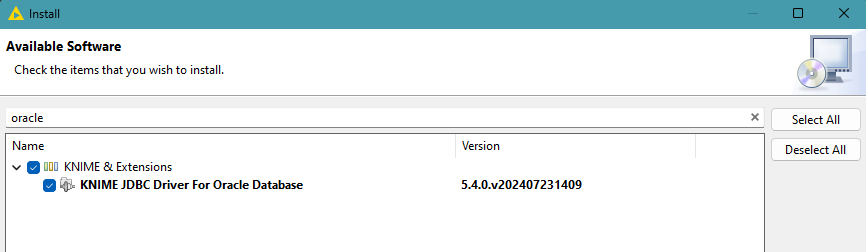
Hi @cridiaz , It’s been a while since I used KNIME 4.6 but I assume its similar to 4.7 which I do still have installed. When you say “the built in” Oracle driver, do you mean the one installed as an extension (probably named something like “KNIME JDBC Driver for Oracle Database”)?
If so, I don’t think you should need any additional settings for the JDBC driver in preferences (do you mean in the “Databses” section?), and I would advise removing it from there to avoid possible confusion/conflict. To me, although I cannot be certain, the most likely issue here is a driver conflict, and I’d definitely be removing the superfluous driver from the classpath just to be safe.
I’ve been using Oracle databases across all versions of KNIME since 4.4, and I’ve not seen the issues you mention.
Re KNIME 5.4.2… you should not be needing to do any manual jar configs to work with Oracle provided that you install the “KNIME JDBC Driver for Oracle Database” extension, and are using the Oracle Connector.
Thanks @takbb, I figured there was a conflict between the jar configured in the preferences and the one installed with KNIME, as you indicated, “KNIME JDBC Driver for Oracle Database.”
Unfortunately, we’re currently in the process of upgrading, and at this point, I won’t be making any reference to it in the Databases section of the preferences for 5.4.2.