I have an Excel file where some columns have data that contains the date() function. The Excel reader is showing that as missing values. Is there a way to have Knime read this properly?
Thanks.
I have an Excel file where some columns have data that contains the date() function. The Excel reader is showing that as missing values. Is there a way to have Knime read this properly?
Thanks.
Do you have the date columns formatted as date rather than General or text? It would be helpful if you could share some sample data.
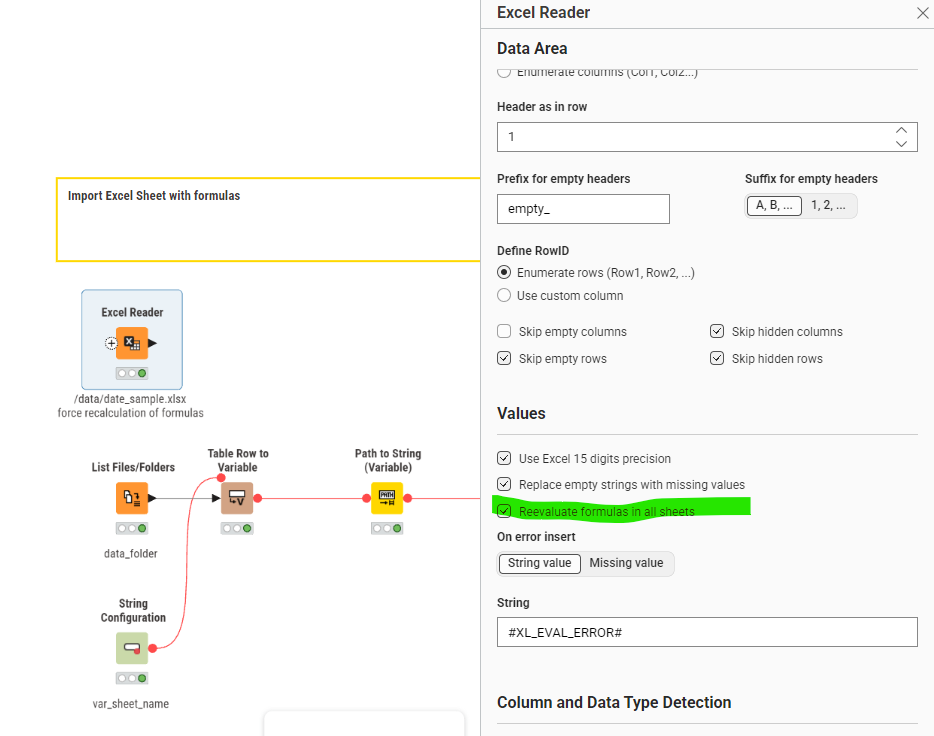
@temp02_verizon you can try and force KNIME to re-evaluate your formula on start (under advanced settings). Maybe you can provide and example where this does not work so we could have a look.
If you need further ideas how to do such calculations here are several approaches using Java and Python
BY default, I set all columns to string, which I can only do if the “when schema in file has changed” is set to “fail”. (I do this mainly for numeric fields which I prefer to handle as strings, date format fields generally are fine left as date, but old habits die hard)
The Excel file is structured as follows with columns 4, 6, and 7 formatted as DATE and contain formulas using the Date()
When I initially open the Excel reader properties (after setting all columns as string), notice that columns 4, 6, and 7 now appear at the end and show the data as missing values (?)
If I change settings for “when schema in file has changed” to “use new schema” and “reevaluate formulas”, the columns now appear in correct order and the dates are present