extract table from txt file

Hi Guys ,

I need some help as i am new KNIME.

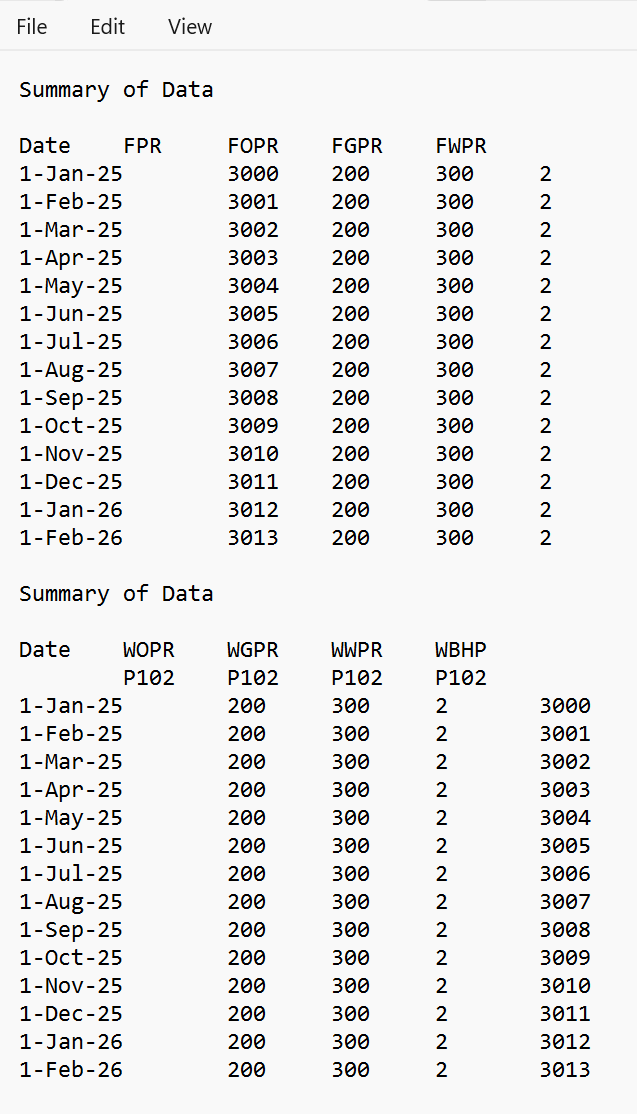
I have a txt file similar to below.

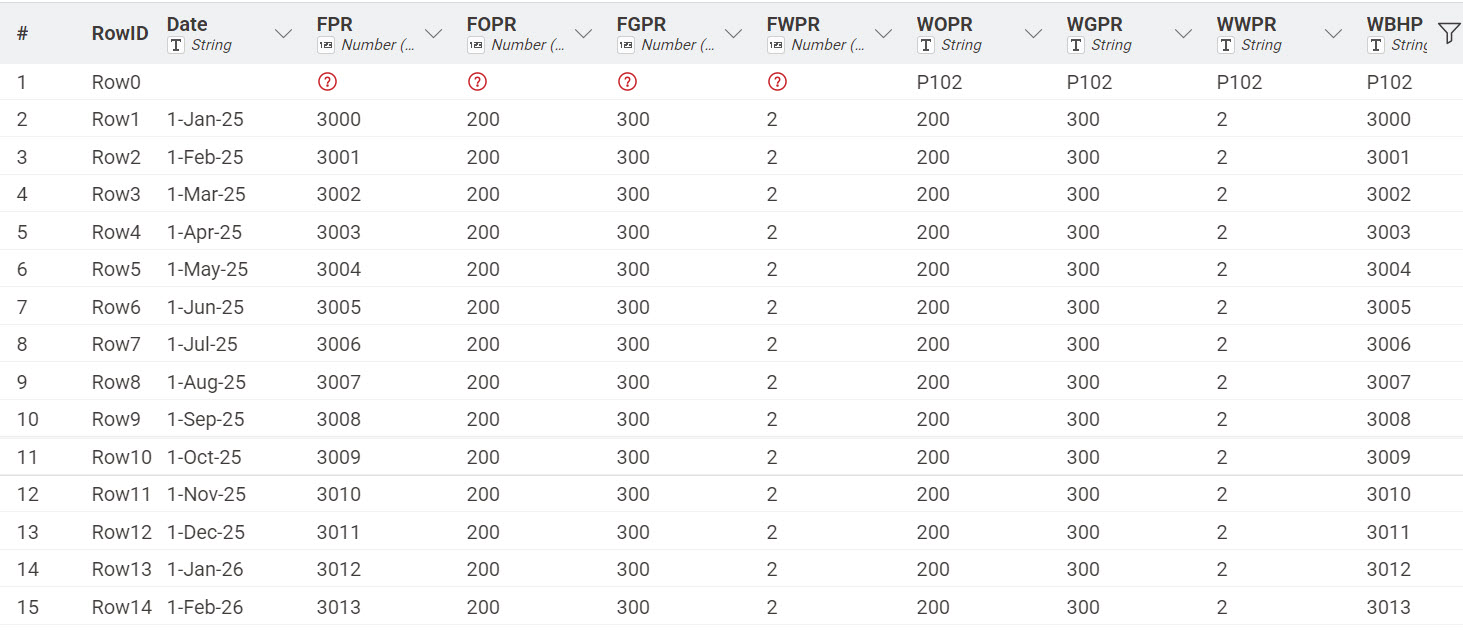
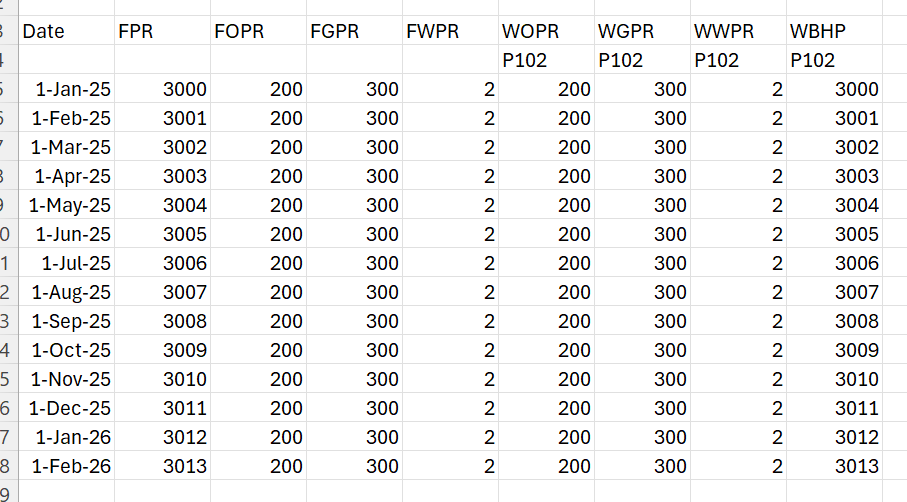
I need to extract this data in below format.

Is it possible to do ?

This is sample data . my data is very big thats why i want to use KNIME.

Summary of Data.txt (813 Bytes)

Hello @praffulgoyal,

and welcome to KNIME Community!

You can try CSV Reader node and tab (\t) as a column delimiter with option Support short data rows checked.

Br,
Ivan

4 Likes

Is this the actual format of your data? Its a mess and will require extensive manipulation in order to process it.

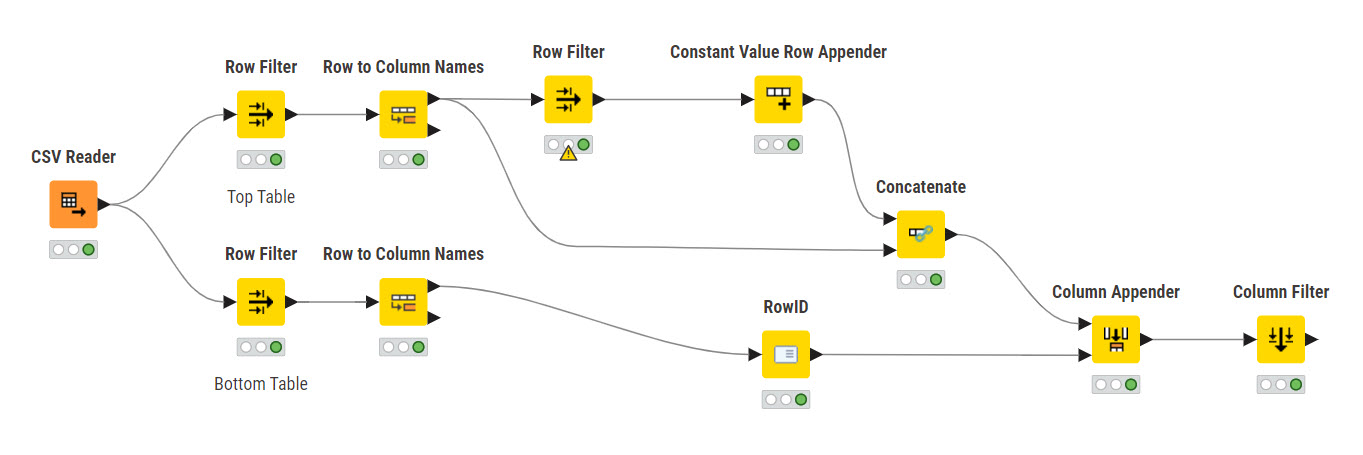
Try this.
extract table from txt file.knwf (101.7 KB)


2 Likes

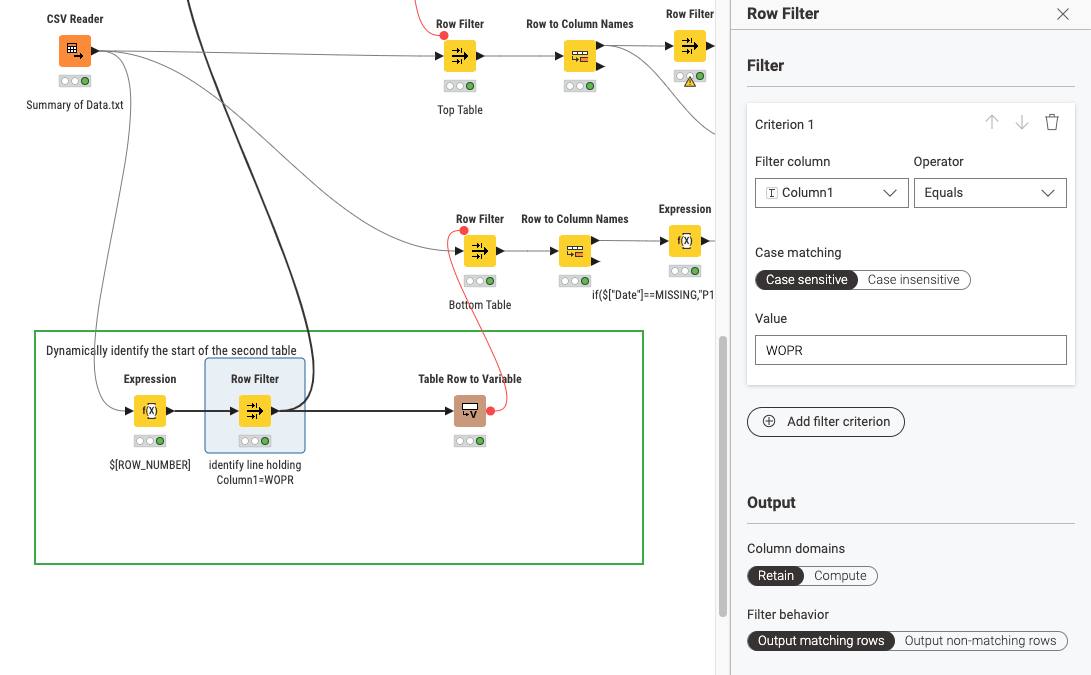
@praffulgoyal I have taken the liberty to expand the solution by @rfeigel to have a dynamic detection of the start of the second table:

2 Likes

there are multiple ways to solve this, depending a bit on how alike the sample is to the full data set.

if the 2 example blocks are all, then I would just configure 2 csv readers with hardcoded amount of rows skipped etc.

if this isnt the case, but the structure repeats exactly as is, I would recommend to do it in 2 steps:

first step splitting the file and creating new files for each “block”. and then reading them in

2 Likes

@mlauber71 Very nice improvement! Kudos to you.

2 Likes

Thanks @rfeigel @mlauber71 ..for your efforts in providing me the workflow. It help me understand KNIME more. But like @fe145f9fb2a1f6b mentioned my data is not limited to these 2 tables. It has several repetition like that. May be i need to consider some kind of looping. But you guys has definetly given me idea. I will try myself. Meanwhile if anyone of you can help me in looping then it will be awesome.

Thanks again ..really appreciate your time and efforts.

We can only work with the data you provide. If you provide a complete data set we might be able to take another look.

2 Likes

@praffulgoyal as @rfeigel has said: it all depends on your description of the challenges you face, like: repeated blocks that have a common identifier.

One way to do it is to identify the end of one block and then iterate over them. You can import the whole CSV first with the Fixed Width File Reader – KNIME Community Hub into one column - then identify the line which holds the block separator and then loop over the lines with a regular CSV reader with start and end line.
MEDIUM: “KNIME, Paths and Loops — Automate Everything

1 Like