I started using Knime a few days ago and completed the L1-DW course.
Now I want to try to fetch data from an API, which gives me information about weather in a specific geographic location.
I collect the data using a GET request, and then I want to filter the data to only display date&time and temperature. I noticed that when I try to extract Year and Months etc, it takes like 20 minutes for the node to execute even though I currently have 8700 rows to process.
My question is this: Have I approached this in a very bad way or is this time delay to be expected handling this much data?
I did a similar thing with JSON and it worked great, but the JSON only had data for like 4 months, I need more months. For reference, while I wrote this post, the GroupBy node went from 0% to 2% in the execution process.
I might have found the problem. It seems like my tempdata when I execute my nodes are taking up an enormous amount of disk space. We’re talking 300-400GB. And perhaps that’s why my nodes at the end of the workflow took too long to execute. I’ve been searching around the forum for tips on dealing with big data but still haven’t found a solution for it yet.
I’ve shared the link to my workflow below if someone here wants to give me some tips.
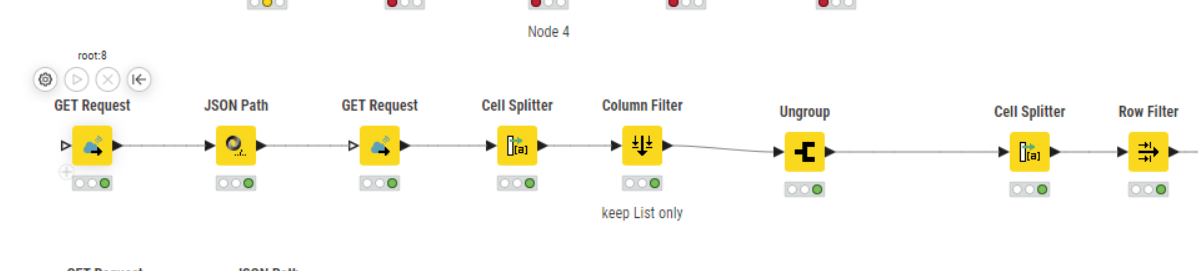
(The part of the workflow working with right now is the long line of nodes with the double Get Requests.)
Hi,
I just downloaded your workflow, but the amount of data is quite low. Just 220.000 rows. The long chain in the middle runs within some seconds on my 10 years old PC
The problem is, that the nodes creates roughly 200k rows and expands and duplicates all other rows of the table.
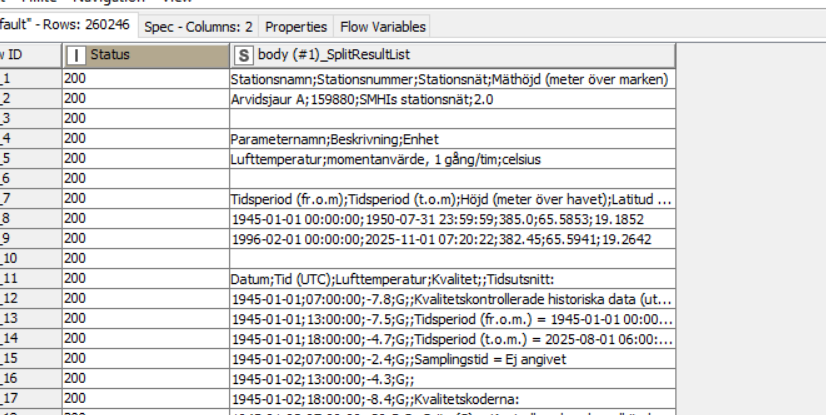
So for example if you just pass the two columns “status” and “body(#1)_splitlist” it creates this table:
Now if you pass all the columns and also the json sources into the “ungroup” node, all columns will be duplicated. Also the orginal json data where you extracted the data from. This means the table has a size in the memory of roughly 200k* 200k * x entries.
The solution:
just pass the “body (#1)_SplitResultList” column to the ungroup node and join or add data afterwards
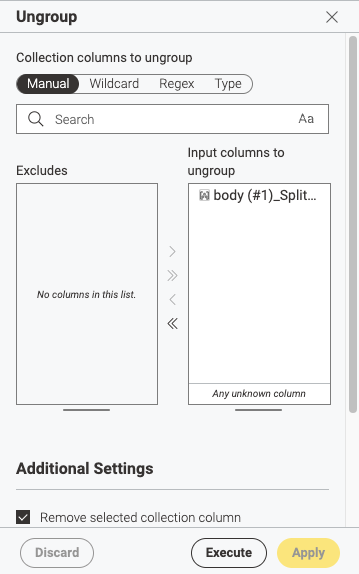
Am I understanding you correctly if you mean that I should put a column filter before my ungroup node so that the ungroup is only dealing with body(#1)_SplitResultList? I thought that was done automatically when that’s the only column I include in the ungroup node?