I thought I’d revisit an old feedback topic.
In the more recent versions of KNIME, when using Modern UI, there is a “recent workflows” page which gives some assistance in find a workflow you were recently working on. Classic UI has “recent workflows”
Sometimes though, I still want to be able to search for an old workflow name and I cannot recall how long ago I last worked on it
So in spite of updates to KNIME, this has still led me back to the component I wrote back in 2022 (above). The component achieved the objective, but it one big failing was that it was slow to find the workflows.
The reason for its pitiful performance was ultimately down to my choice to simply ask List Files/Folders to traverse every subfolder in the current workspace, looking for workflow.knime files. That can be a huge number of subfolders for a very small number of workflows. It works, but it is an incredibly inefficient approach.
So I had a rethink, and decided there were some optimisations to be made. With the introduction of a recursive loop and judicious use of List Files/Folders within the loop (which now doesn’t search any subfolder of a folder than contains a workflow.knime file), rather than have List Files/Folders blindly search every single subfolder in the workspace, design/dev effort increases a little but run-time effort is reduced and the performance skyrockets!
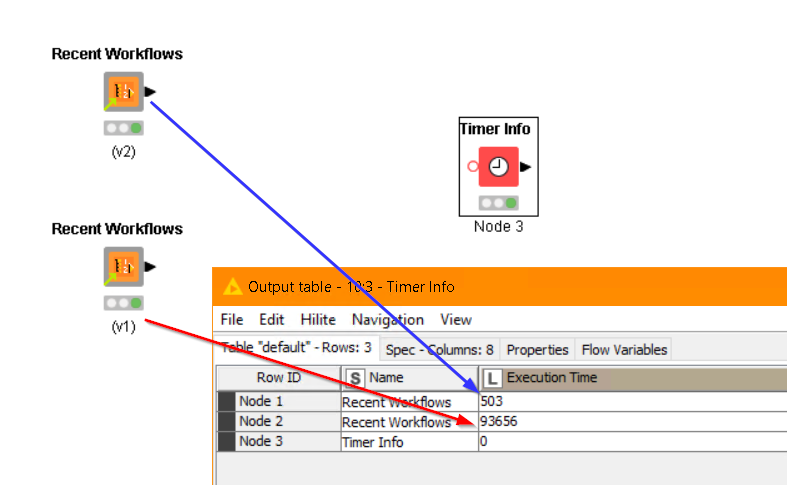
When I said design/dev effort increases “a little”, well maybe it’s a little more than a little:
V1
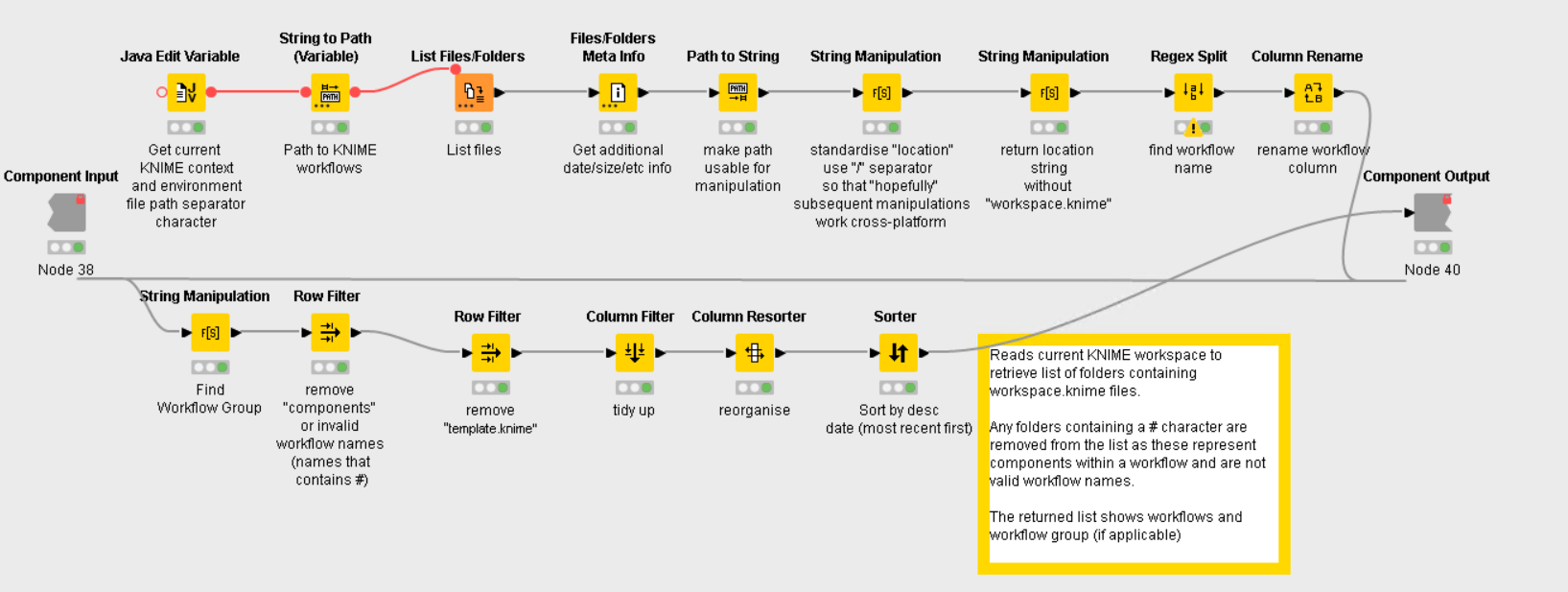
becomes…
V2
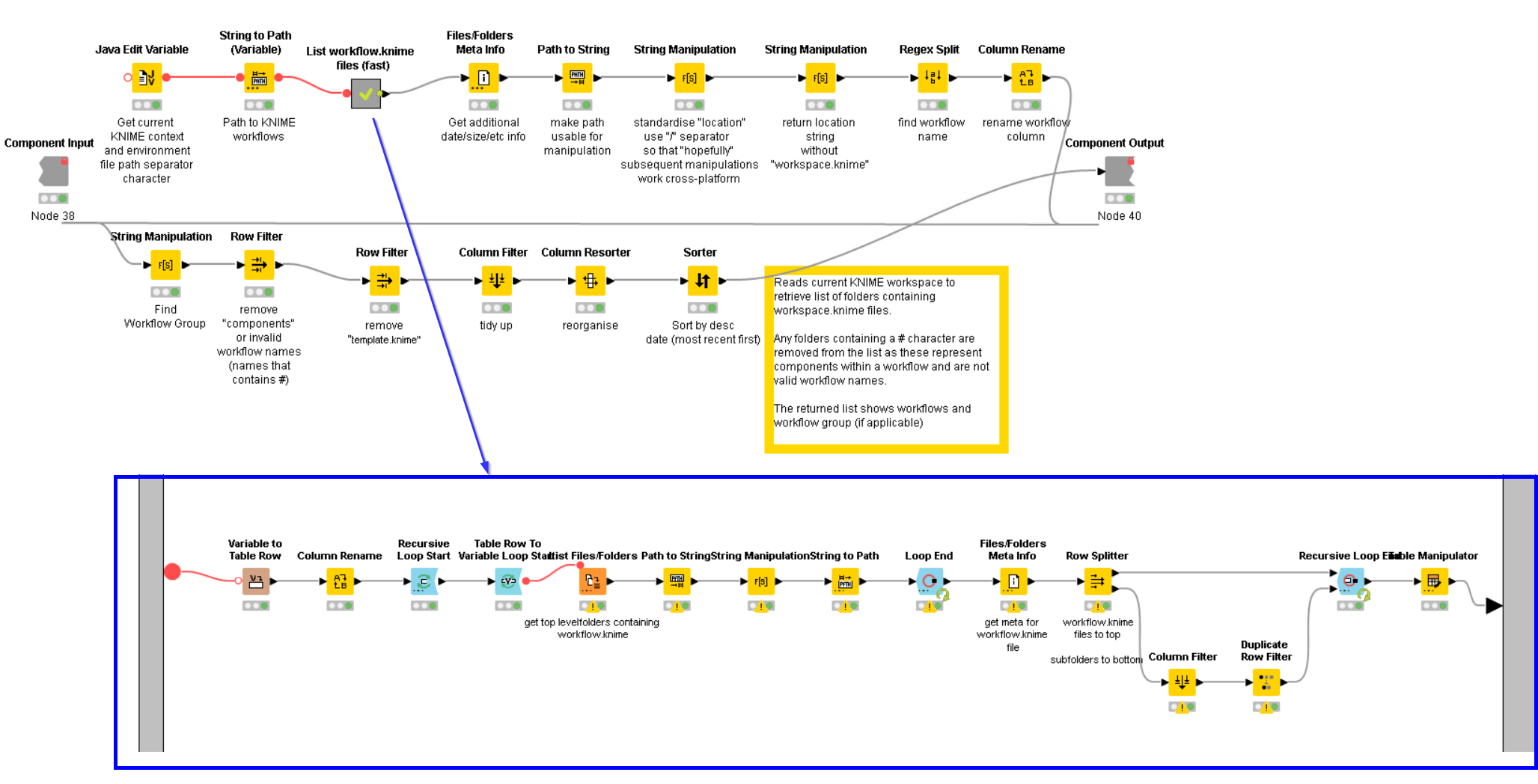
Replacing that single List Files/Folders node with the above nested loop might be counter-intuitive, but it now finds all the workflows in my workspace in about 0.5 seconds, compared with the 90+ seconds it was previously taking.
So, if you can’t recall what workflow you were working on a couple of weeks ago, or which subfolder it was in, you can give this component a try, and no longer have to wait for the results 
I’ve written it with KNIME 4.7.8 (the oldest version I still use) to ensure compatibility across the most recent versions of KNIME.
My reason for posting this, aside from hoping that others may find it useful, is to demonstrate that there can be many ways to achieve an objective in KNIME, but also it shows that rethinking the mechanics of an algorithm, and investing a little more effort in identifying and re-working the inefficiencies can sometimes give a dramatic pay-off.