Is there any way in Knime that we will get fixed decimals ?
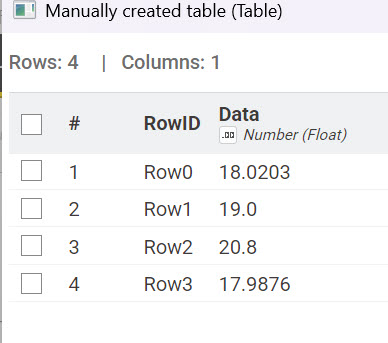
If my data is
18.020300
19
20.8
17.9876
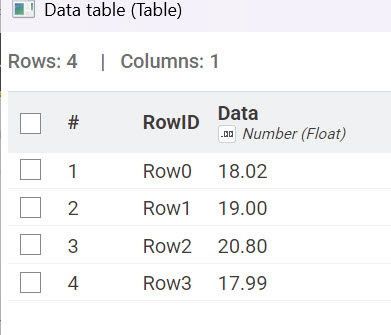
and in the output, I am expecting.
18.02
19.00
20.80
17.98
I need consistent 2 decimal for every cell
Is there any way in Knime that we will get fixed decimals ?
If my data is
18.020300
19
20.8
17.9876
and in the output, I am expecting.
18.02
19.00
20.80
17.98
I need consistent 2 decimal for every cell
and in the output, I am expecting.
depending on your output target, this is surely different.
e.g. in Excel its more reasonable to keep precision and instead use the interface to display only 2 digits.
tldr is anyway, use a number rounder node - or unfortunately, hardcast to text at the end of your workflow before the export
We tried number rounder node.. it’s not working for fixed decimals..
On your question on export. First, we are checking results on the node monitor data table.. yes. finally we want to export either to csv or excel
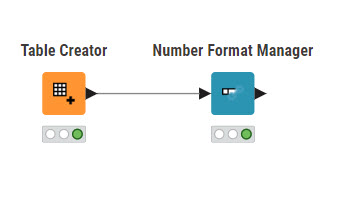
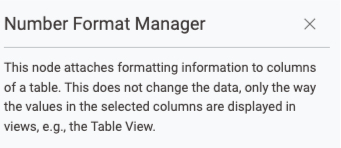
Number Format Manager is widget right ? I am thinking, this will only for data apps..
Its not a widget. Its a standard node.
Got it.. It’s working…
But, exporting data to csv or excel.. it’s not
Hello @exploredata547,
your approach depends on your export file type.
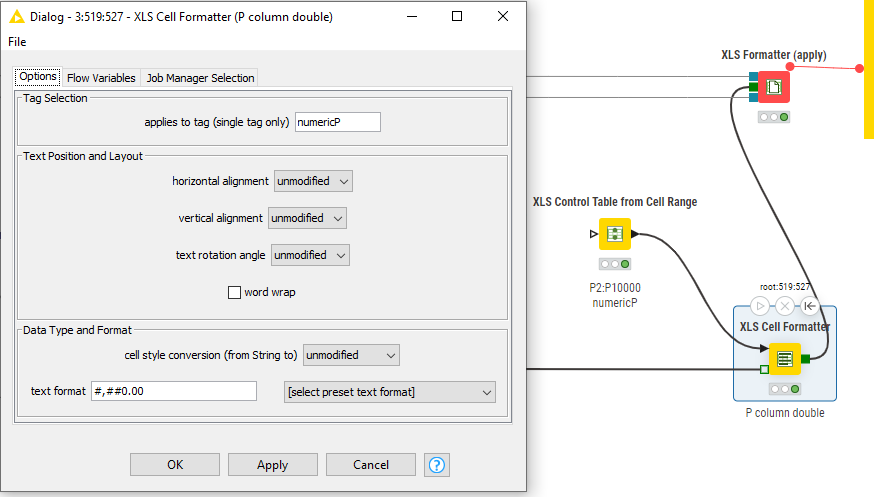
If you are exporting data to Excel file then a way to go is Continental extension as it allows you to format your file after you write it to desired location. Take a look at this part of workflow together with configuration of XLS Cell Formatter node as it does what you are looking for (numeric column with 2 decimal places plus thousand separator in this case):
Keep in mind that this approach will leave values as they are and perform visual rounding in Excel. For more on Continental extension and how to use it look at examples.
In case you are exporting data to csv then there is no column type in your file as csv file is only a flat file with separator between values. In this case you need to convert your values to string in KNIME as suggested already in this topic and manipulated in a way to add zeroes. Simplest way is to do this is to use Number Rounder node where under advanced settings you can choose your output mode and here select Standard string. This will give you two decimal point values in a string column with added zeroes. Also if you only want your first two decimal digits and not rounding there is available rounding method To smaller (Round Floor) which can be used*.*
Hope this helps!
Br,
Ivan
Perfect, thank you !!