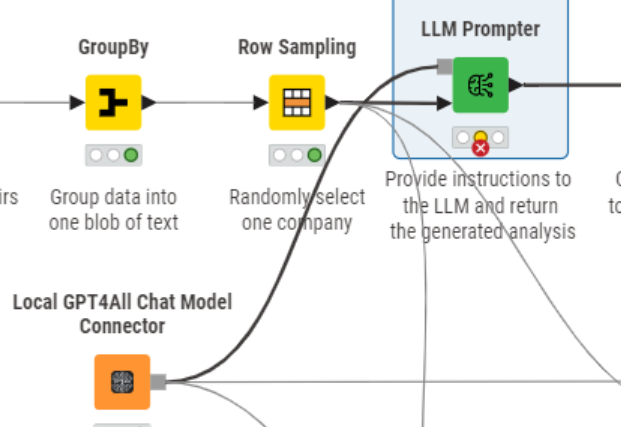
To give context, the machine is behind a proxy server. Nonetheless I was hoping as we’re using a gpt4all model locally no calls would be made to internet. I had pointed the model path to a folder on my local machine containing the model (mistral-7b-openorca.gguf2.Q4_0.gguf).
I was trying to test a workflow that Toscin had run through on youtube.
Below is the error I’m getting from the LLM Prompter; is it possible to get this issue resolved without model trying to connect to the net?
Execute failed: HTTPSConnectionPool(host=‘gpt4all.io’, port=443): Max retries exceeded with url: /models/models3.json (Caused by SSLError(SSLCertVerificationError(1, ‘[SSL: CERTIFICATE_VERIFY_FAILED] certificate verify failed: unable to get local issuer certificate (_ssl.c:1006)’)))
I see you are currently using the Local GPT4All Chat Model Connector node (which is now deprecated). I’d recommend switching to the Local GPT4All LLM Selector node. You can find it here: Local GPT4All LLM Selector – KNIME Community Hub
I have tested it successfully with the mistral-7b-openorca.gguf2.Q4_0.gguf model in offline mode and had no issues.
Can you check if you can run this workflow by changing the model path?