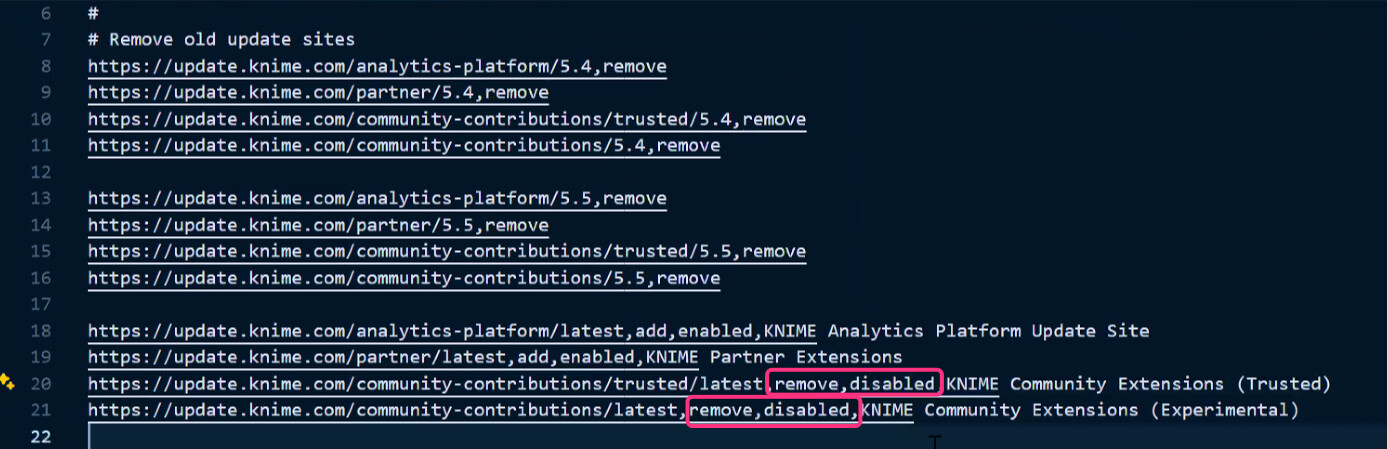
We are currently hardening our internal KNIME distribution to comply with strict corporate security guidelines. We have already successfully disabled the default Community (Trusted and Experimental) extensions by modifying update_sites.txt within the org.knime.product plugin. Following is the picture for the same.
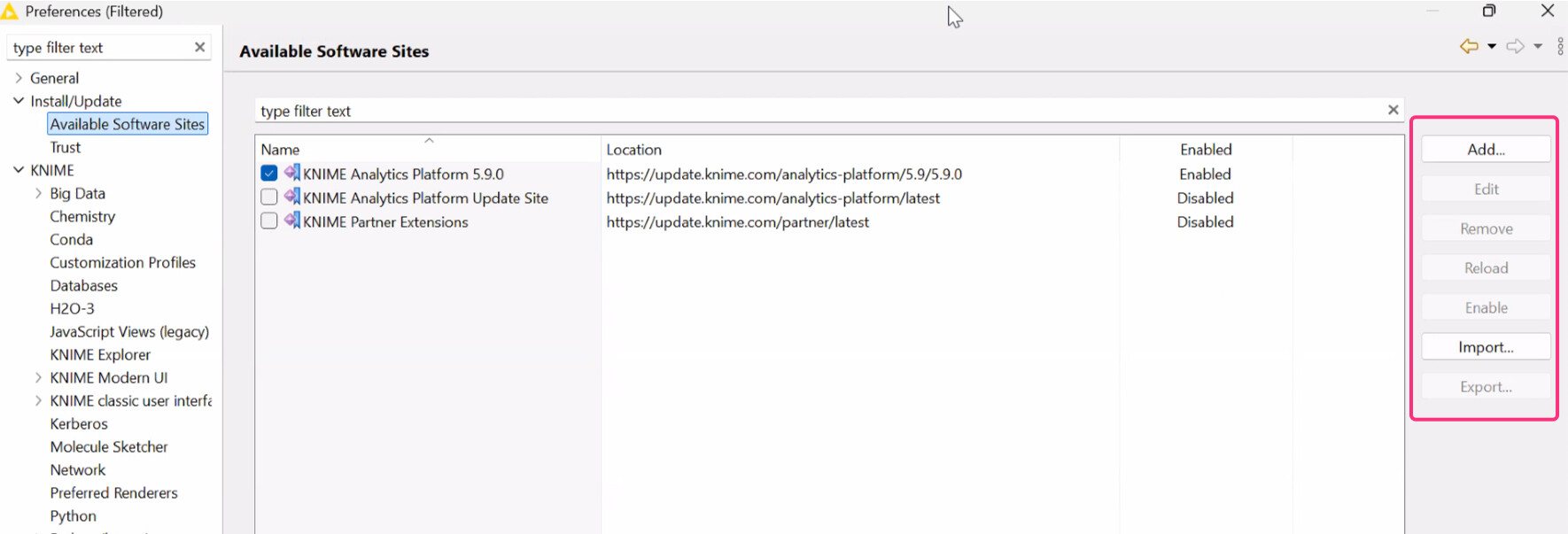
Our Security Team has identified that users can still manually bypass these restrictions by using the “Add…” or “Import…” buttons in the “Available Software Sites” preference page. This allows them to manually input URLs for external repositories or community sites.
Our Constraints:
- Firewall Blocking: While we can block known KNIME URLs at the network level, this is not a 100% reliable solution for all possible third-party or shadow-IT repositories available on the internet.
- User Permissions: We need a way to either disable the “Add/Import” buttons entirely or force-lock the Software Sites list so that only our internally-approved mirror sites are available and cannot be edited.
What is the recommended best practice for “Air-Gapped” or high-security environments to ensure that even if a user has a URL, the application physically prevents adding it to the software configuration?