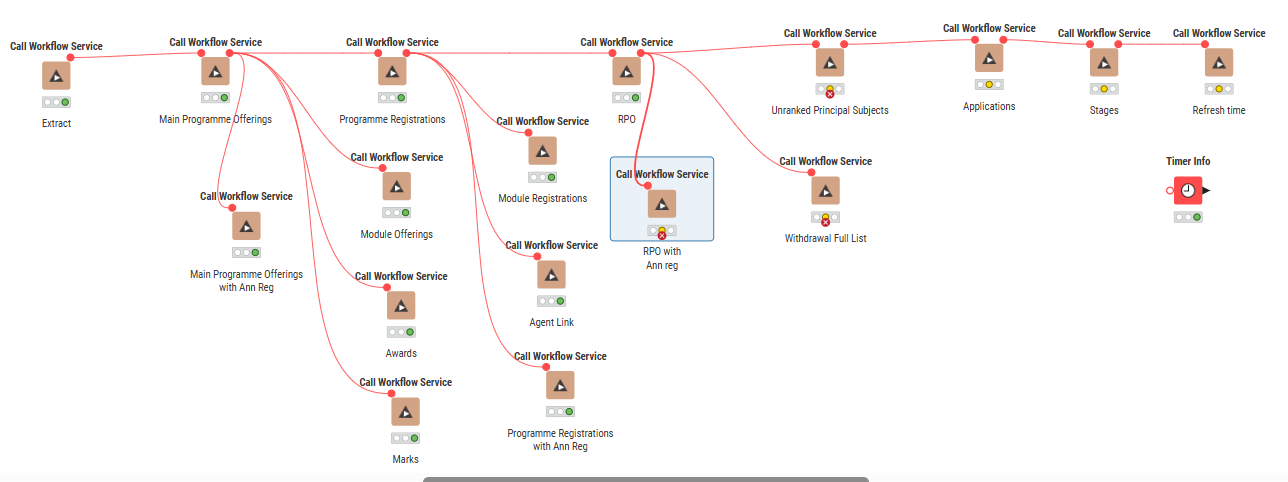
I have a series of workflows on on on prem KNIME Hub. These perform an extraction of data, which then is processed by 13 workflows into the correct data shape I need.
I use a workflow that calls each workflow in sequence using the “Call Workflow Service” nodes
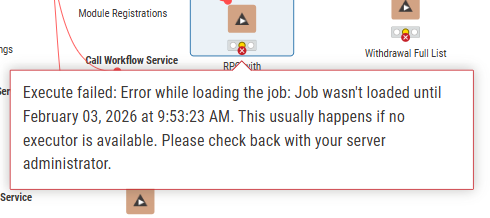
This has been working fine, till I needed to add 3 more workflow calls. I am now receiving the “Execute failed: Job wasn’t loaded until” warning. It is not always on the same node each time.
I cannot find any clear documentation on how to address this. I suspect that the cumulative effect of the nodes is exceeding capacity, so the executor is overwhelmed at a certain point but can’t be certain.
Does anyone have any tips or suggestions on how to investigate or a better pattern to use for this type of workflow?
Hi!
This error usually isn’t caused by a “broken” workflow, but by execution capacity and scheduling on the Hub. At some point, the context can’t start the next job quickly enough, so the node times out with *“*Job wasn’t loaded…” error. That also could explain why it fails on different nodes each run.
Things you can try:
- Check whether the execution context is overloaded and add more capacity if possible.
- Reduce the number of workflow service calls (e.g. combine some steps or use Components)
- Add a small delay or retry between calls.
Hope this helps!
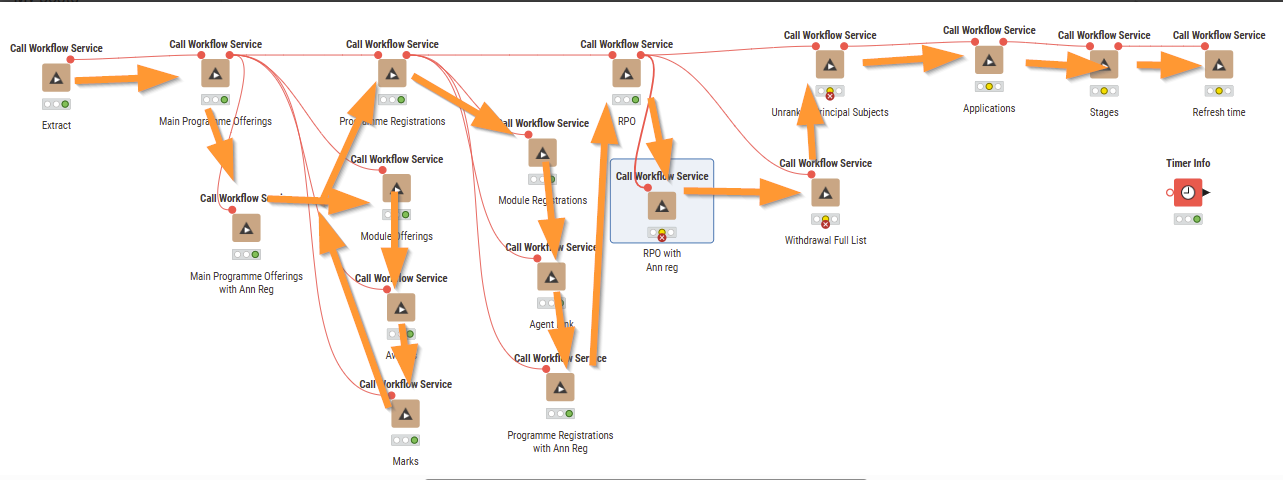
I notice that the way you have connected your workflow with flow variables there is a lot of potential for workflows to run in parallel - what you could try and do is make it more sequential - i.e. rather than connecting flow variable from one of your “top” nodes to 3 or 4 “bottom” nodes at the same time, connect it to one, that one to the other etc…
A fully sequential set up could look like this (orange arrows represent how the flow variables should connect)
Yes, I think this is the answer. One of the workflows seems to take 24 mins which was unexpected. The local version runs quicker than this, and I think that when I am running this other scheduled processes are kicking off when I expected to have this complete before they started.
I’ll look at rearranging the overall resource and scheduling so that conflicts definitely don’t happen.
I hadn’t considered retry on this, which I didn’t notice before. In reality, I don’t need this to run quickly - I just need it to complete when it is run (but also, should look at optimisation).
Thanks
Thanks, will try rearranging this. That Programme Registration one and the RPO is a bottle neck in this and those are the most intensive workflows, so I think that these are over-running my expected time which is then resulting in clash with other scheduled processes