I’m having trouble replacing specific numeric values with missing values inside a looped CSV Reader, and I would really appreciate your help.
Context:
I have a workflow that loops through multiple CSV files (List Files/Folders → Table Row to Variable Loop Start → CSV Reader).
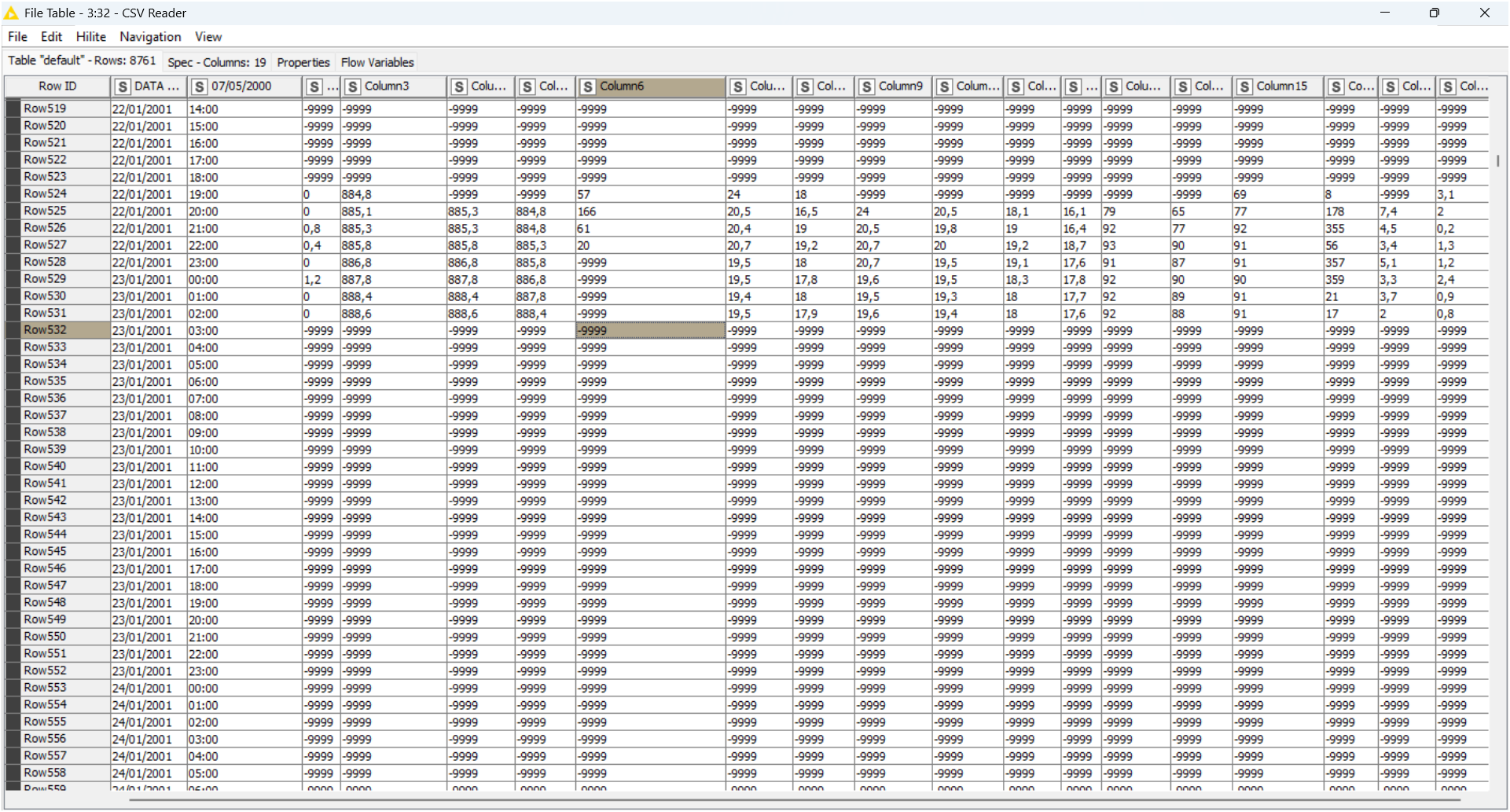
Each file contains several numeric columns where the value -9999 should be treated as missing.
The problem:
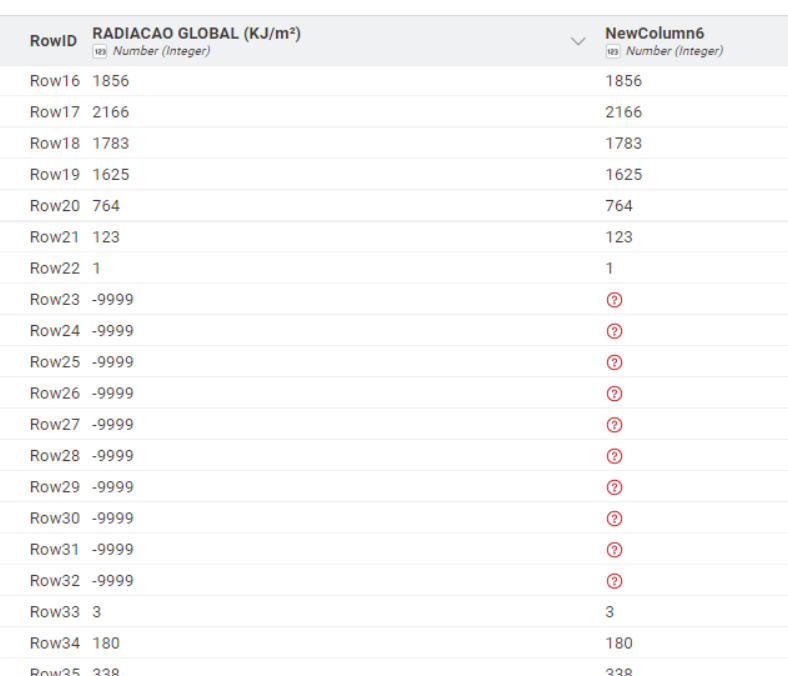
After reading the data with the CSV Reader, the -9999 values are still present.
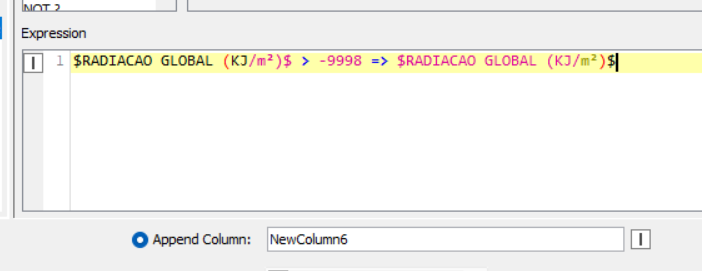
I tried using Column Expressions (legacy) to replace -9999 with null, but the values are not being converted into missing cells as expected.
I selected Replace Column and changed the output type to Number (Double), but the -9999 values remain unchanged in the output table.
What I tried:
Changing the output type (String, Double, Float)
Making sure the expression runs on the correct column
Checking the data domain and column types
Using “Evaluate” inside the dialog, which seems to work, but the final output does not update
Testing inside and outside the loop (same behavior)
What I need:
I simply want every -9999 in numeric columns to become a true missing value (?) after the CSV Reader.
I’m not trying to convert anything to string — the columns should remain numeric.
I am attaching:
The CSV file I’m using for testing
If anyone has seen this behavior or knows the correct configuration to make Column Expressions replace numeric values with missing values, I would be extremely grateful.
@RicardoLeles you could take a look at this setup. Some preparations from the CSV. Convert some strings to numbers while setting the comma as decimal separator. Then iterate over these columns and set the -9999 to missing.
Thanks a lot for your reply and for the example with the Rule Engine. It works perfectly for one column! Lol!
However, in my case the dataset is a bit larger: I’m processing 10,030 CSV files, each with around 8,000 rows, and several numeric columns may contain the placeholder value -9999. At the moment, the CSV Reader is loading only one file for testing, but the loop will eventually handle all files in the folder.
Because of this, configuring the Rule Engine manually for every single column would be quite time-consuming and not very scalable.
My question is:
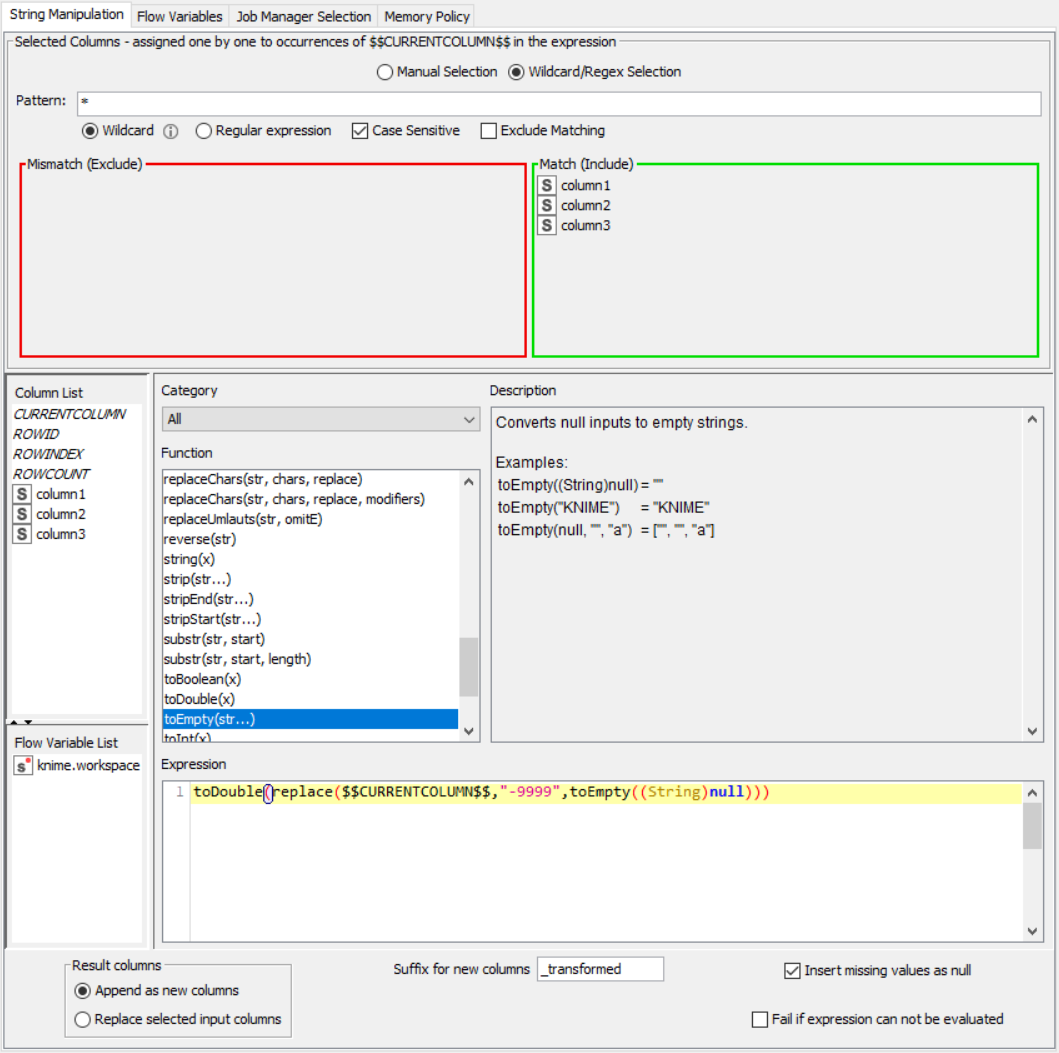
Is there a recommended way to replace -9999 across all numeric columns at once, without needing to create a separate rule for each column? Maybe something like a column expression, a wildcard rule, or a more automated approach inside the loop?
Thanks again for your help — I really appreciate it
Thanks a lot for the example workflow!
I’ve opened it and I can see that you are using a loop to iterate over all numeric columns while applying a replacement rule for -9999 → missing.
This is exactly the kind of automated approach I was looking for, since my dataset contains many numeric columns and over 10,000 CSV files.
I’ll test your setup inside my workflow.
Thank you again for the clear and helpful reference!!!
@RicardoLeles if you have that many files you might want to invest a moment in thinking about error handling. Maybe set up a scenario where you track which files have already been successfully processed and which are still to go. Also, if your CSVs have varying headers, you can try and detect the start of the header and then process it automatically.
In this cases it often makes sense to spend some time planning. It will make your life easier down the road.
if you dont mind replacing the values at the source, you can use the Files to Binary data node followed by Binary to String, text replace and write back.
if you want to replace just within Knime, use the Math Operation (Multi Column) node.
(you could also unpivot, replace and pivot, but this is computationally expensive)