Hi All,
I am new to knime and trying to build a AI tool to read data from Excel and get insights from it using AI. I am sharing my details please help me.
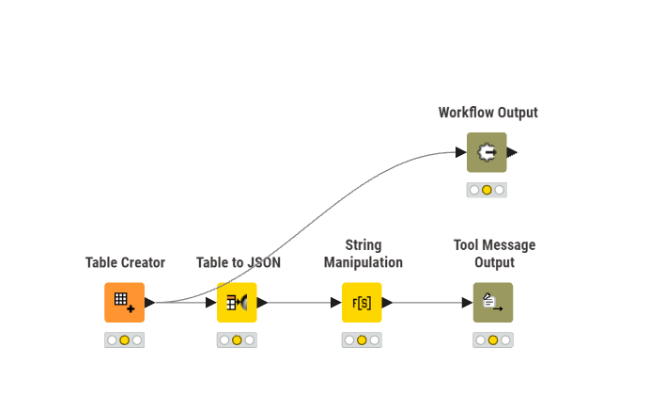
My tool workflow
My AI workflow :
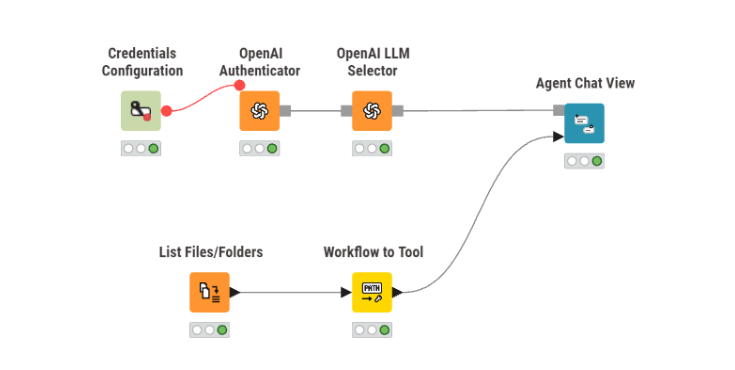
I am unable to get the AI output, Please help me.
Hi All,
I am new to knime and trying to build a AI tool to read data from Excel and get insights from it using AI. I am sharing my details please help me.
My tool workflow
My AI workflow :
I am unable to get the AI output, Please help me.
Hey there,
The general set up looks ok.
A lot will depend on the use case though so maybe you can share more about what you want the agent to do and what should happen inside the tool.
An observation I have is that your tool is not having input Parameters, so everytime you call the tool full data will get returned. Typically I’d expect some filtering to occur to return a subset of data.
I have a two part tutorial series on medium which I will link at the bottom.
Some suggestion for more information to share to better help you:
Here are the links:
https://medium.com/low-code-for-advanced-data-science/ai-agents-in-knime-5-5-933ac54dca84
https://medium.com/low-code-for-advanced-data-science/ai-agents-in-knime-5-5-part-2-eded98a9f57b
Hi MartinDDDD,
Thank you for replying to me so promptly and I regret replying so late.
Here is my use case :
Thank you for the links very helpful.
@ParthChauhan the construction of agents often involves some experimenting especially how detailed the individual tools should be. Would one tool return one column or a set of information (Json) for one line or the top three lines.
Also your tool might need some description so that the agent might know what it can use. Also check examples for the configuration and test several promoting.
Will the model be used thru OpenAI or so you want it to run locally? For local configuration I have this article.
For the use of local agents I adapted one of Martin’s examples but there are currently still problems in knime with parameter names.
@mlauber71 ,
Exceptional work with the AI workflow !! This is something I was looking forward to. I am a bit new to Knime, Could you please help me understand as to how to make .table ?? I am unable to replicate your results.
@ParthChauhan Not sure I fully understand your question. You could try and download the whole workflow group which will have all the tools and data.
And also make sure you have Ollama installed and a model that does support tools.
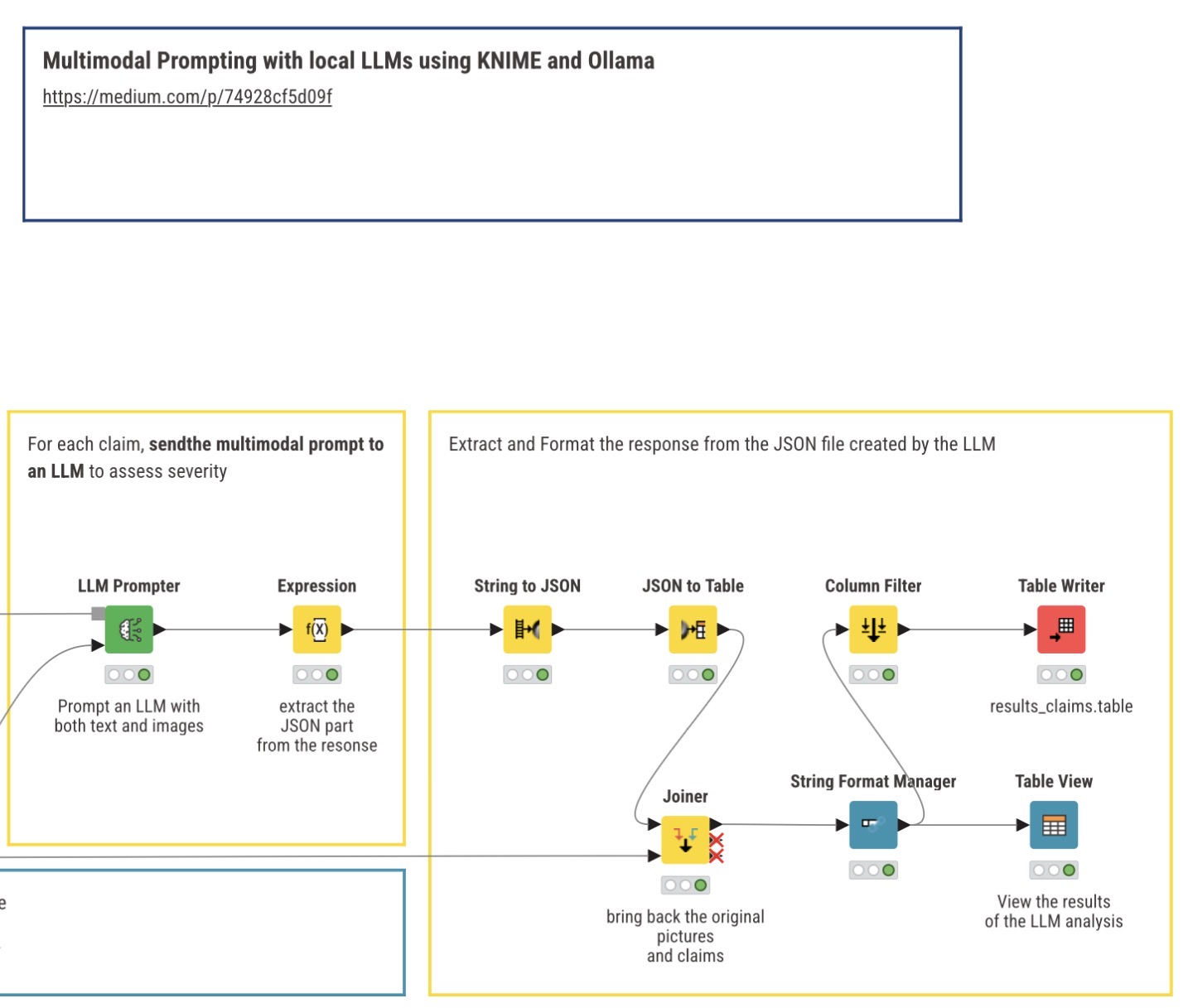
@mlauber71 Thank you again, I downloaded the complete project and got the results. My issue lies here. In the workflow you have created a table with data to show case your project which is in a .table format as seen below :
Can you please guide me as to how to make this “.table” file. I tried to make it but I am unable to understand how to do it Knime. Your valuable time is greatly appreciated. Any link to videos or training link will greatly help me.
@ParthChauhan The LLM is being instructed to return a JSON file that can then be processed into a regular table. The pictures are being joined from the original data to illustrate what has been processed.
KNIME Expression node and JSON nodes can help.
This topic was automatically closed 90 days after the last reply. New replies are no longer allowed.