Hello,
I have a data App that outputs a table in the Workflow data area after the app receives an input from the consumer and is refreshed. My goal is to copy the output table of the data app data area to a Sharepoint folder. However, I’m having difficulties accessing the table (in csv format) outputted from the data app to the new Workflow (used to copy the table to the Sharepoint folder by a trigger based deployment).
I tried to save the data app workflow using the capture workflow start and end nodes combined with the Workflow writer, and as my second approach tested the Save Workflow. However, those options do not work because they mess with the app interface. I also tried to use the Call Workflow (Table) node directly in the second workflow but it does not retrieve any table.
Maybe the solution is simple but I’m not sure if my logic is correct or if there is a specific node I’m missing which would work better.
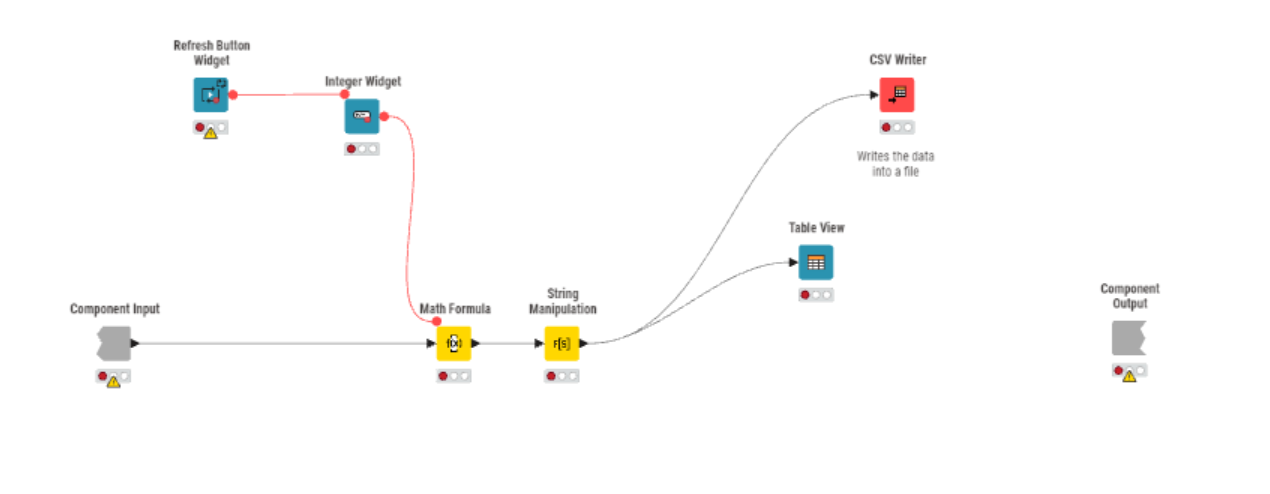
For more context, you can find my Data App Workflow in the image below:
Note that the component is fed by a simple table.
Best regards,
Mariana Pimentel
1 Like
Have you tried the Sharepoint Online Connector and Transfer Files nodes?
1 Like
I’ve tried now but it does not encounter the Data App workflow data area where I have the file, even when I try to access the relative path.
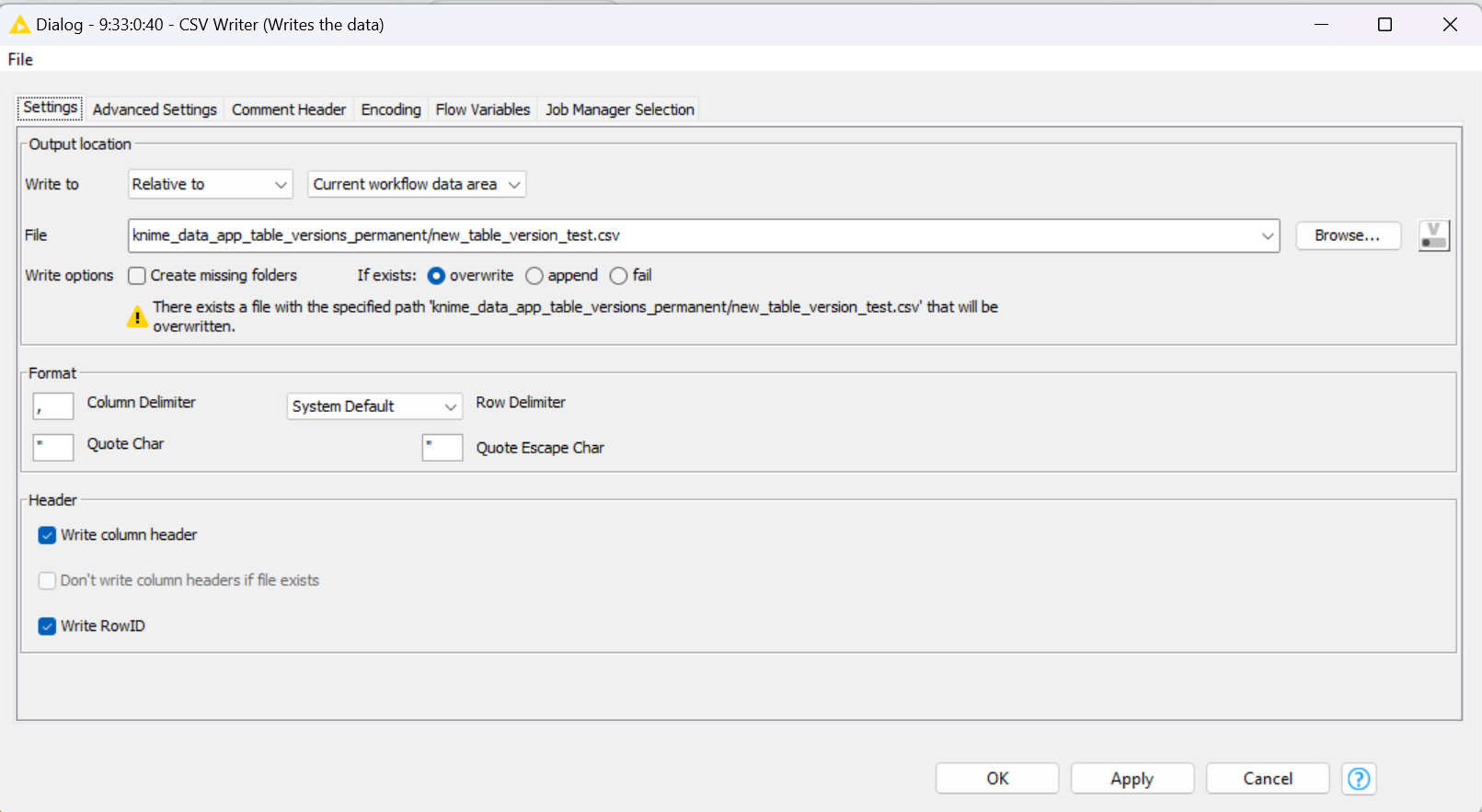
In my csv writer I wrote the table in this folder with this name:
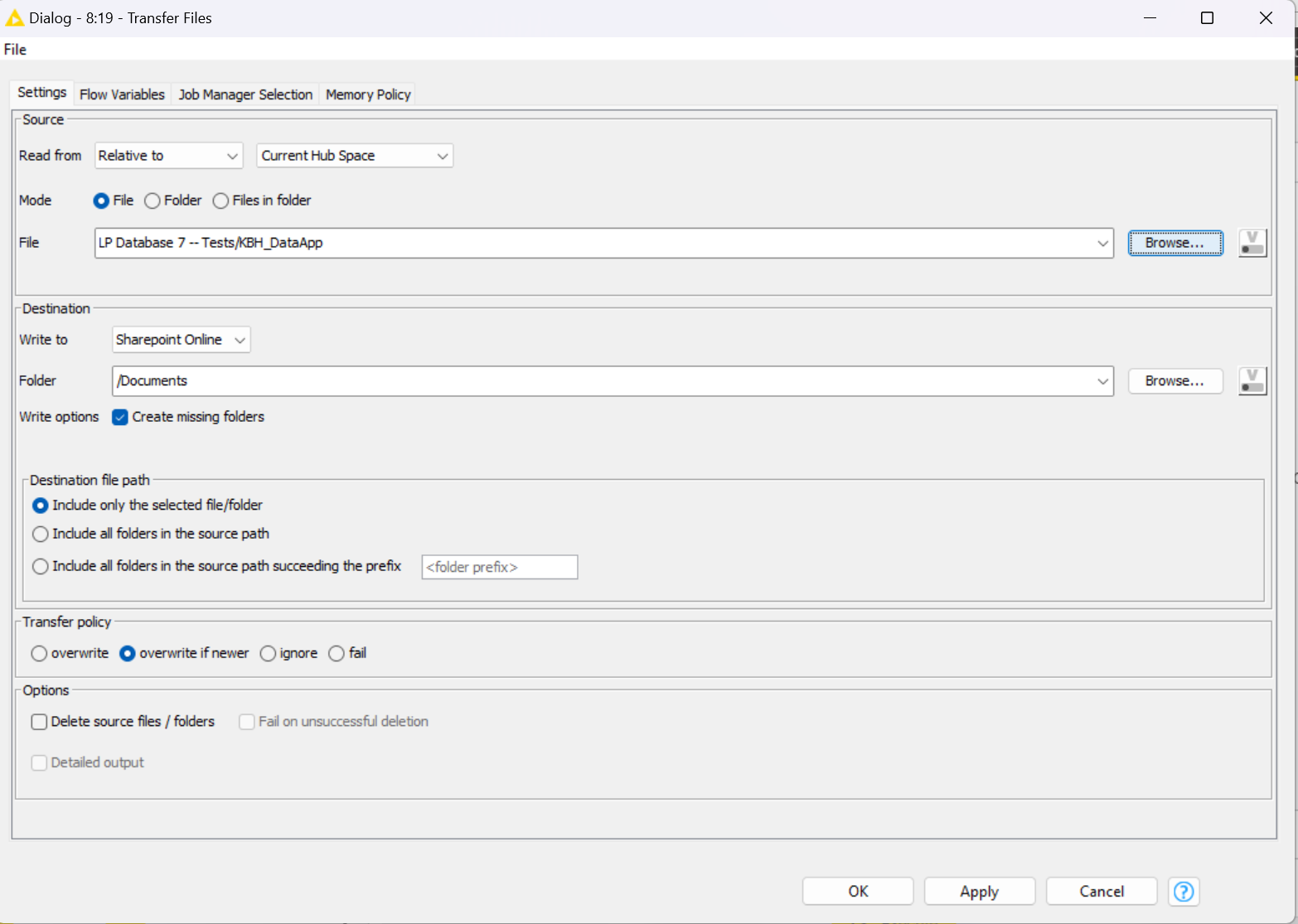
Then, in the second workflow, the write files ask me for the file and I can only give them the workflow which it won’t be written because it is not compatible with the Sharepoint.
Do you know how can I access the data area of a data app? I tried multiple times to find it in the Hub but I can’t find the folders and according to KNIME documentation, the relative path should work without a data area connector.
1 Like
Why do you need to transfer the file from a second workflow? Can’t you do it from the first workflow?
1 Like
Unfortunately no, because the consumers that run the data app can’t have access to the Sharepoint and including this connection in the data app workflow makes them having an error when they run the data app. So, I need to use a second workflow to run when the data app is triggered and refreshed. I hope it clarified, and thank you for the suggestions so far, because they were clearer than the logic I was using.
1 Like
Sorry. I 'm a standalone KAP user with no access to Sharepoint so I can’t test a potential solution. Maybe someone else can jump in.
1 Like
Maybe you could write the file to a folder on the hub, instead of a folder in the workflow, i.e. using relative to current hub space instead of relative to current workflow data area?
2 Likes