I’m having trouble passing a flow variable into the DB Query Reader node in KNIME and keep getting the error:
No value specified for parameter 1
My Setup
I have an Integer Configuration node (or Table Row to Variable) that creates a flow variable named question_id. The value is a valid integer (e.g., 4603462155713052728).
I connected the red flow variable port from that node to the DB Query Reader.
In the DB Query Reader, my SQL is:
SELECT
    task_id,
    question_id,
    response_text
FROM
    `my_database`.`my_table`
WHERE
    question_id = ?
    AND response_text <> ''
    AND deleted = 0;
What I’ve Tried
I clicked on the Flow Variables tab in the DB Query Reader, but I don’t see “Parameter 1” listed there. The list only shows global variables like knime.workspace and my question_id, but no way to map it to the ?.
I tried looking for a “Bind” button next to the SQL editor but couldn’t find it.
When using Table Row to Variable, I changed “Include missing values” to “Use default values” to ensure the variable is created.
My Question
How do I properly bind the question_id flow variable to the ? placeholder in DB Query Reader?
Why doesn’t “Parameter 1” show up in the Flow Variables tab? Is there a step I missed?
In the latest KNIME UI, is there a specific button or right-click menu in the SQL editor to map variables?
Thank you so much for any help! I’m using KNIME 5.x with a MySQL database.
There’s a few things to note here. Firstly, KNIME doesn’t actually make use of bind variables within sql statements. Unfortunately this was never implemented, which is a shame because it can improve performance, makes the inclusion of queries much more standardised and portable, and they secure against sql injection attacks in rogue data. It is a feature that has been requested in the past.
Instead of bind variables, you need to include the flow variable within the actual query using a special KNIME variable placeholder format instead of the ? positional placeholder
i.e. instead of writing a query such as: select task_id from my_database.my_table where question_id = ?
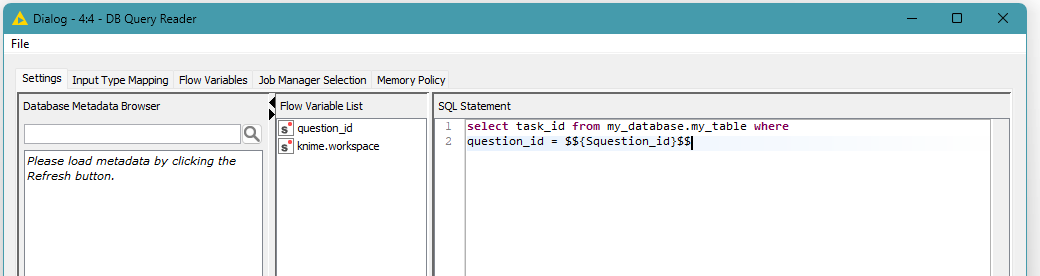
you would write it as: select task_id from my_database.my_table where question_id = $${Squestion_id}$$
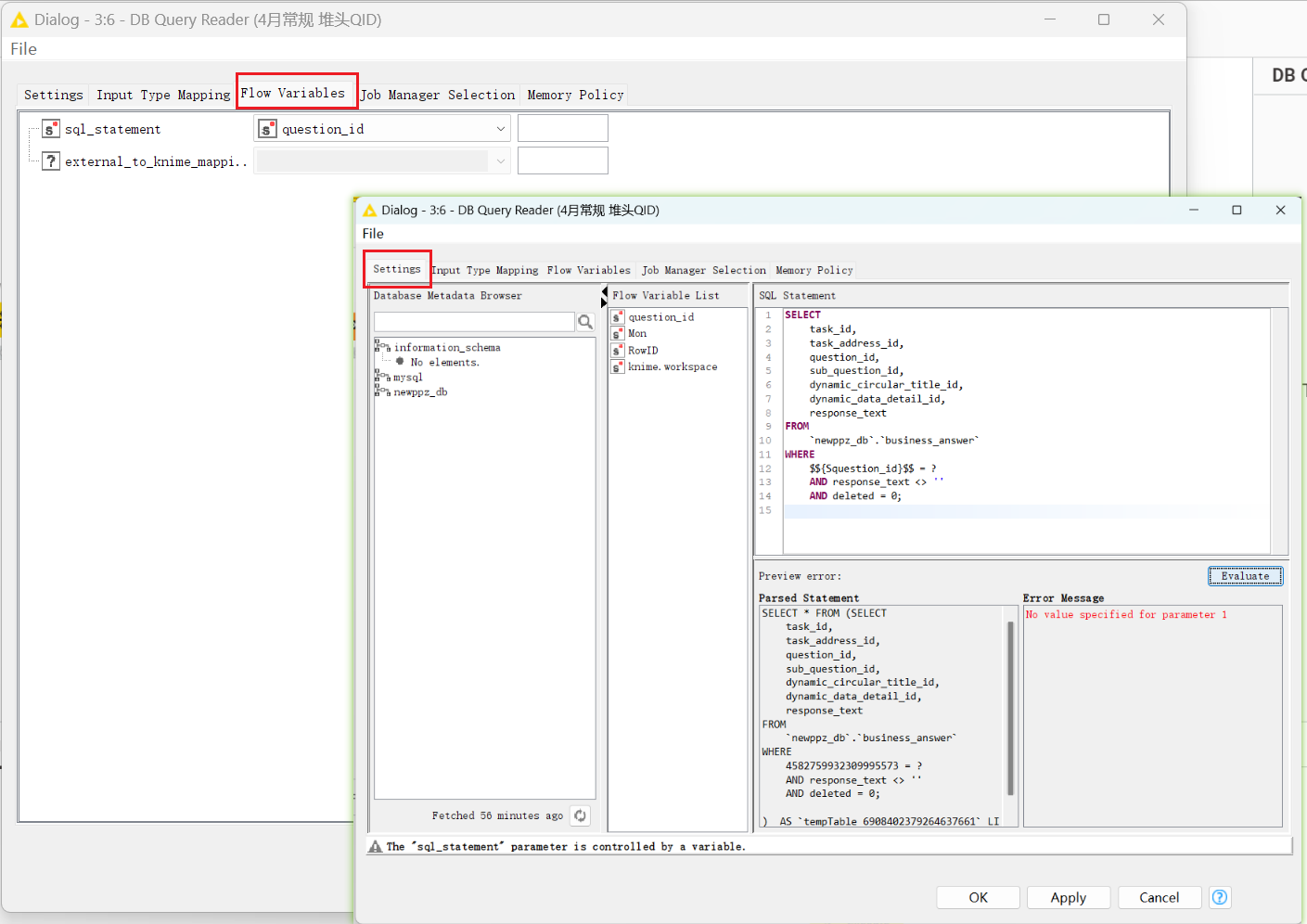
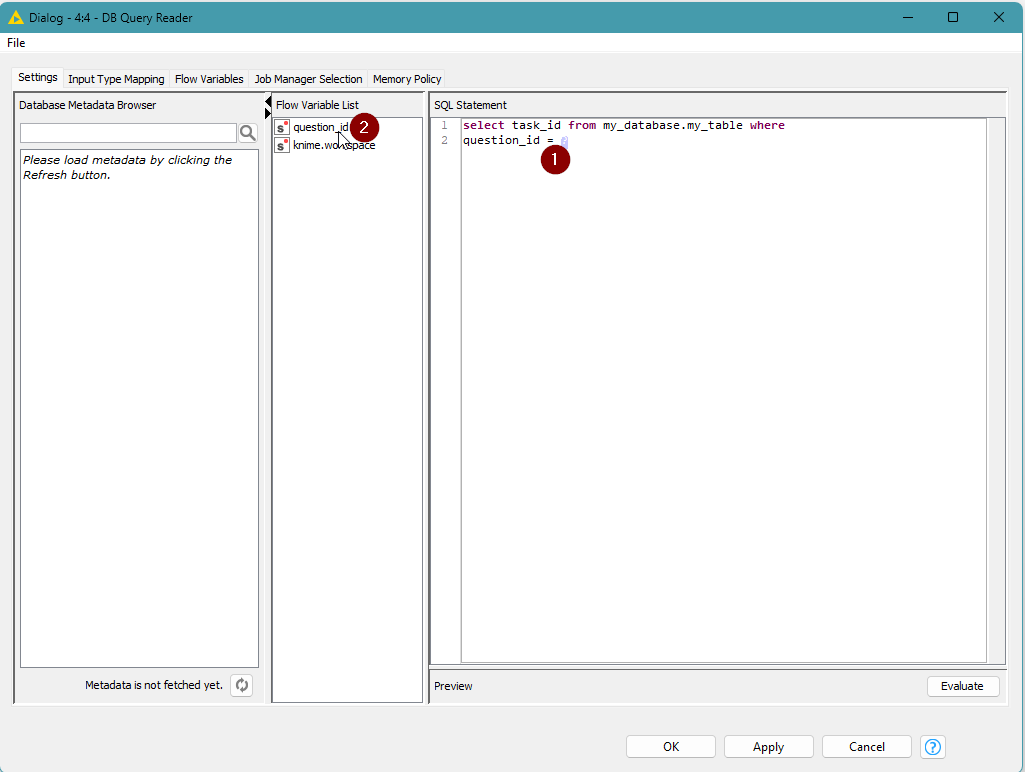
You can do this easily within the DB Query Reader node, by (1) highlighting the ? in the SQL Statement text area, and then (2) double-clicking “question_id” in the Flow Variable List in the centre panel:
Of course you can just overtype the ? with $${question_id}$$ if you prefer.
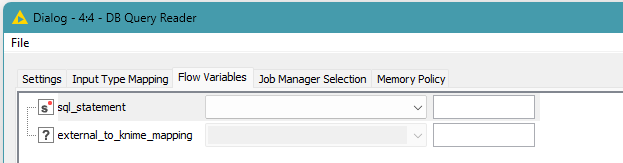
Remove the setting of the sql_statement to your flow variable on the Flow Variables tab
Please also make sure that where you have already set “sql_statement” to “question_id” in the Flow Variables tab, that you delete this setting (revert it back so that it is set to blank)
This is because if you set a value for sql_statement here it replaces the entire sql_statement with the contents of the specified variable, at execution time, so you would only ever set this to a string variable that contains the entire query.
Remove the “;”
An additional note is that in general, you should not include the “;” at the end of the sql query within the text box, as this can cause problems if it is present, especially if you attempt to use the “Evaluate” button to test the query - although I think that can depend on the database in use. For example, I tried it with postgresSQL in KNIME 5.11 and it was ok, but in the past, with Oracle I’ve seen it can cause an error.
Parameter 1 not showing?
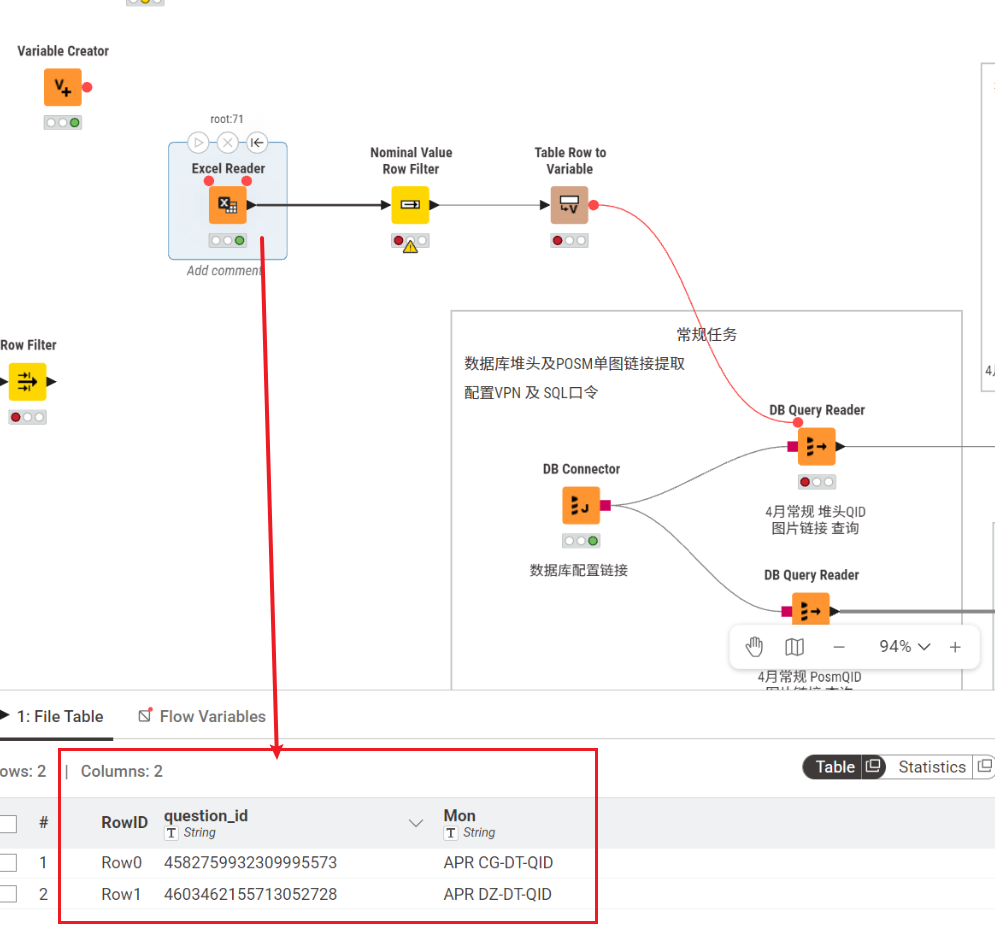
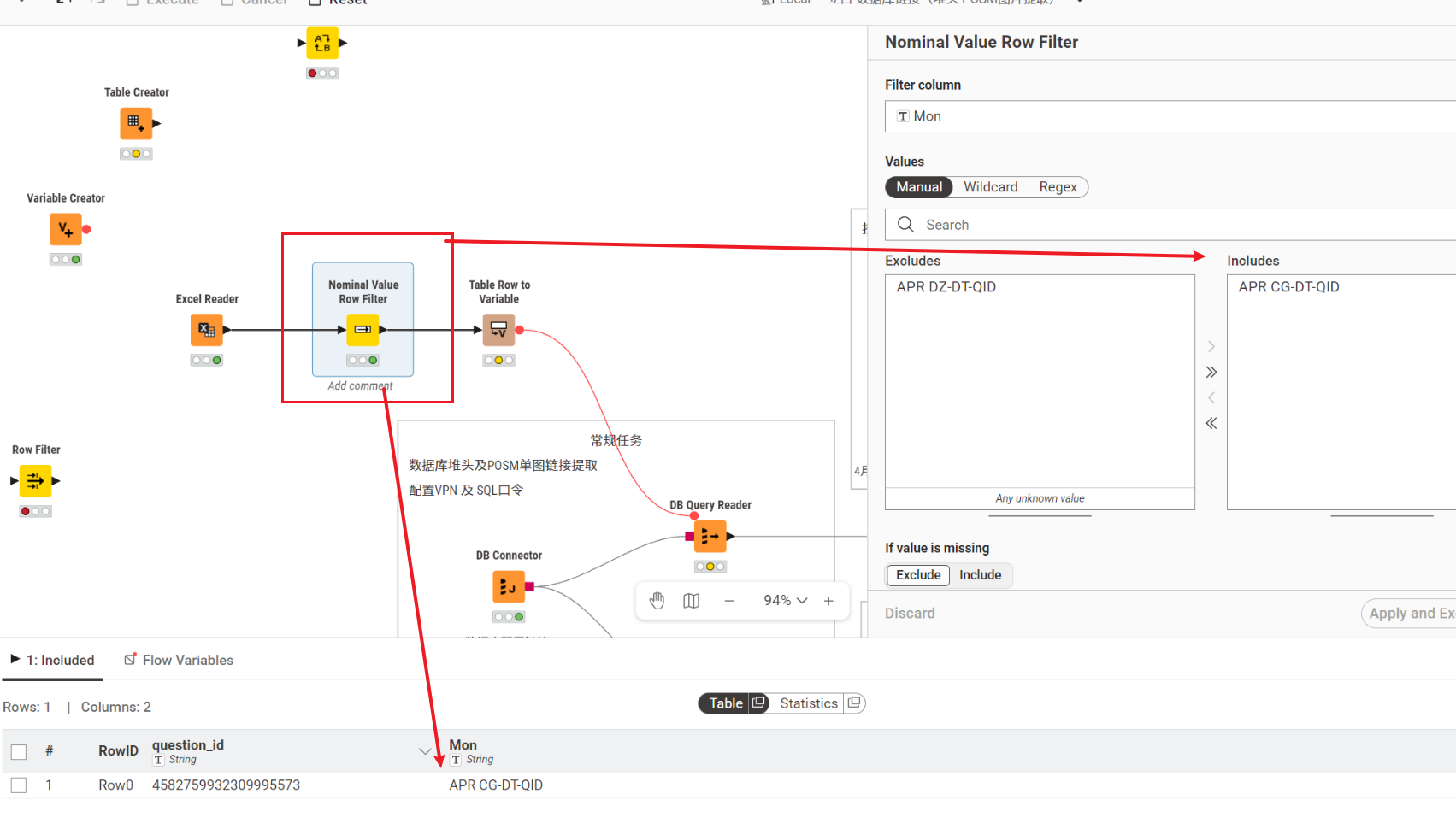
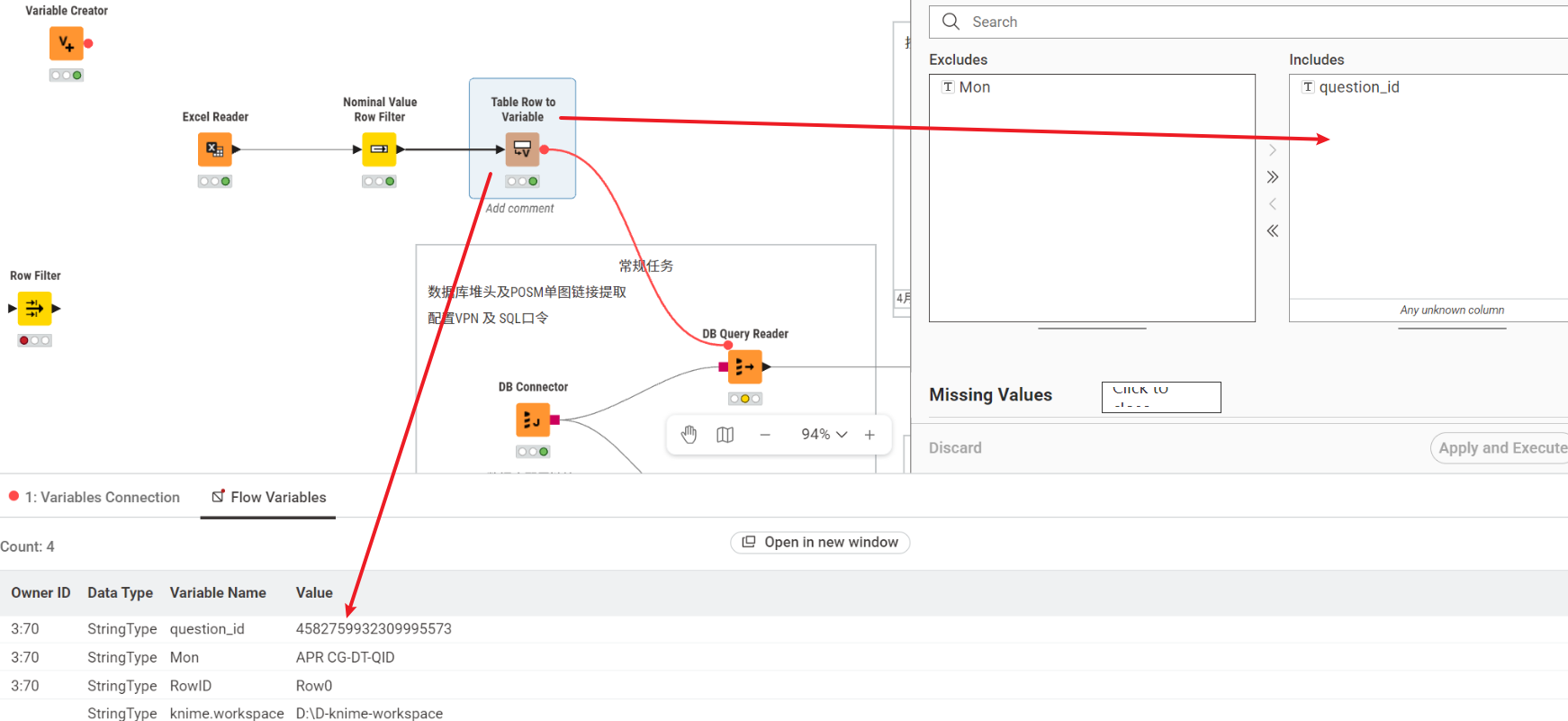
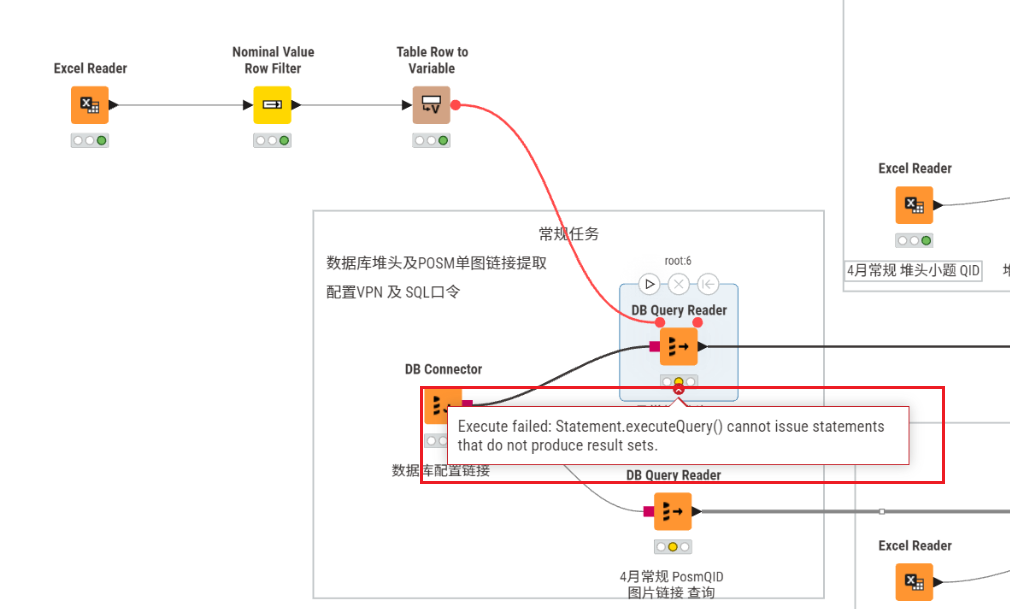
You had a specific question about why “parameter 1” doesn’t show up in the list. In the workflow as you show it in your screenshots, I don’t see where “parameter 1” would appear from. The variable “question_id” is present, presumably because you had a column called question_id from the Excel sheet, and you have used Table Row to Variable to take the first value of the question_id column and created a question_id variable from it. So it is the question_id variable that is available to you. I hope the above description shows you how you can incorporate the question_id variable within your query, and explains why it is that the bind-variable ? format doesn’t work in KNIME.
One final thing I should add, is that with actual bind variables, you would not normally include quotes around strings, e.g. if for example you were trying to include a condition with a string column such as this: where forum_user=?
A true bind variable would recognise that this was a placeholder for a value and would infer the type of the value being passed.
However, with KNIME, it is simply performing a string concatenation, rather than a binding, so if you were trying to pass a string value, instead of a numeric value, you would also have to include quotes around the variable.
e.g.
supposing I had a variable “forum_user” that was set to takbb,
I would have to write the condition as where forum_user = ’$${forum_user}$$’
At execution time, KNIME would then convert this to
where forum_user = ’takbb’
If I hadn’t included the single quotes in the original query, it would convert this to
where forum_user = takbb
which would then fail because it would not understand what the symbol “takbb” refers to.
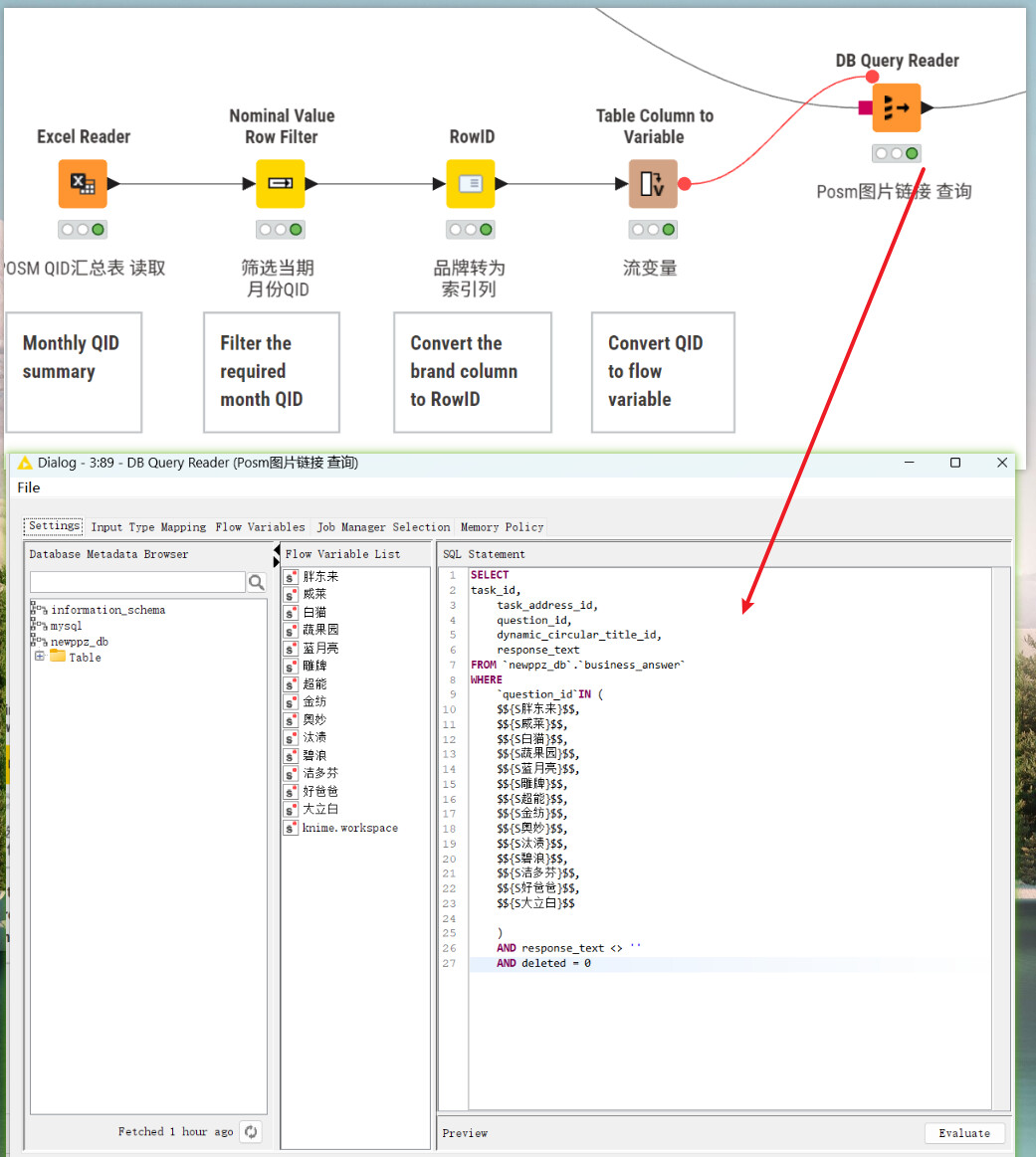
Thank you so much for your detailed and clear explanation! It was extremely helpful. After following your instructions — using $${squestion_id}$$ instead of ?, double-clicking the variable name from the Flow Variable List, and clearing the sql_statement binding — my DB Query Reader is now working perfectly. I really appreciate your help!
I do have one more follow-up question, if you don’t mind.
My Use Case: Querying with Multiple question_ids
Here’s the scenario:
Every month, I have around 12 newquestion_idvalues (e.g., 12 IDs for January, 12 different IDs for February, and so on). Each month, I only need to query the data for that specific month’s 12 IDs.
My SQL currently looks like this (and it works fine now):
sql
SELECT
    task_id,
    task_address_id,
    question_id,
    sub_question_id,
    dynamic_circular_title_id,
    dynamic_data_detail_id,
    response_text
FROM
    `newppz_db`.`business_answer`
WHERE
    question_id IN (
        4582759932309995590,
        4582759932309995592,
        4582759932309995594,
        4582759932309995596,
        4582759932309995598,
        4582759932309995600,
        4582759932309995662,
        4582759932309995746,
        4582759932309995806,
        4582759932309995868,
        4582759932309995932,
        4582759932309996004,
        4582759932309996076,
        4582759932309996148
    )
    AND response_text <> ''
    AND deleted = 0
My Questions:
How should I modify my KNIME workflow and SQL to handle a WHERE condition with multiple question_ids? For example, instead of question_id = $${question_id}$$, I would need something like:
sql
WHERE question_id IN (id1, id2, id3, ..., id12)
How would you recommend storing and passing those 12 question_ids into DB Query Reader? Should I:
Create a table (e.g., in Excel) with all the monthly IDs, and use a loop to pass them?
Concatenate all 12 IDs into a single string variable first?
Or is there a more elegant KNIME-native approach?
Is there a way to use String Manipulation or a similar node to dynamically build theIN (...)clause, so that each month I only need to update the list of IDs and the query adapts automatically?
Thank you again for your time and expertise. Your previous explanation about KNIME using string concatenation rather than true bind variables already gave me a much better understanding of how flow variables work in this context.
For your question of building an IN ( ) list, there are a few options that you can find discussed in the following post from 2022.
I suggest reading that whole thread through ( as back then I was still learning about this stuff too and my understanding evolved during that thread thanks to @ipazin ), and also try the workflows that are attached within the posts. I think it should give ideas that cover your question. If anything is unclear, feel free to ask further…
i would recommend to use the DB Looper instead.
there you can reference a column (instead of a flow variable) and simply define your statement. this saves you all the trouble of creating a flow variable, proper quoting etc.
WHERE database_column1 IN (knime_column)
additionally, you can tick a box at the bottom to define how large the batches should be (IN will work with 1 or more records)
Yes indeed, the DB Looping node was given as the solution in the above, but it isn’t always obvious how it should be used especially at first, so hopefully the above post will help, with examples, and give some context.
I think that you have a loto of posibilities to solve this problem.
Some cases, I use groupby node to concat the information from a column to be just one row. That a way to return less rows and make easy to join large strings from a column to use as parameter/placeholder into your SQL.
A question about those ID are about the will change every month or are the same data. Maybe you can use a regex operation into the sql to join part of the data to make a range or write all 12 inserts at once, Example:
Just wanted to drop in and say thanks to all of you who helped me out. Really appreciate it.
I also watched some tutorial videos online, and between your advice and those videos, I managed to throw together a workflow that mostly does what I need.
Still plenty to improve I’m sure, but it’s working for now. Couldn’t have figured it out without you all. Cheers!