Hi @zulfikar12345 this is definitely something to use with Regex.
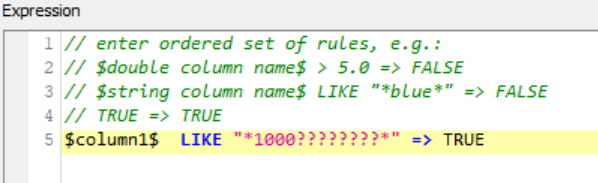
You can do regex with the MATCH expression in the Rule-based Row Filter. May be try something like: $column1$ MATCH [0-9]{12} => TRUE
or $column1$ MATCH "[0-9]{12}" => TRUE
Disregard my suggestion, I thought you only wanted to identify the rows that had 12 numbers (since you were using the Row Filter node, be it the Rule-based version).
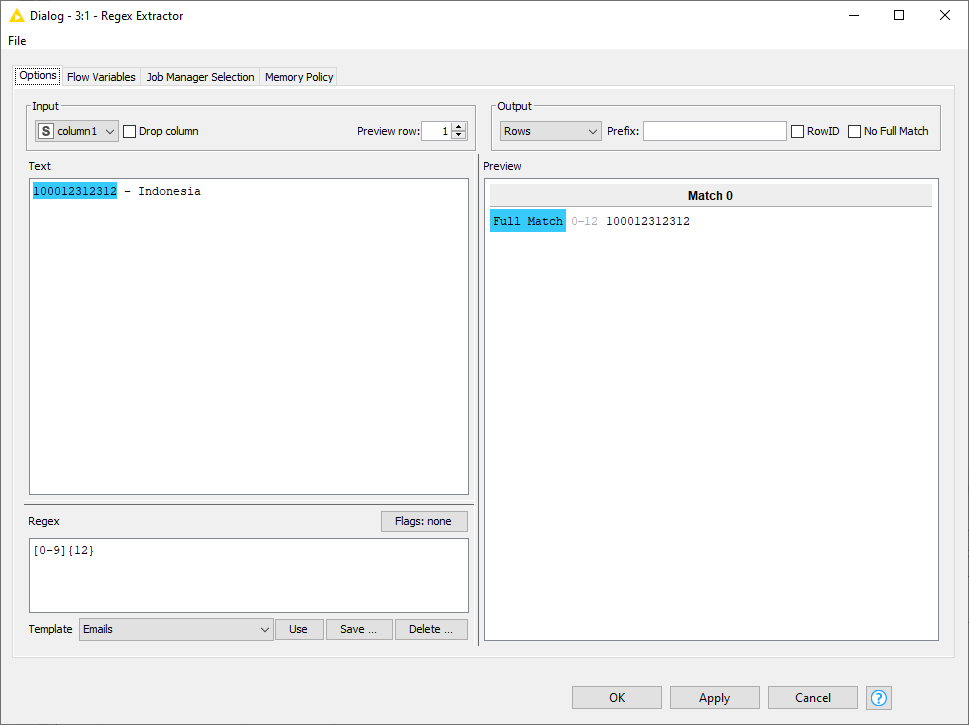
If you want to extract as you mentioned (after I re-read the post carefully ), you can do this via String Manipulation or via the Column Expressions, or via the Regex Extractor from Palladian that was recommended by @elsamuel
Hi @zulfikar12345
Please try the following expression:
$Data$ MATCHES “^.1000\d{8}.$” => TRUE
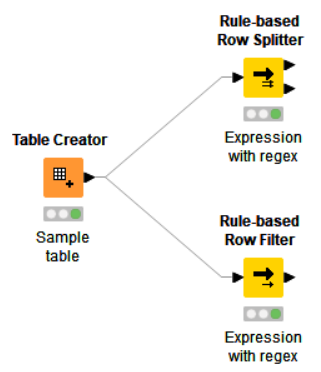
I’ve applied this in both Rule-based Row Splitter and Rule-based Row Filter nodes, and both returns expected results.
Sample workflow looks simple:
Please find it attached.
Happy KNIMEing,
Kaz Number_extractor.knwf (8.4 KB)
PS. You might need to install extra extensions or activate those already installed to be able to use MATCHES function.




 ), you can do this via String Manipulation or via the Column Expressions, or via the Regex Extractor from Palladian that was recommended by