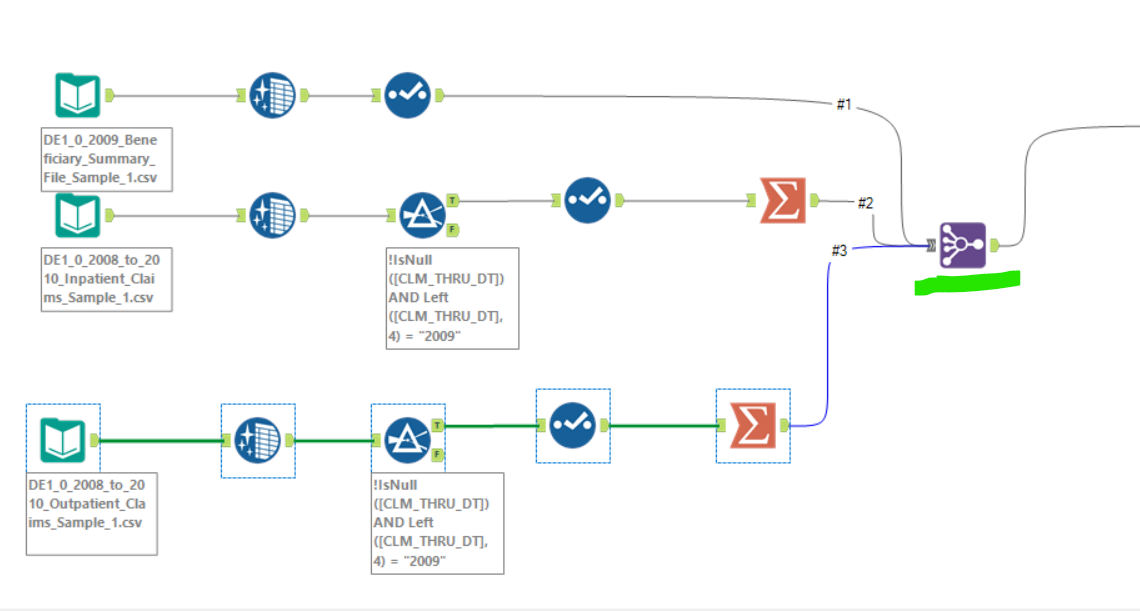
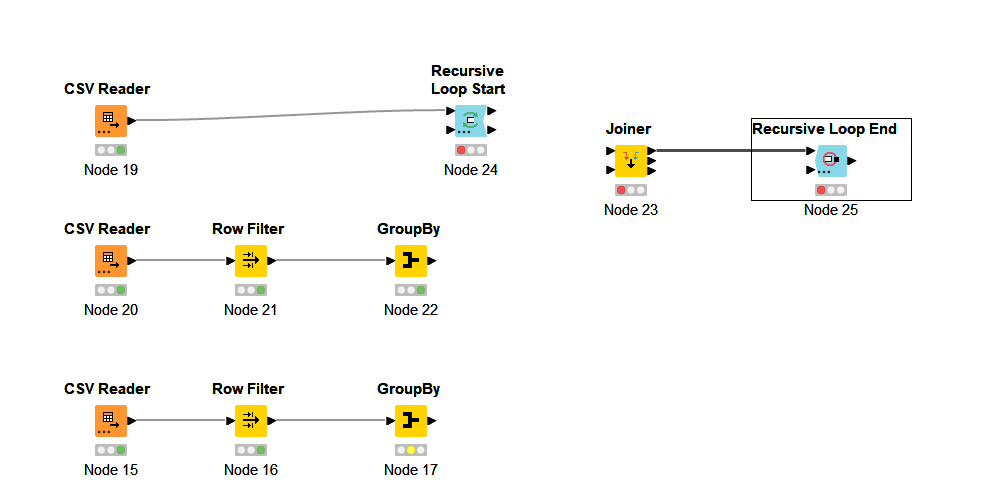
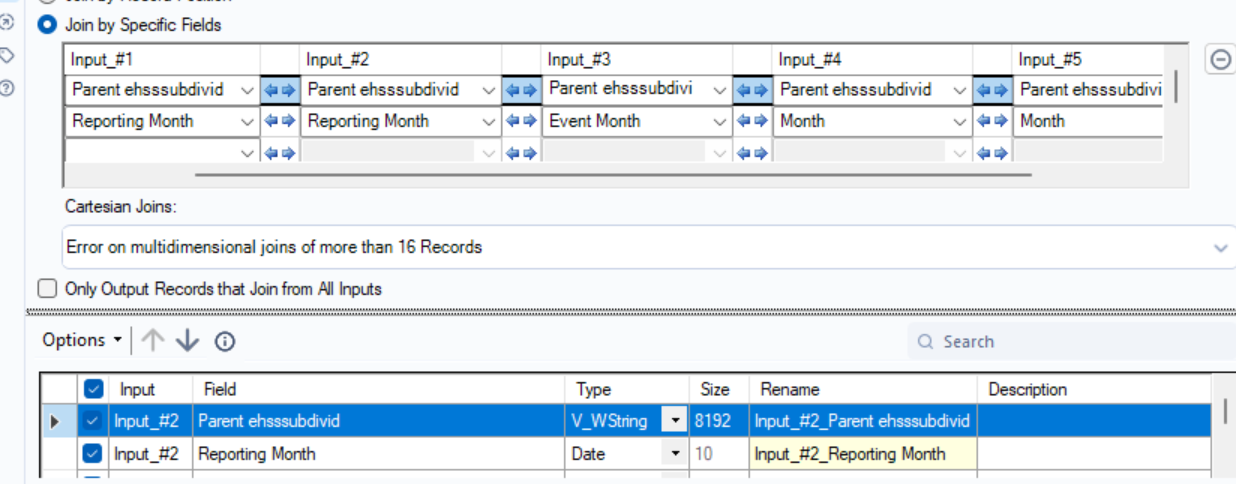
I came across this Multiple join - #3 by aworker suggests using Recursive Loop Start/End nodes to wrap the Joiner node and perform multiple joins iteratively. However, I couldn’t get this to work in my case.
Hi @Arpit_Sharma ,can you give an idea of the type of data you are trying to join, possibly even some small demo files.
As you have noted, there is no joiner node in KNIME that can handle joining more than two tables at once.
I’m wondering though in your case how much data from each input table is to be added to the output. It could be for example that there are two primary tables to be joined and then other tables simply augment the output which could be efficiently achieved by a series of Value Lookup nodes.
I don’t think there is necessarily a “one pattern fits all” for this, so if you can give more information about the nature of the various input tables and expected output table that would be beneficial.
btw I understand your concerns about not scaling, but trying to suggest any pseudo-generic solutions with no idea of the use case is difficult.
it’s not easy to find a generalized solution but maybe this is a good start:
The idea is, that we define a list of Paths, Columns to use for the GroupBy and for the Joining. Then iterate recursively over this list and expand the table in each iteration.
A question… If tyou have some files/tables with the same scheme, you can use a csv/json/file reader node with the folder configuration to load multiples files. This will make a single table with all data that you have.
If you need to compare file by file and add some column because they have differences, use de join node for it.
After that, you can use de group node to sum the information or make some calc and at the end, use de row filter and column filter to remove information that you don’t need any more.
Hello,
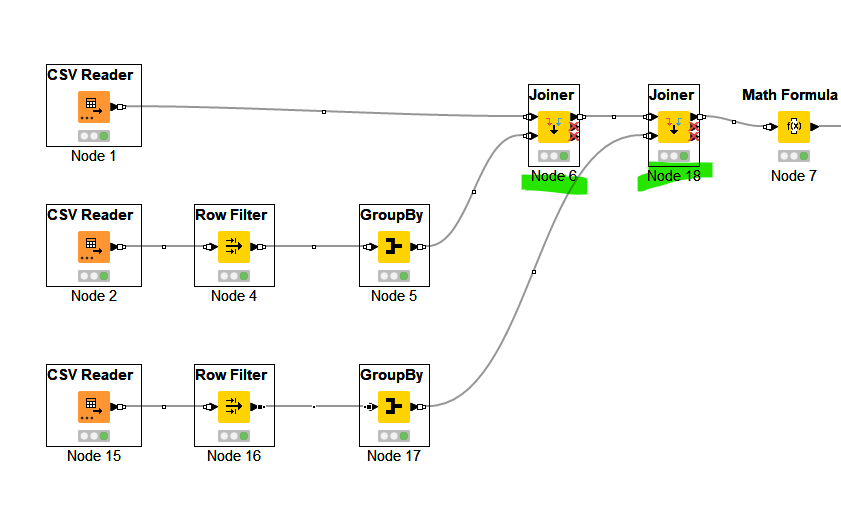
I have a same scenario where i am using 6 tables joining 2 columns in every table. In all the tables, 1 column has same name. However, the second column has different name but data is same. I tried to do this method. But, i am not getting the same number of records as multi join. I tried this method in Alteryx, its giving same records in knime.
I need the records same as multi join.Please provide a better solution for this.
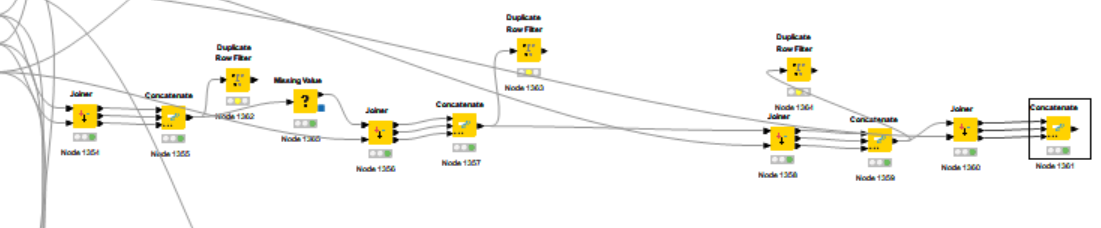
@Anjum_Taj it is difficult to advise just from the screenshot. From there three active ports and the concatenate node it seems something is off.
In general you might want to plan ahead what is happening at each step and check the results. Matching non matching and what it is you want to achieve. Joining: adding columns to a matching set of IDs and/or appending the same columns to new IDs.
The key to success in these cases from my experience is in the planning.
You can check out the example provided.
Best case would be you provide data representing your challenge so we could user that to discuss.
Hi @mlauber71
I am adding these columns in the knime. First joiner, i am taking from Input#1 and Input#2 and then concatenating all the outputs. In the second joining the first input coming from conacatenate taking Input#1 columns with 3 rd input table columns and so on.. Till 5 tables
deactivate the toggle “split outputs” in Knimes Joiner. Then all the output is in the first output (and output 2 and 3 get deactivated)
configure it to match your actual need (Inner / Left / Full outer join), and just to n-1 joins (n tables), adding one table at a time.
I dont know Alteryx Multi-Join but if this is similar to a Full Outer Join, then you will need to Merge the columns you joined on if you have something else than a 1:1 match (column merger node)
I thought someting here now… You have differents columns but the same position. You can use de csv reader for each file and rename it at the tab about it. You can adjust the input type too for new columns. After that, you can use concateneted node justo to put all together again.
As my friends told before, ppan it the big deal. If the files can havce changes every time, with the column name but the same positions, you can rename the columns too to be equals and then, make join process.