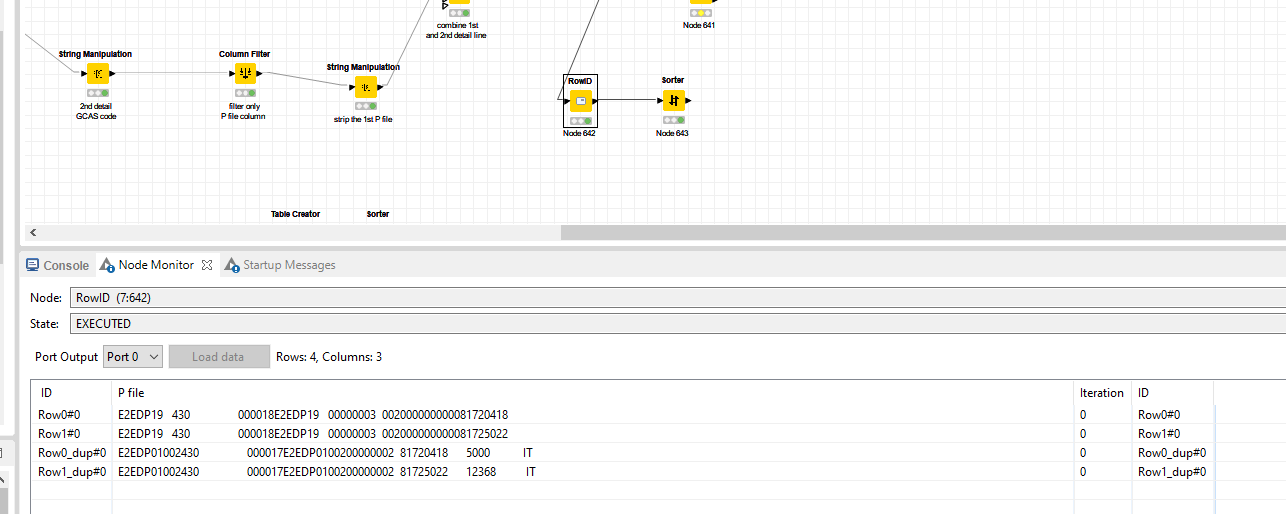
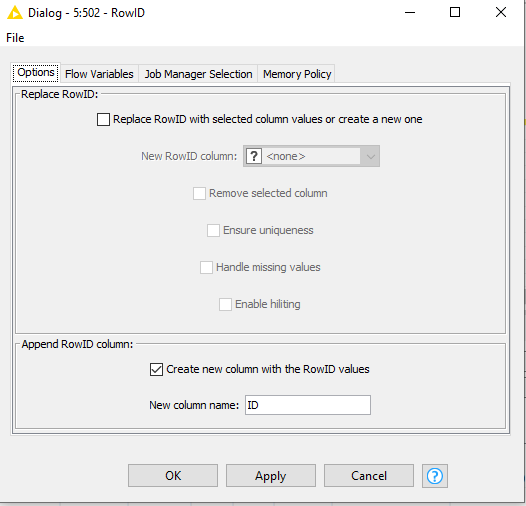
If you disable the ReplaceRowID section and only set the Append RowID column and you will get the rowID in a seperate column to work with like any other column.
The output is of datatype string therefore it applies a string sort and not an interger sort that you might have expected. If you actually need to sort on the numbers in the rowID you need to apply some cleansing operations first and convert it to a number.
I am not sure whether I am presenting my query in a correct form.
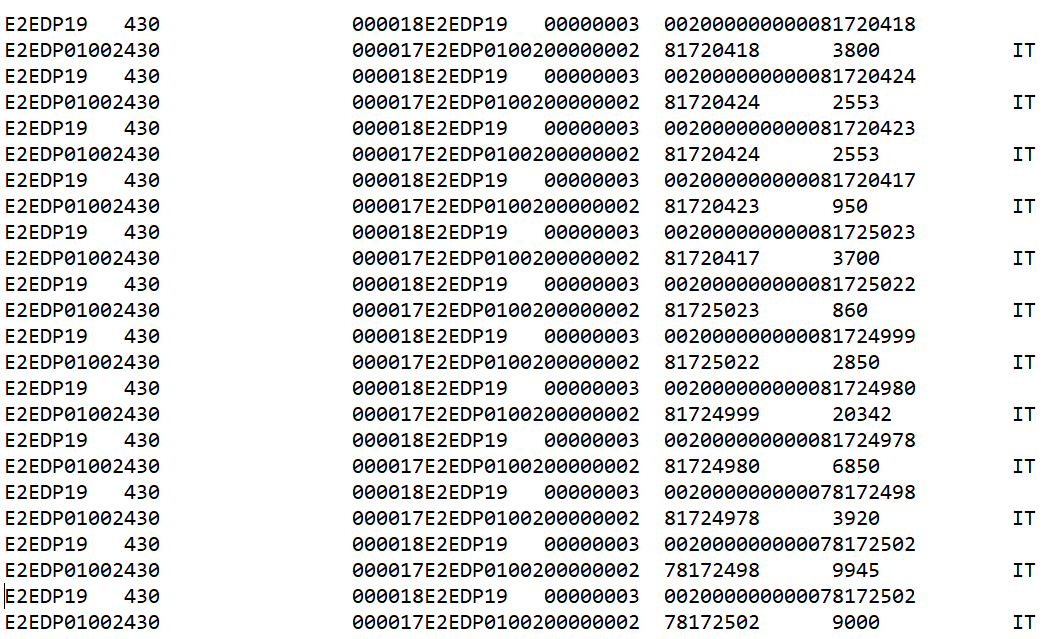
My issue is not with Row ID numerical or string. I want the output like I mentioned in the above screenshot. Do I need to apply any logic if Yes, could you please kindly help me in designing it. I have attached the workflow also.
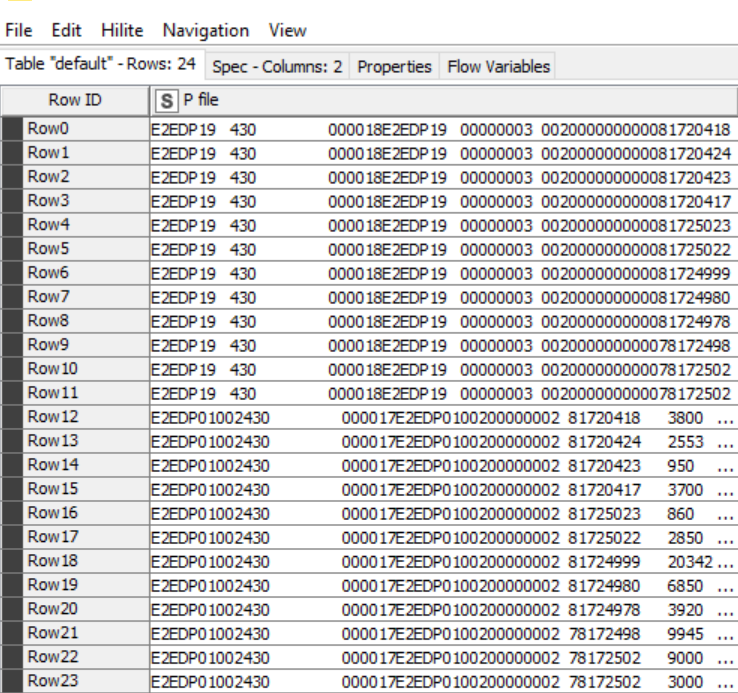
I think you are definitely going to need to clean up those strings in order to get a clean sort as @ArjenEX mentioned. After looking at your workflow there are a lot of Row ID’s that read along the lines of Row#0#0_dup_dup_dup_dup_dup. There are tons of ways to go about it cleaning up the Row IDs, but I will throw out a quick option that comes to mind. You could change the Duplicate Row ID handling in your Concatenate (Optional in) (deprecated) from “_dup” to something like “,1”. Then create your new column with the RowIDs as shown above. Then you can use the Cell Splitter with a “,” delimitator to split the ID into multiple columns, them sum them up the split columns with column expression node, and then add the sum back to your cleaned up Row IDs as a decimal. At that point you should have clean column that can be sorted as a number to give you a desired result.
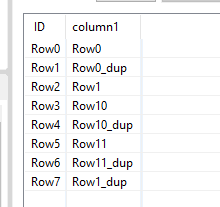
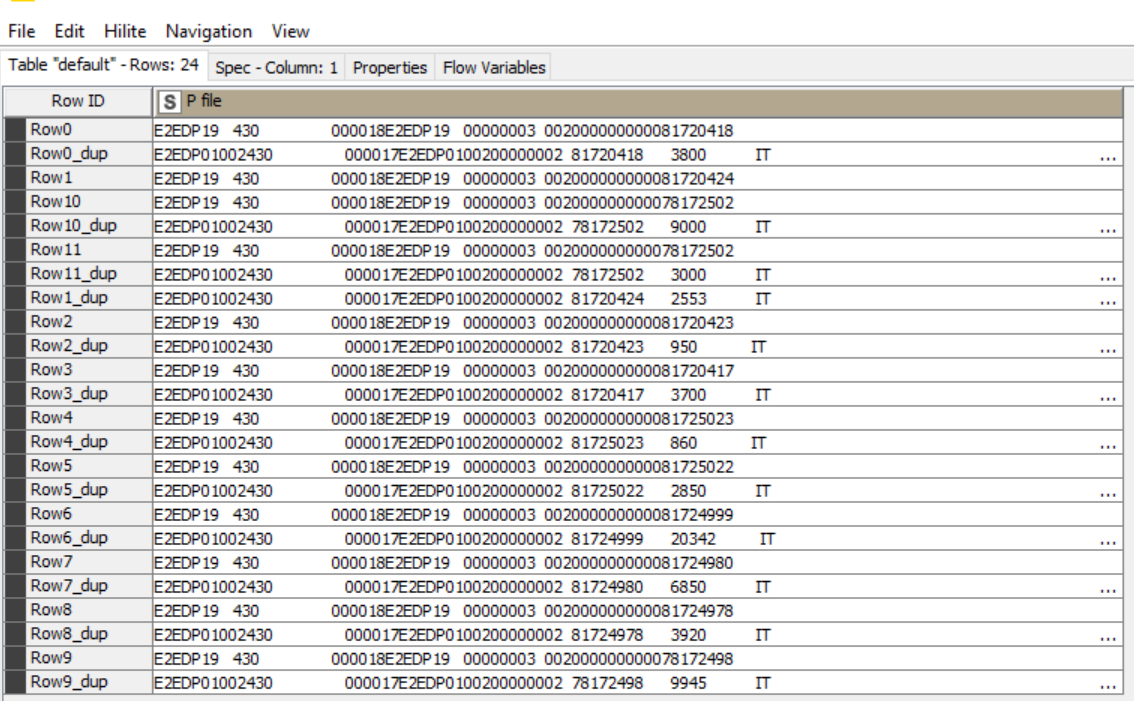
It actually is the source of the problem You are expecting:
Row0
Row0_dup
Row1
Row1_dup
based on the number Row(x). But since the output is of type string, that won’t work. A string sort where numbers are involved is dangerous because it leads to unwanted/misleading situations like you encounter now because Row1_dup, according to the string sort logic, is actually in the right place.
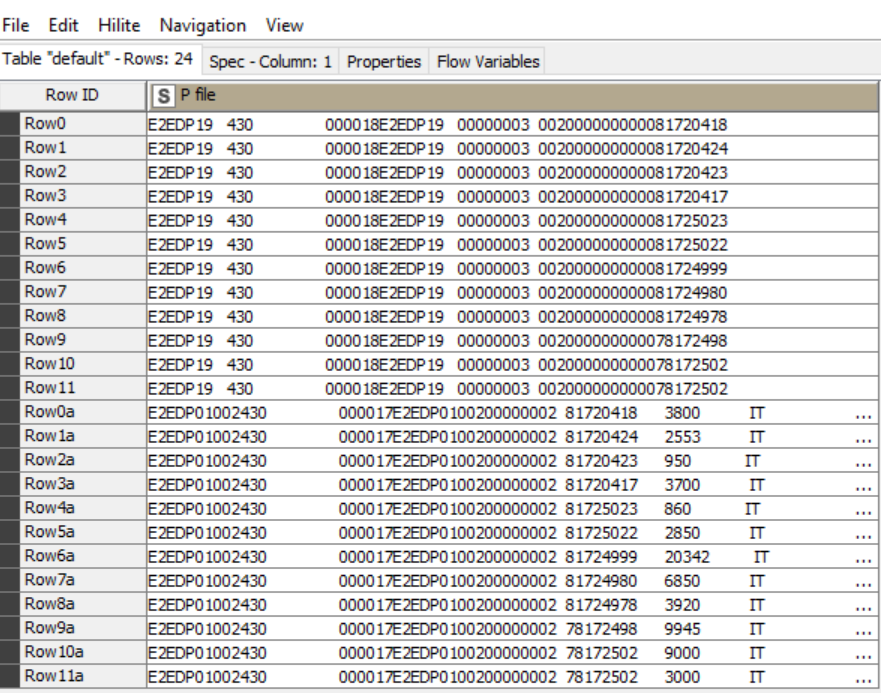
That in regards to the image of the large table that you show in the opening post. For that smaller table, depending on how many records that table will contain, the method propsed here does actually work.
Anyway the row ID will not be added in the final output. Here sorting itself is major criteria. So need suggestion for it. I observed one common factor between the two lines that has to come one after another and the factor. there is a eight digit ( starting with 8 for reference I am mentioning) number common in two lines.
could you please help me in building the workflow as per that logic if that works if not any other method.
The rowid in KNIME is not designed to be sortable; it is merely designed to represent a unique identifier. When rows are joined through joining or concatenation, the resultant rowid may be transformed in a variety of ways such as prefixing one rowid with another or the addition of multiple “dup” suffixes, as you have found. Sorting by rowid is therefore essentially meaningless as the algorithm by which such IDs could be “sorted” is almost impossible to define for all circumstances.
Generally sorting of data follows one of two patterns. Either you want the data sorted according to a combination of one or more data columns such as name, or date, or value, or you want the data sorted according to the sequence in which it arrives, or is presented in a file.
If you are wanting to sort the data in sequential order of its appearance, which is typically what you might be wanting to do given that you are considering rowid as a possible sort sequence, then probably what you actually want to do is provide a sequential numeric identifier for each row.
If that is your aim, then use the Counter Generation node early in your workflow which will create a sequential numeric value for each row. Use this for sorting rather than rowid.At a later point in your workflow, if your data becomes unsorted, you can then re-sort it’s using the numbers from counter generation. This is a technique I use often to resort data after multiple transformations especially after joining or concatenating data. I hope that helps.
Good call @takbb. I use Counter Generation node on pretty much all of my workflows in this way. That way I have my own unique and sortable “Process IDs”, and I am not dependent on the uniqueness or sortability of another system / exports Row IDs. It also helps avoid a ton of potential issues for things like Joins and Column Appends in a complex workflow.
Now can I go with the Counter generation node to achieve my output. I am pretty much new to KNIME. Please kindly help me in designing the workflow using Counter Generation.
It looks like you are periodically retrieving small batches of data and then doing some loop process / concatenate that results in row duplications that you want to sort…
The uploaded workflow would need embedded data in order to help you directly, and even then it isn’t clear to me what you are after. I would try using the counter generation node after the file reader nodes or immediately before the concatenate nodes depending on which one provides a better sort point for your aim.
If you want one tables’s rows to fall below another then you can at .1 to the result of the counter generation node for that table.
expected output
row0
row0a
row1
row1a
row2
row2a
… so on. pod.txt (2.1 KB) poh.txt (270 Bytes)
Please find the attached input files and the workflow. Generating Idoc for Singapore.knwf (160.2 KB)
If I get the above mentioned expected output then it will create my final output.
Generating Idoc for Singapore.knwf (233.1 KB)
I added the Counter Generator nodes as a “process id” before one of your concatenate nodes. You will notice that I used the Column Expression node to add .01 to each counter on one of the streams so that it fell into the correct row sort order vs the other.
I can’t really tell what is going on use case wise with that second concatenate node, but you can filter out the counter column after the sort that I did and then use the same approach a second time before the next concatenate if you need to apply another row order based sort at the end.
@Subramanyam You are welcome although I did very little here. Sometimes standing back a little from the problem is all that is necessary. I’m pleased to see it is working for you.
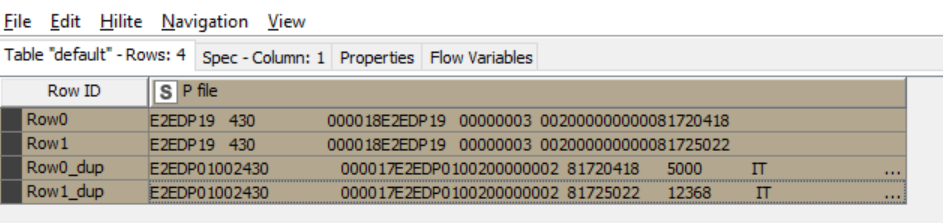
 You are expecting: