Dear all,
I occasionally use KNIME analytics platform for solving tasks and some educational purposes, and my challenge for now is to extract part of xml files (Comment in the bottom) via string manipulation. I tried some answers from the forum but I failed and it’s not working. Could someone please help me find the right approach?
The desired output table and xml file is attached.
Thanks for your help.
Hey there and welcome to the forum!
mind uploading the example data again?
Seems to be missing… you can simply drag and drop it into the text box window that you type in.
Hi @barkhatovM
The attachments didn’t came through so please try again  Also, KNIME has dedicated XPath nodes to retrieve information from xml files.
My understanding was that since this comment comes out of the structure, it’s impossible to retrieve it using xpath. *The output should look like 10228010/221024/5296086
I see - is the string “structure” around this sequence of numbers always the same?
i.e. is it always nested between “”?
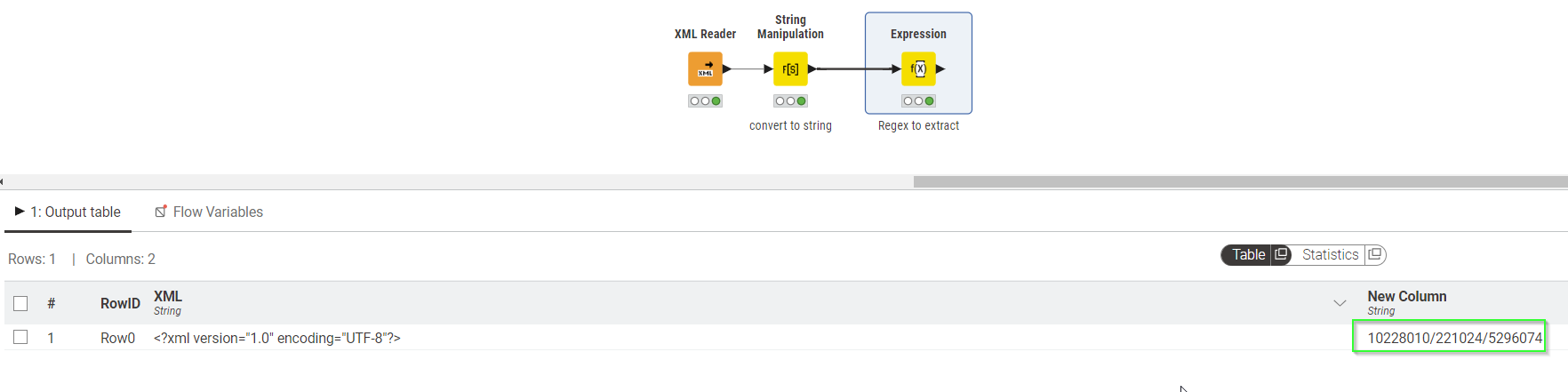
If so you can extract using Expressions node (provided you are on version 5.3) using this expressions:
regex_extract($["XML"], "<!--ND=(.*?)-->", 1)
Overview:
Workflow:
XML Comment.knwf (82.4 KB)
Thanks a lot! For some reason it just refused to work when I tried it myself. But now I understood what the catch was. 
have to admit I was initially thrown of guard as well as my eyes did not spot that it is “<–” and “–>” and not “<-” and “->”… but after copying it straight out it worked