I have an Excel sheet containing around 30,000 rows of data. I want to split it into smaller table and paste it into master excel in loop as I am seeing Java heap space error when I try to write entire sheet into master excel.
I’m trying to understand how to do this efficiently.
Thanks in advance for any help or example workflows!
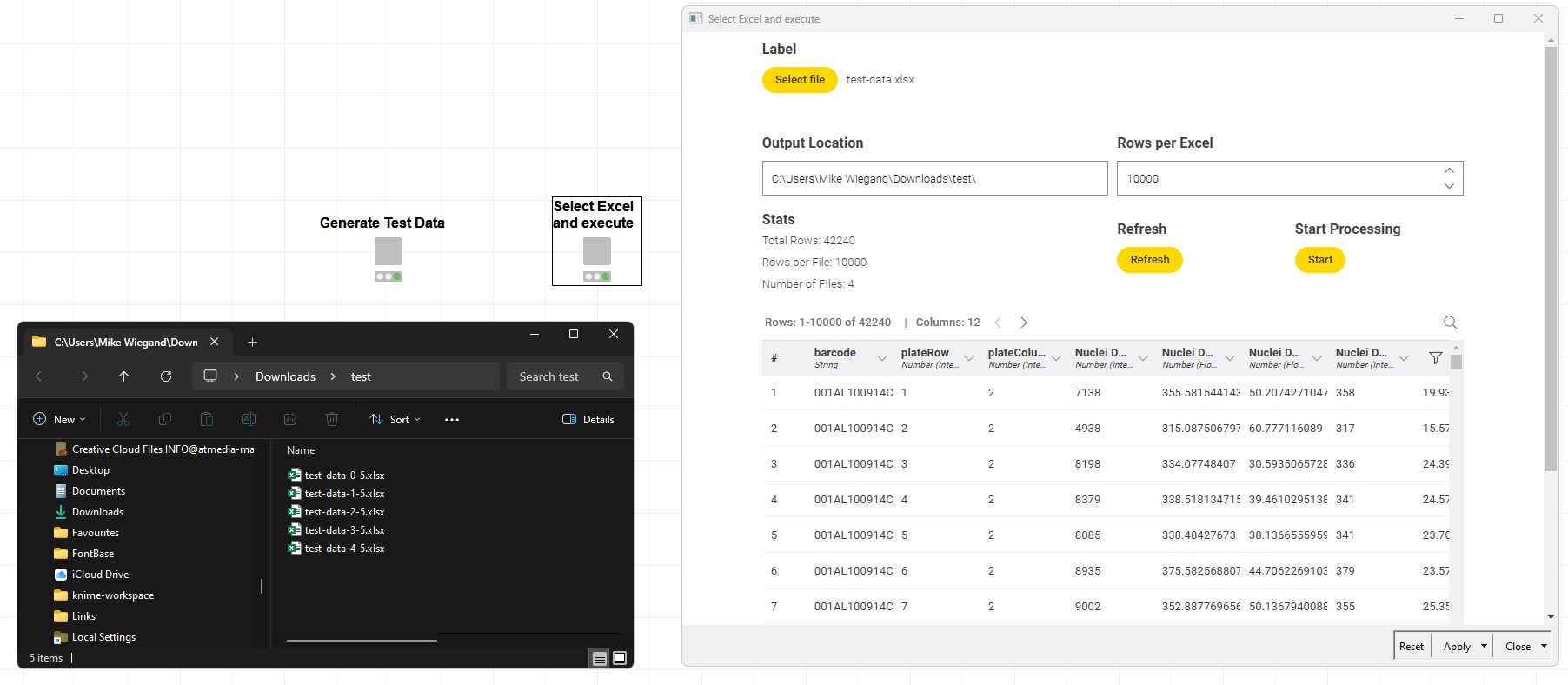
welcome to the Knime community. Thinking about this insteresting scenario I felt a generic and flexible solution would be best to provide. Also, thinking about some details liek file path separator, selcting a file etc., an interactive view would add a lot of comfort.
I also thought about the ability to scan the Excel, select a sheet or even dynamically process an entire Excels contents but, looking at the clock, I opted to join my wife instead.
PS: If that solution works for you, please mark this post as the solution.
Hi,
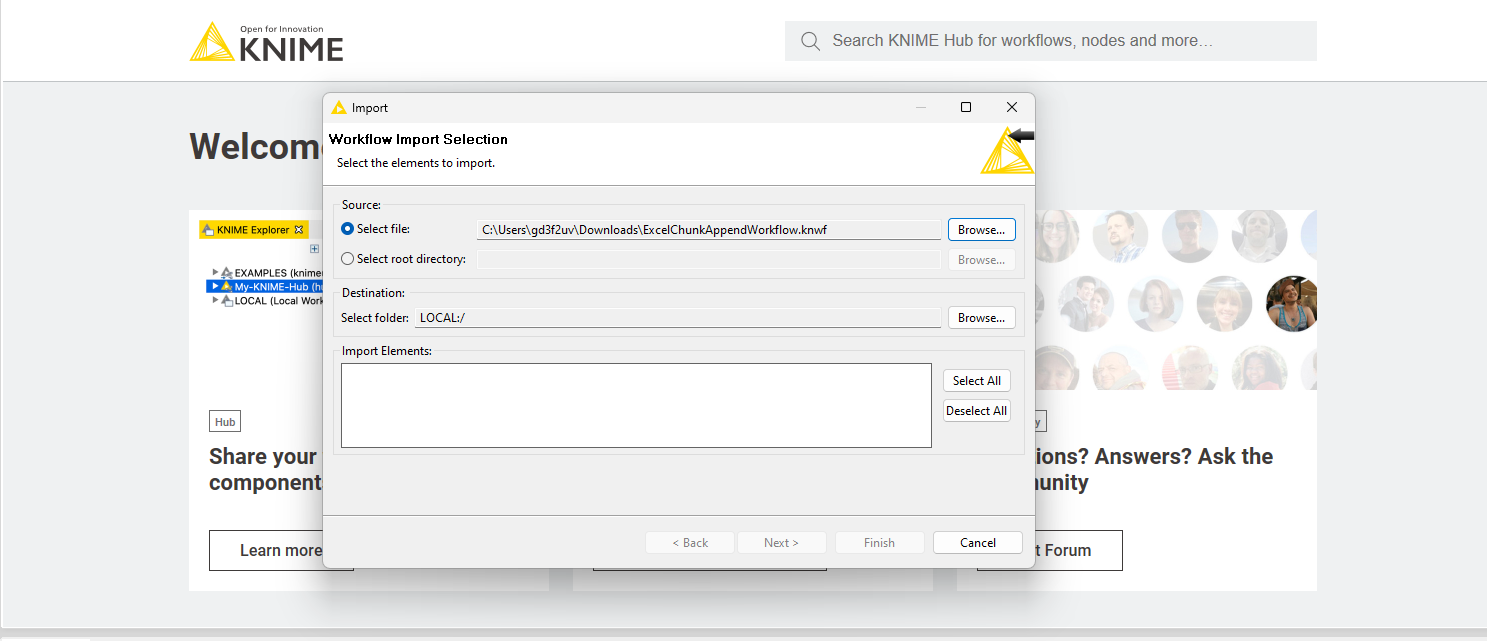
Thank you for the quick response. But I am not able to import the KNIME Workflow which you have posted here. Could you please help me here? I have attached snip here for reference.
I also noticed that your original post was deleted and I “bluntly” pasted my reply into the repost, not noticing your initial question was slightly extended.
About the heap space issue, did you adjust your knime.ini to better utilize the available RAM? Please read this, paying attention to the -Xmx declaration in your knime.ini, for more insights:
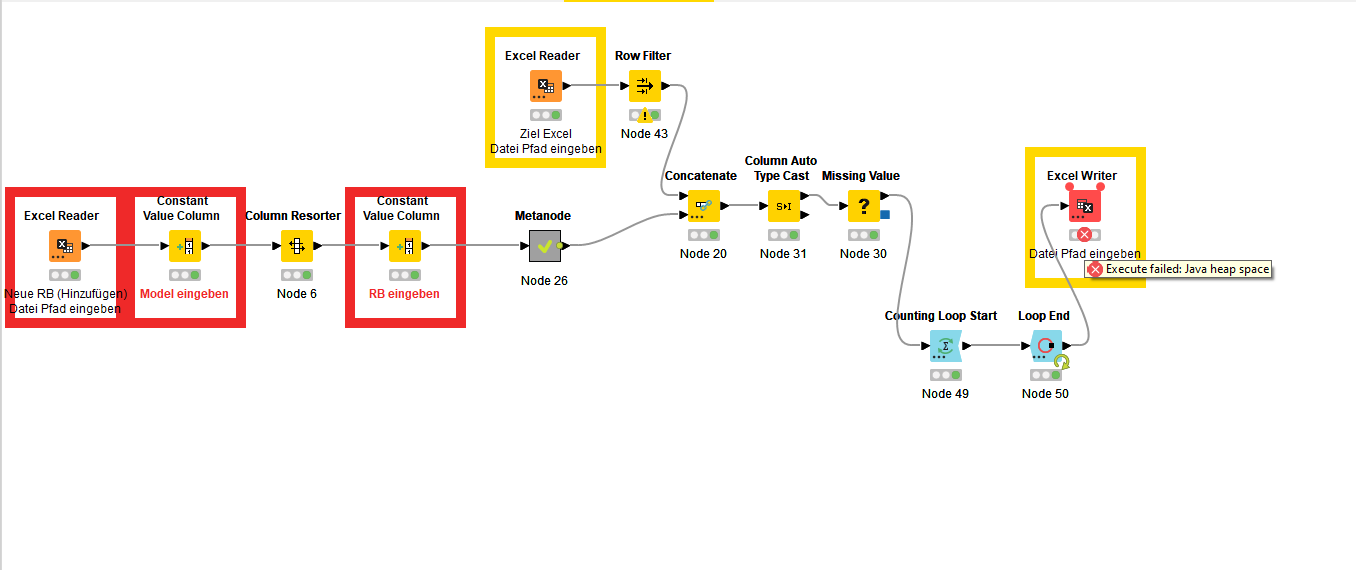
Thank you for noticing that, based on your workflow I tried to modify my current workflow and it worked when my master Excel (used in Excel Writer Node) is totally empty but when the Master Excel file size is more than 58,955 KB then i see error in Excel Writer Node: “Execute failed: Java Heap Space“. Is there any solution to this problem?
@GD3F2UV have you read the documentation and adjusted your knime.ini file to utilize more of your system memory (RAM)? I’ve worked with Excel files of much larger size and never ran into any heap space issues.
Though, there are one or two caviats I recall which are related to formulas.