Hello,
I have date column in my data. I just want to add new column with condition.
If date field is blank the “Check”
If date is older than 6Months or 180 days then “Del”
otherwise “Keep”
please support
Hello,
I have date column in my data. I just want to add new column with condition.
If date field is blank the “Check”
If date is older than 6Months or 180 days then “Del”
otherwise “Keep”
please support
Hi @Ramakant_Patil, there are a number of solutions to this but they will vary according to the KNIME version you are using. Below I have included some options, but there will be other variations too.
In KNIME 5.5, the “Expression” node gained some functions for calculating date differences, so it ought to be straightforward… but… unfortunately, I don’t think it gained a TODAY function! I’ll come back to that further down.
I have attached here two workflows. One is using KNIME 5.4 and the other is for KNIME 5.5.
KNIME 5.4 (and earlier)
Date column condition KNIME 5.4.knwf (16.9 KB)
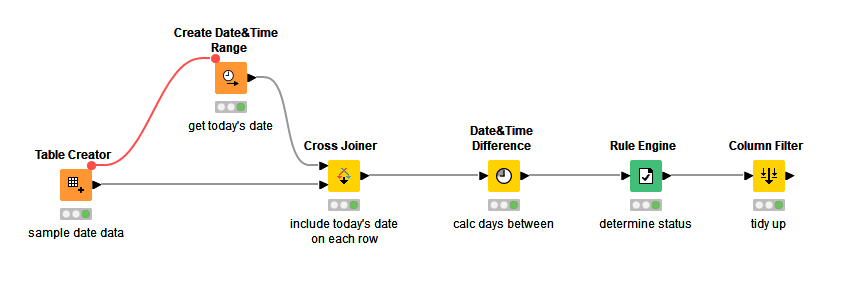
Here it fetches today’s date using Create Date&Time Range, and applies it to each row. The difference in days is calculated, and a Rule Engine uses your rules to set a “status” column. Note the flow variable linking to the Create Date&Time Range. This is simply to ensure that if the same data changes, the current date is re-fetched (in case it is a new day!)
KNIME 5.5
Date column condition KNIME 5.5.knwf (95.6 KB)
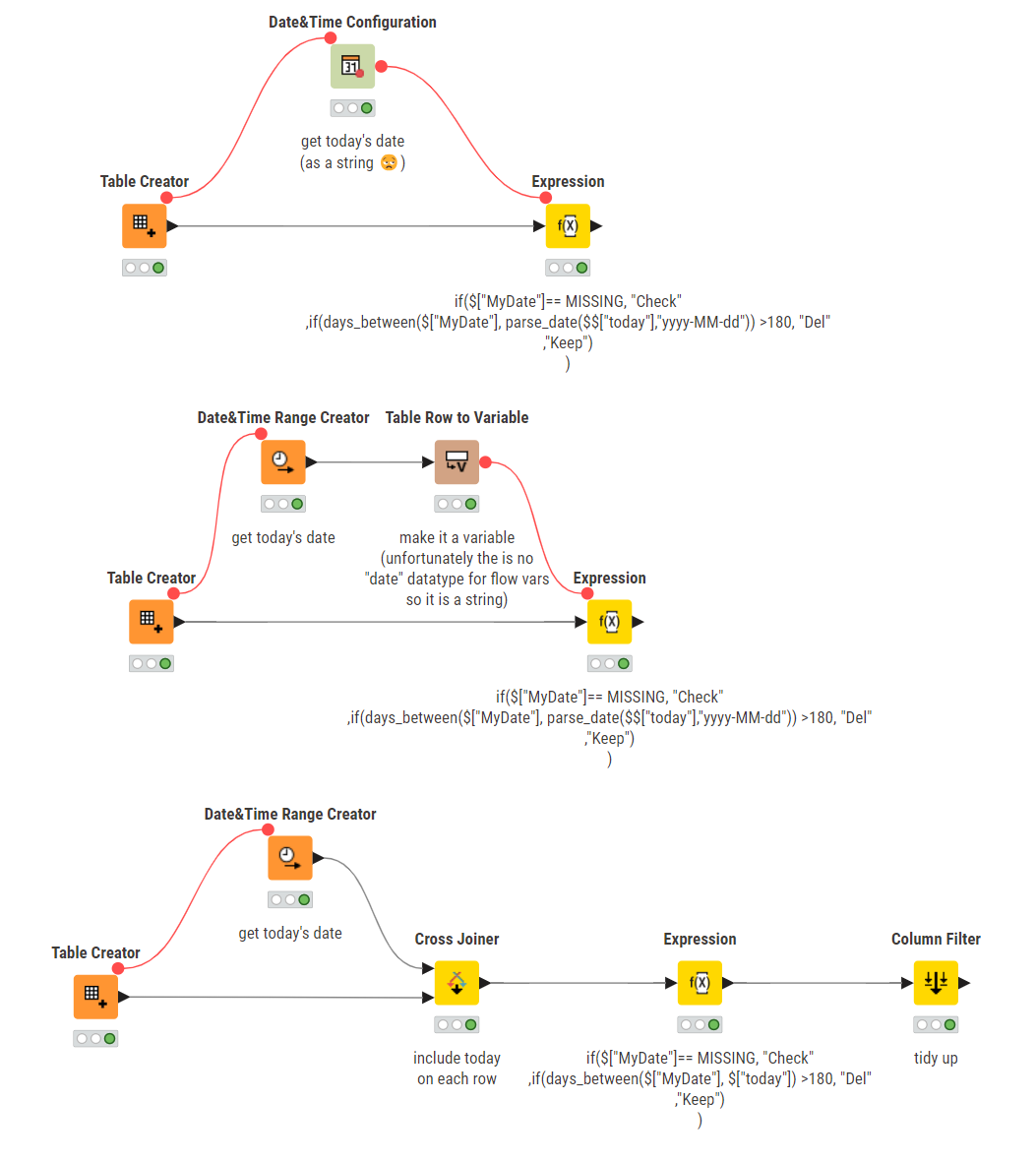
With KNIME 5.5, the Expression node now contains “temporal functions” such as “days_between”, which can help us here. Unfortunately, as I already mentioned, from what I have found there is not currently a way to determine “today”, which I am hoping will be rectified in a future release, since comparisons with today’s date are quite a common use case.
If I am wrong and there is a way then I’m sure somebody will correct me! 
So here I have demonstrated placing today’s date in a flow variable, which can then be used within the Expression, avoiding the need to apply today’s date as a new column in the data. It is not quite so simple though, as there is no DATE datatype for flow variables and so it has to be created as a String. This means that within the Expression node, we need to make use of the parse_date function to convert the String into a Date for use with the days_between function.
The third option I’ve included is a hybrid of the 5.4 version and the 5.5 version which again includes today as an added column, which increases the node count but reduces the effort in the Expression node, as it can now easily compare two dates without additional parsing.
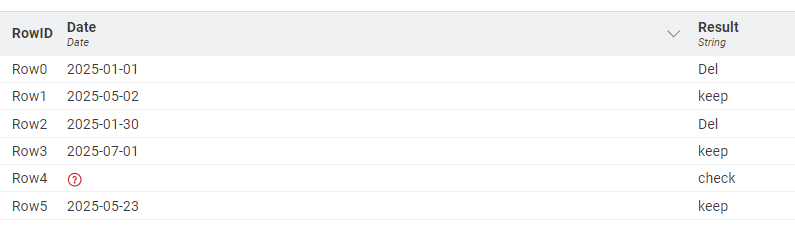
The resulting “status” column in all the above examples will be this:
btw, you may be interested in my “Date Components” on the hub which provide easy methods of retrieving the current date, and also a variety of dates relative to “today”.
@takbb has explained so well. To add to his solution, here is a column expression version.
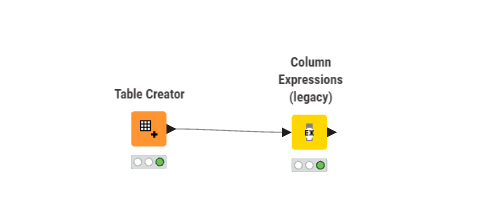
if (isMissing(column("Date"))){
    "check"
    }
else if(column("Date").isBefore(today().minusDays(180))){
    "Del"
    }
else {"keep"}
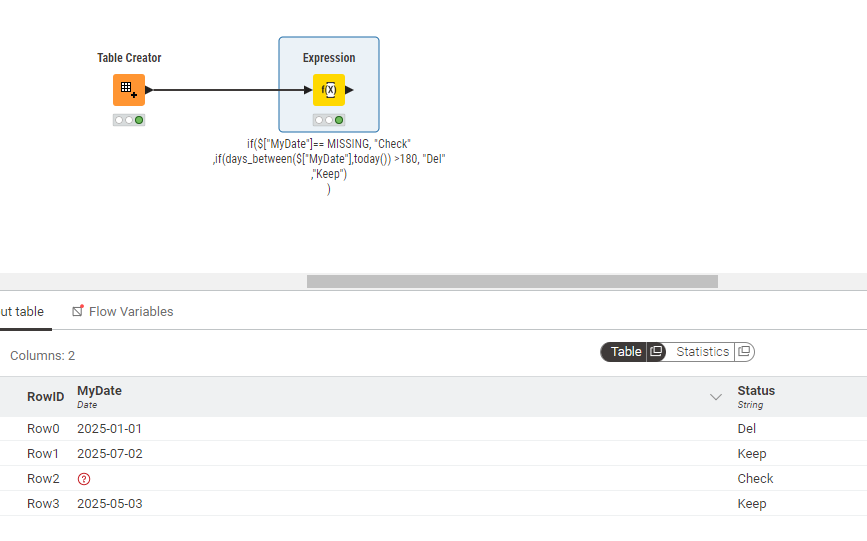
Here is the KNIME 5.6 version, which adds the much-needed today() and now() function to the Expression node…  … allowing it to be written similar to @arun_knimer 's Column Expressions example :
if($["MyDate"]== MISSING, "Check"
,if(days_between($["MyDate"],today()) >180, "Del"
,"Keep")
)
From the 5.6 changelog:
Thanks @HansS !!